
Publishing articles directly within X is now available to all paid users; no longer requires the highest tier
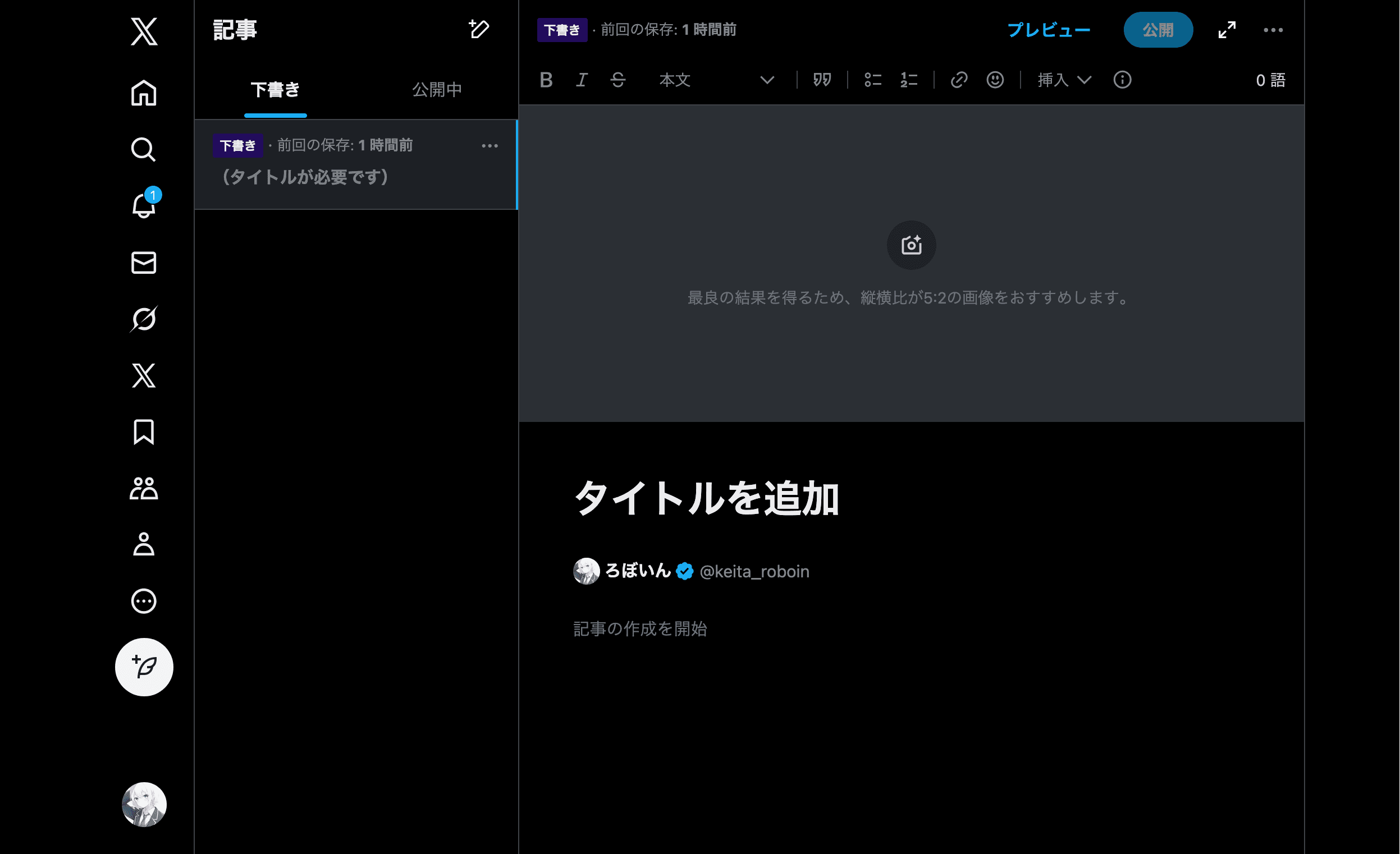
Nikita Bier, X (Twitter)’s head of product, posted on his X account that they plans to roll out several updates this week for creators and power users.
First, he announced that the article publishing feature, which until now had only been available to subscribers of the highest-tier paid subscription service "X Premium," "Premium+," will be opened to all X Premium users.
Note that X’s article publishing feature is different from posting to X a link to an article published on an external website.
Free users can still post links to external websites on X for free.
What has now been made available to all paid users is the ability to create and publish articles directly within X.
With X’s Articles feature, you can use text and images/videos as well as links and headings, bold and strikethrough, bullet lists, and other text formatting.
As far as I know, almost no users are using X’s Articles feature, but X’s official account sometimes publishes X-related news using the feature.
You can view articles created by other users from the [Articles] tab on each user’s profile.
If you subscribe to X Premium, you can create a new article from the [Articles] menu or the [Articles] tab on your own profile.
You can read the article I posted on X with the feature here:
— ろぼいん (@keita_roboin) January 7, 2026
Share this article
Follow us for updates
Adding us to your preferred sources on Google makes it easier to find our articles on Google. Also, be sure to follow us on X and our RSS feed.


-1.png&w=1080&q=75)
I've been using JavaScript more than my native language since birth. I am nowhere and everywhere on the internet.
I build web apps and browser extensions in TypeScript as a web frontend programmer. I released Shadowban Scanner, a tool that detects shadowbans on X, and Restore Link Card, a tool that brings back link cards. Media outlets in Japan and abroad covered both tools. For iGEM 2023, I built the Wiki for Team Japan-United and helped the team win the Grand Prize. On my blog, I cover news about X and social media, test and troubleshoot bugs, and share frontend development insights.


![An image showing a drawer titled [Scheduled post] with a calendar on X’s post screen](/_next/image/?url=%2Fapi%2Fmedia%2Ffile%2Fx-ios-scheduled-post-thumbnail.png&w=3840&q=75)
![A screenshot of a dialog titled [What are you reporting?] with [Spam] selected](/_next/image/?url=%2Fapi%2Fmedia%2Ffile%2Fx-report-post-spam-selected-english.png&w=1920&q=75)







