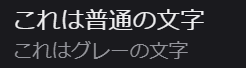
Annoyed by X’s “tap and hold” images? X starts cracking down on them as a “spam attack”
Images that change when you tap and hold have become a trend on X, prompting users to publish a flood of posts. In some cases, these posts have taken over users’ timelines. I found the idea interesting at first, but after they filled my timeline, my impression turned negative.
In response to complaints about timelines filling up with tap-and-hold images, X Head of Product Nikita Bier called them a “spam attack” and said X had reduced their visibility in users’ timelines.
Table of Contents
Does “tap and hold” count as spam?
Since around July 23, many X users have posted images that change when you tap and hold them. At first, these posts show only part of an image, while the rest blends into the app’s background color. When you tap and hold the image, the hidden portion appears in the area that matched the background.
A small number of these posts might not bother users, but some users have complained that the posts have filled their timelines and become irritating.
On July 25, X Head of Product Nikita Bier responded: “This spam attack was mitigated tonight. Your feed will improve in the next 6-12 hours.” His statement confirmed that X had reduced the timeline visibility of posts containing tap-and-hold images. Bier did more than announce a visibility reduction. By calling the trend a “spam attack,” he signaled that X views these posts as a problem.
After checking several posts, I found strong signs that X may have flagged some posts containing tap-and-hold images as potential spam.
When you open the [Report post] screen on X, the app sometimes preselects a category for certain posts. X has not confirmed what this means, but users have inferred that a preselected category reflects a flag X has attached to the post.
For some posts containing tap-and-hold images that I viewed, X had preselected [Spam] on the [Report post] screen. This suggests that X may have classified some tap-and-hold posts as spam.
![A screenshot of a dialog titled [What are you reporting?] with [Spam] selected](/_next/image/?url=%2Fapi%2Fmedia%2Ffile%2Fx-report-post-spam-selected-english.png&w=1920&q=75)
“Tap and hold” posts could cost you monetization
I do not recommend posting tap-and-hold images from an account enrolled in X’s Creator Revenue Sharing program. In the article below, I discussed the possibility that X could remove accounts from the program if it classifies tap-and-hold posts as engagement bait.
![Screenshot of X’s settings screen showing the options under [Accessibility, display, and languages] > [Data usage]](/_next/image/?url=%2Fapi%2Fmedia%2Ffile%2Fx-data-saver-high-resolusion-image-settings-english.png&w=3840&q=75)
In its Content Monetization Policies, X prohibits engagement bait that asks users to interact with content through artificial means. X Head of Product Nikita Bier has said that X may remove accounts from Creator Revenue Sharing after three or more attempts to solicit engagement with tactics such as “I’ll follow everyone who replies.” X may also suspend those accounts in some cases.
X will decide whether posts that change when users tap and hold the image qualify as engagement bait. Given Bier’s description of the trend as a “spam attack,” publishing these posts from a monetized account carries substantial risk.
Users who do not monetize their accounts should also avoid tap-and-hold posts to reduce the risk to their accounts.
Verification details and sources
Verification environment
- OS: Windows 11
- Browser: Zen Browser version 1.21.8b
Verification details
I confirmed that [Spam] is selected by default on the [Report post] screen for some posts containing images that change when you tap and hold.
Last verification date
Reference links
Share this article
Follow us for updates
Adding us to your preferred sources on Google makes it easier to find our articles on Google. Also, be sure to follow us on X and our RSS feed.


-1.png&w=1080&q=75)
I've been using JavaScript more than my native language since birth. I am nowhere and everywhere on the internet.
I build web apps and browser extensions in TypeScript as a web frontend programmer. I released Shadowban Scanner, a tool that detects shadowbans on X, and Restore Link Card, a tool that brings back link cards. Media outlets in Japan and abroad covered both tools. For iGEM 2023, I built the Wiki for Team Japan-United and helped the team win the Grand Prize. On my blog, I cover news about X and social media, test and troubleshoot bugs, and share frontend development insights.


![An image showing a drawer titled [Scheduled post] with a calendar on X’s post screen](/_next/image/?url=%2Fapi%2Fmedia%2Ffile%2Fx-ios-scheduled-post-thumbnail.png&w=3840&q=75)


![Xのポストの投稿画面に[Made with AI]というラベルが表示されているスクリーンショット](/_next/image/?url=%2Fapi%2Fmedia%2Ffile%2Fx-made-with-ai-label.png&w=1920&q=75)