
Shadowban Scanner has been updated to v4.0.4

Shadowban Scanner has been updated to v4.0.4! Here are the main changes in this release. You can view the full list of changes on GitHub’s release page.
Table of Contents
Main changes
The main changes in Shadowban Scanner v4.0.4 are as follows. This release mainly addresses changes to X specifications, and there are no new features.
- Fixed an issue where the feature that lets you view posts displayed as [This post is unavailable] had stopped working
- Fixed a bug where no message was displayed when clicking a post or its attached image in X Pro
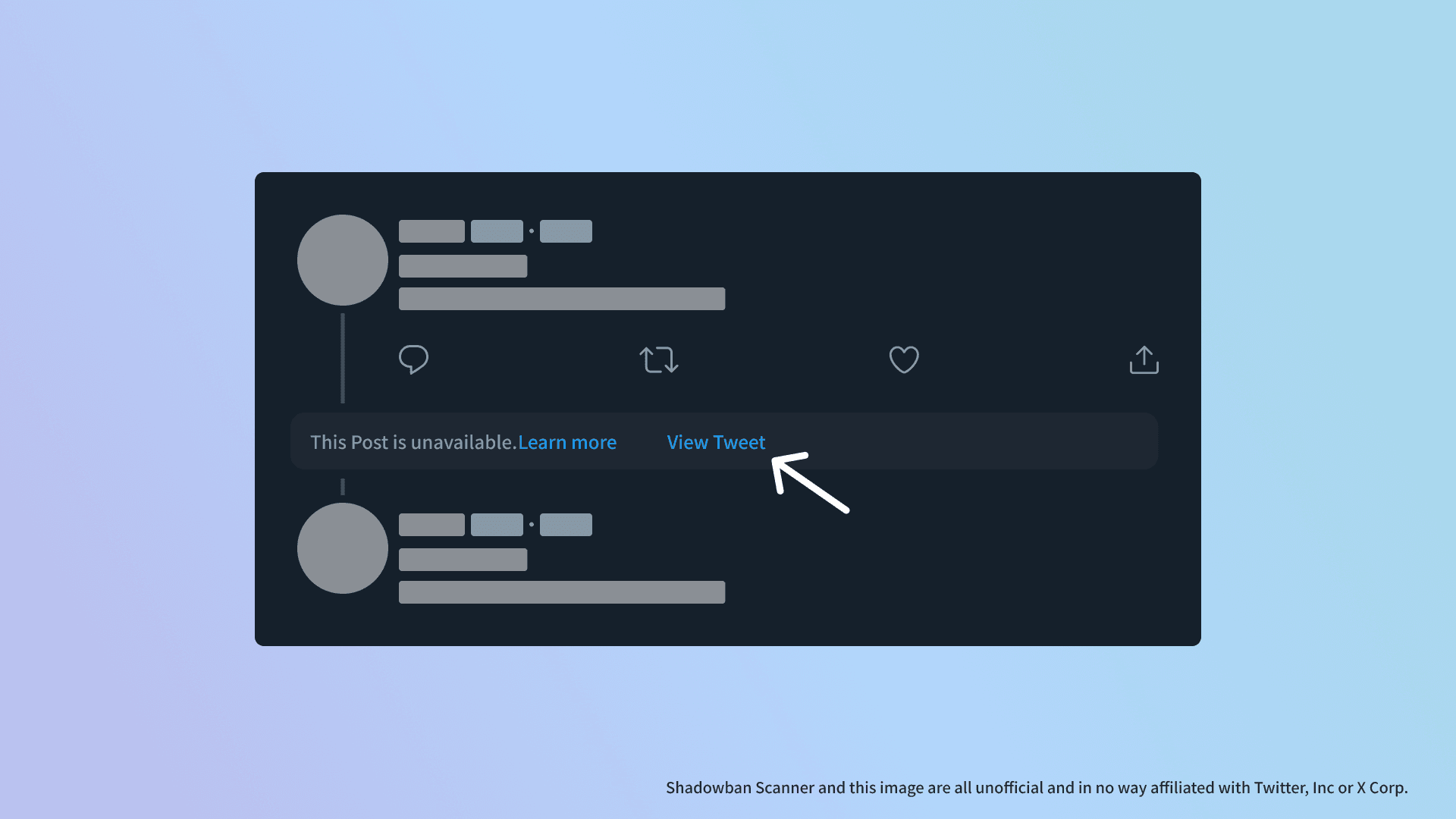
X has recently strengthened its spam countermeasures, leading to an increase in replies being hidden and replaced with the message [This post is unavailable].

In Shadowban Scanner, I had added a feature in v3.1 that lets you view hidden posts, but it had stopped working due to changes in X's specifications.
In this update, I fixed the feature that lets you view hidden posts so that it works again.
In addition, it only worked when a reply was hidden, but now it also works when the original post being replied to is hidden.
It does not work in every case, but when this feature is available, a [View Post] button will be added next to the [This post is unavailable] message.
Clicking this button opens the hidden post in a new tab.
Request for support
Shadowban Scanner is a hobby project by the developer, but it takes a lot of time to develop and maintain. If you have the means, I would appreciate your support for its development.
I accept donations through Buy Me a Coffee or GitHub Sponsors. Please note that there are options for both recurring and one-time donations.
Also, simply posting reviews or ratings in the store, or following the author's X (Twitter) account, helps motivate development. If you are knowledgeable in programming or interested in contributing to translations, please consider joining the development on GitHub!
Share this article
Follow us for updates
Adding us to your preferred sources on Google makes it easier to find our articles on Google. Also, be sure to follow us on X and our RSS feed.


Related articles
-1.png&w=1080&q=75)
I've been using JavaScript more than my native language since birth. I am nowhere and everywhere on the internet.
I build web apps and browser extensions in TypeScript as a web frontend programmer. I released Shadowban Scanner, a tool that detects shadowbans on X, and Restore Link Card, a tool that brings back link cards. Media outlets in Japan and abroad covered both tools. For iGEM 2023, I built the Wiki for Team Japan-United and helped the team win the Grand Prize. On my blog, I cover news about X and social media, test and troubleshoot bugs, and share frontend development insights.







![Screenshot of Discord's settings page, with the [Show my message content from discoverable channels on web pages] option highlighted by a red border in the [Data & Privacy] section.](/_next/image/?url=%2Fapi%2Fmedia%2Ffile%2Fdiscord-message-visibility-setting-english.png&w=3840&q=75)


