Why can't I tag on X? Explaining why accounts do not appear and how to change the settings

When you try to tag a specific account in images on X (Twitter), there are times when you cannot tag them or the account does not appear among the tagging candidates.
In this article, we clearly explain the reasons and solutions when you cannot tag an account on X, as well as the relevant settings.
Table of Contents
There are two types of tagging on X
In fact, there are two types of tagging on X, and the reason you cannot tag someone - as well as the solution - differs depending on which one you mean.
What is generally called "tagging" on X includes the following two types.
- @mentions, where you put @username in the post text
- image tagging, where you associate a specific account with an image
The former is also sometimes called an "@post" because it is a post that includes another person's username in the body of the post.
As for the second type, image tagging, it is a mechanism that lets you associate a specific account with an image attached to a post by entering that account's display name or username.
In this article, we will explain the reasons and solutions when the latter, image tagging, does not work.
Main reasons you cannot tag on X
The target account is private
If the other person's account is private, you may not be able to tag them in an image.
On X, private accounts cannot be followed unless that account gives permission, and their posts cannot be viewed unless you are following them.
Under X's specifications, it is possible to tag private accounts in images, but when an account is made private, the setting is automatically changed so that tagging is not allowed.
As a result, unless the account owner has changed the tagging setting after making the account private, you will not be able to tag that account.
You are blocked by the target account
You cannot tag accounts that have blocked you in images.
On older versions of X, you could not view posts from accounts that had blocked you, but currently you can still view their posts even if you are blocked.
Because of this, being able to view the target account's posts does not necessarily mean that you have not been blocked.
If you are blocked by the other person, a message to that effect may appear when you view their profile, and you may also be unable to like or repost their posts, so you can check those points to determine whether you have been blocked.
You are trying to tag a GIF image
Image tagging on X is not available for every type of media. It is only available for still images, and you cannot tag GIF images.
Therefore, if the image you are trying to post is a GIF image, you will need to post it with an @mention instead of image tagging, or change it to a still image.
The target account is shadowbanned
With image tagging, when you enter the username or display name of the account you want to tag, matching accounts appear in the search results, and you can select the one you want to tag.
However, accounts that are shadowbanned may not appear among the candidate accounts shown when you enter a username or display name for tagging.
Shadowban refers to a situation where a specific account or its posts become less likely to appear in X's search results or recommendations, or do not appear at all.
In many cases, accounts that are considered sensitive, accounts regarded as low-quality spam, or accounts that were created very recently or have very few posts tend to be more likely to be shadowbanned.
Also, accounts that were created very recently may not appear in search results even if they are not shadowbanned.
You can easily check whether an account is shadowbanned by using Shadowban Scanner, a browser extension I developed.

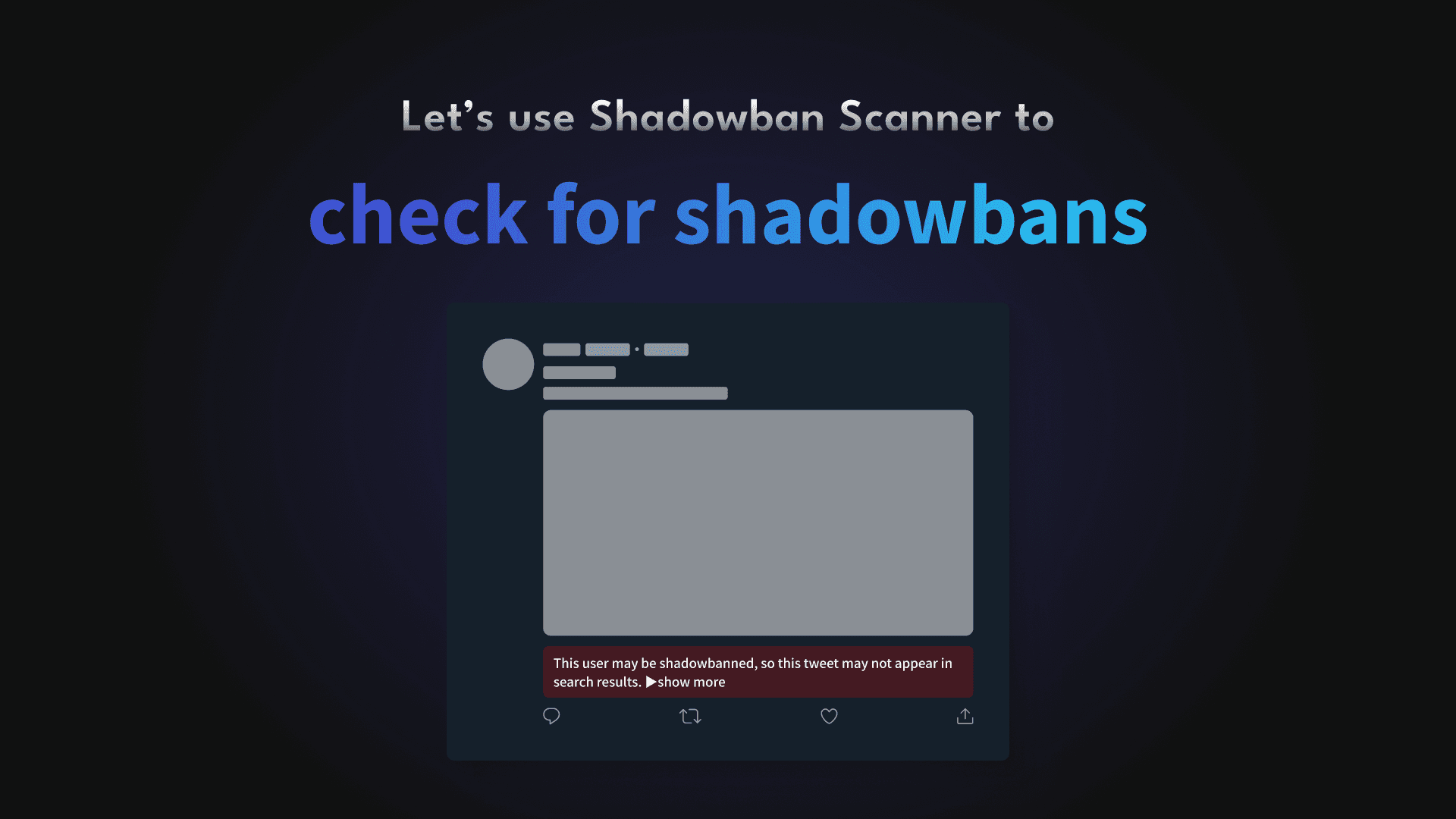
If the account you want to tag is shadowbanned, try entering the other person's full username (screen name) exactly.
For more details on the difference between a username and an account name, see this article.

Tagging is not allowed in the settings
If none of the cases explained so far applies, the target account may not allow image tagging.
X has a setting for whether to allow image tagging, and you cannot tag accounts that do not allow it.
Also, even if image tagging was previously allowed, if the account was ever switched to a private account, the setting may have been changed to disallow tagging.
When an account is made private on X, image tagging is automatically switched to a setting that does not allow it.
Furthermore, even if the account is later switched back to public, the image tagging setting remains set to disallow tagging.
In other words, for accounts that are currently private or were private in the past, image tagging may be turned off unintentionally.
How to change the setting for whether to allow image tagging is explained later.
The tagging setting was changed only recently and has not been reflected yet
As mentioned above, X has a setting for whether to allow image tagging, but even if you change the setting, it may not take effect immediately.
After changing the image tagging setting, it may take up to about 30 minutes for the change to actually be reflected.
So if you changed the setting to allow tagging but still cannot tag, you may be able to do so after waiting for a while.
How to change the tagging setting
You cannot tag another account unless that account allows image tagging.
You can change whether to allow image tagging by following the steps below.
Note that this setting must be changed by the person being tagged, not the person doing the tagging.
If you think the account you want to tag does not allow tagging, please share this article with them and ask them to allow it.
Open X's settings
Open [Privacy and safety] > [Audience, media and tagging]
Change [Photo tagging] to [Anyone] or [Only people you follow]
- Anyone can tag you: Allows all accounts to tag you in images
- Only people you follow can tag you: Only accounts that you follow can tag you in images
- Off: Does not allow anyone to tag you in images
Conclusion
We explained the reasons and solutions for cases where, when you try to tag a specific account in an image on X (Twitter), you cannot tag them or the account does not appear among the tagging candidates.
Use this article as a reference, and change the tagging settings as needed.
Share this article
Follow us for updates
Adding us to your preferred sources on Google makes it easier to find our articles on Google. Also, be sure to follow us on X and our RSS feed.


-1.png&w=1080&q=75)
I've been using JavaScript more than my native language since birth. I am nowhere and everywhere on the internet.
I build web apps and browser extensions in TypeScript as a web frontend programmer. I released Shadowban Scanner, a tool that detects shadowbans on X, and Restore Link Card, a tool that brings back link cards. Media outlets in Japan and abroad covered both tools. For iGEM 2023, I built the Wiki for Team Japan-United and helped the team win the Grand Prize. On my blog, I cover news about X and social media, test and troubleshoot bugs, and share frontend development insights.
![スマートフォンのホーム画面の[Social]フォルダーを表示した写真。フォルダー内にはFacebook、Instagram、Threads、X、LinkedIn、TikTok、YouTubeのアイコンが配置されている](/_next/image/?url=%2Fapi%2Fmedia%2Ffile%2Ffacebook-instagram-threads-x-twitter-linkedin-tiktok-youtube-mobile-app-unsplash.jpg&w=3840&q=75)
![Screenshot of the dialog that says [Snooze Topics] [Select topics you don’t want to see for 24 hours]](/_next/image/?url=%2Fapi%2Fmedia%2Ffile%2Fx-snooze-topic-dialog-english.png&w=1920&q=75)
![Screenshot of Discord's settings page, with the [Show my message content from discoverable channels on web pages] option highlighted by a red border in the [Data & Privacy] section.](/_next/image/?url=%2Fapi%2Fmedia%2Ffile%2Fdiscord-message-visibility-setting-english.png&w=3840&q=75)