Why did YouTube's Clip disappear? Explaining why it was removed and alternative methods

The button for the Clip feature, which allowed you to cut out and share a specific segment of a video on YouTube, has disappeared.
The reason the Clip button disappeared is that YouTube discontinued the Clip feature.
In this article, I will clearly explain why YouTube's Clip disappeared, what will happen to existing Clips, and what alternative methods can be used instead of Clip.
Table of Contents
Why did YouTube's Clip disappear?
The reason the YouTube Clip button is no longer visible and can no longer be used is not a bug, but a specification change.
YouTube discontinued the Clip feature as part of a review of how videos are shared.
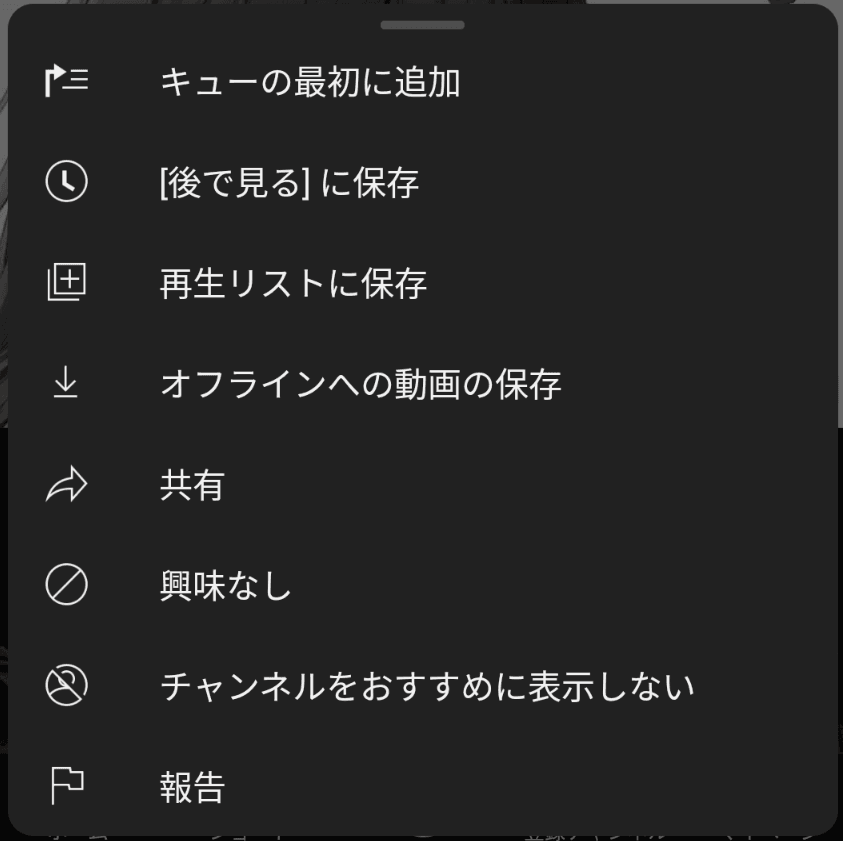
As a result of the discontinuation of Clip, the Clip button is no longer shown on YouTube's video playback screen, which means users can no longer create new Clips to cut out and share specific scenes.
The main reason YouTube discontinued Clip is that, for the purpose of sharing a video from a specific point, sharing the video with a designated start time is simpler.
Although YouTube recognizes that community-created Clips are an important way to connect creators with new viewers, it says that third-party tools with advanced clipping features and official programs for creators are available.
Can you create new Clips? Will existing Clips remain?
The button for creating new Clips has already been removed from YouTube, and it is no longer possible to create new Clips.
As for existing Clips that were created previously, they can still be viewed even after the creation of new Clips became unavailable.
For this reason, while you can still open and play links to Clips that were created in the past, you can no longer create new Clips in the same way.
Alternative ways to share specific scenes on YouTube
Although Clip, which was used to share specific ranges of a video on YouTube, has been discontinued, that does not mean there is no longer any way at all to share specific scenes in a video.
There are several sharing methods you can use instead of Clip.
Share at Timestamp
You can use sharing with the timestamp of the point where the video starts.
Previously, Share at Timestamp was available only on desktop, but with the discontinuation of Clip, it has also become available in the mobile app.
With Clip, you could set the video's start time and end time, as well as a description to be shown when sharing, but with Share at Timestamp, you can specify only the video's start time, and you cannot set an end time or description.
Since there is no longer any need to set an end time or description, Share at Timestamp has become easier to use than Clip, but it also offers less flexibility.
You can use Share at Timestamp by following these steps.
Open the video you want to share on YouTube
Move the video forward to the scene you want to share, and pause it there
Tap the Share button
Turn on the switch showing the time in the upper right, then either share it in a specific app or copy the link

Video Clips for creators
Although Clip for general users has been discontinued, creators can create clips of videos and live streams from YouTube Studio.
This cannot be used by general users who want to share a specific part of a video, but creators who want to share their own videos or live streams can use Video Clips from YouTube Studio.
Open the video you want to share as a clip in YouTube Studio
Select [Clips] from the sidebar and click [Create video clip]
![Screenshot of the content management screen in YouTube Studio. The [Clips] tab is open, and a button labeled [Create video clip] is shown in the center of the screen](/_next/image/?url=%2Fapi%2Fmedia%2Ffile%2Fyoutube-studio-video-clip-english.png&w=3840&q=75)
Specify the video's start position and end position, and share it
What will happen to YouTube's sharing features going forward?
YouTube has indicated that it plans to further enhance clipping features for creators in 2026, and in addition to the Video Clips available in YouTube Studio, it is also planning features such as making them usable for Shorts and suggesting scenes that are easy to clip.
In this way, while the general Clip feature has been discontinued, Clip for creators appears to be getting stronger.
Reference links
Share this article
Follow us for updates
Adding us to your preferred sources on Google makes it easier to find our articles on Google. Also, be sure to follow us on X and our RSS feed.


Next articles
- How to composite a VRChat avatar into real-world footage for free, and make a walking video
- Bug with X search source: command not working correctly and how to work around it
- Why your X poll might not be showing up, and what to do if the vote count seems low
- Is X preventing your posts? How to delete accumulated unsent drafts
- X is currently experiencing a bug that prevents posting over Wi-Fi: Causes and fixes when you cannot post
-1.png&w=1080&q=75)
I've been using JavaScript more than my native language since birth. I am nowhere and everywhere on the internet.
I build web apps and browser extensions in TypeScript as a web frontend programmer. I released Shadowban Scanner, a tool that detects shadowbans on X, and Restore Link Card, a tool that brings back link cards. Media outlets in Japan and abroad covered both tools. For iGEM 2023, I built the Wiki for Team Japan-United and helped the team win the Grand Prize. On my blog, I cover news about X and social media, test and troubleshoot bugs, and share frontend development insights.


![スマートフォンのホーム画面の[Social]フォルダーを表示した写真。フォルダー内にはFacebook、Instagram、Threads、X、LinkedIn、TikTok、YouTubeのアイコンが配置されている](/_next/image/?url=%2Fapi%2Fmedia%2Ffile%2Ffacebook-instagram-threads-x-twitter-linkedin-tiktok-youtube-mobile-app-unsplash.jpg&w=3840&q=75)