ChatGPT Windows app bug leaves chats blank and blocks login
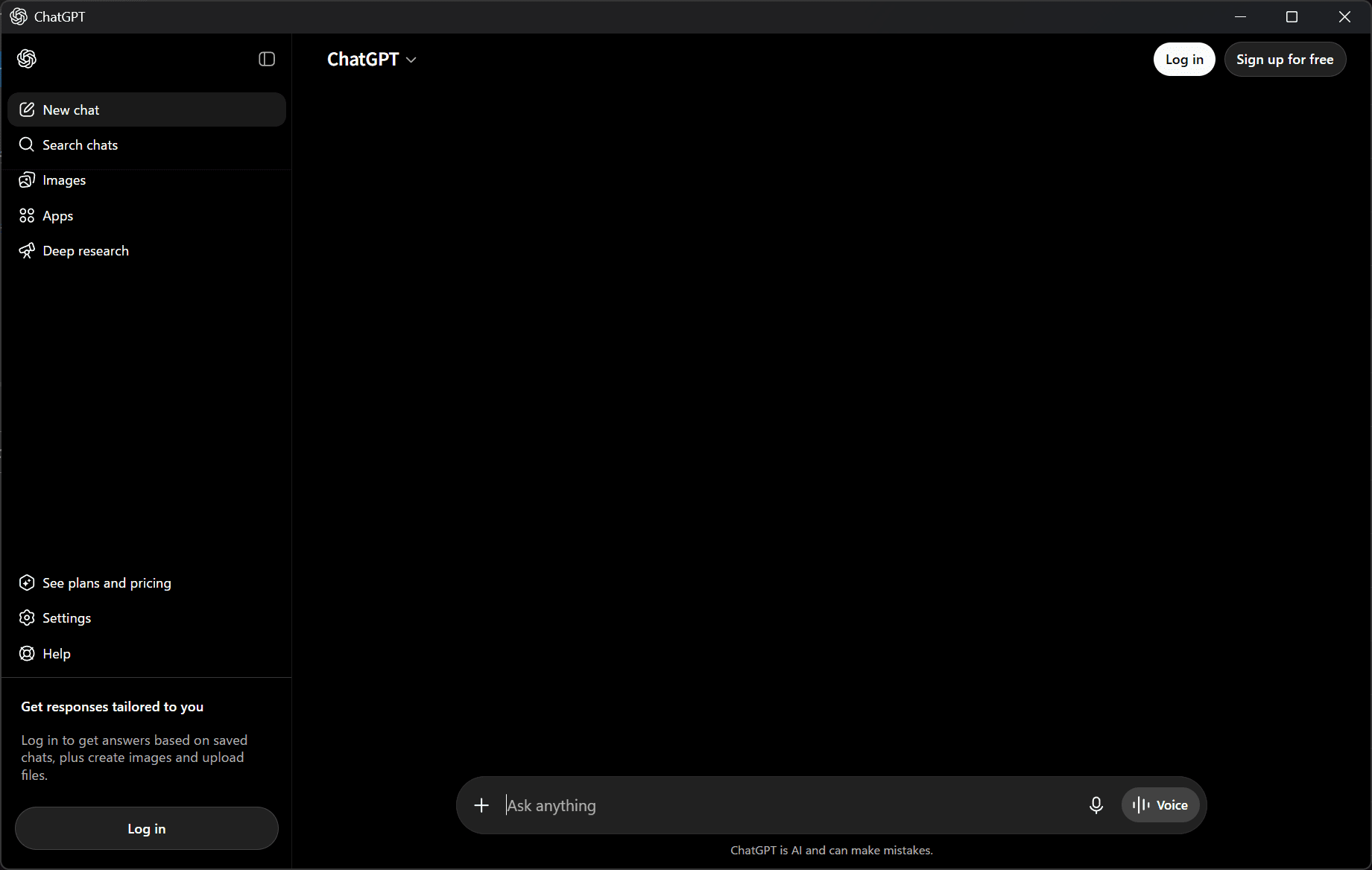
The ChatGPT Windows app currently has a bug where messages do not appear on the screen after you send them, and the app does not respond when you click the login button.
OpenAI has acknowledged the issue and says it is investigating.
Table of Contents
ChatGPT Windows app is experiencing issues
The ChatGPT Windows app has the following issues at the moment:
- After you send a message, neither your message nor ChatGPT’s response appears on the screen.
- The chat screen stays blank, so you cannot continue the conversation.
- After you reinstall the app, it logs you out, and the Log in and Sign up buttons do not respond.
- Users see English instead of the language they selected.
Because of these issues, you can open the ChatGPT app but cannot use it.
You can sometimes click links to some external pages in areas such as the sidebar, but other buttons do not respond when clicked.
In my environment, the ChatGPT Windows app had logged me out even though I should have been signed in.
However, I normally use ChatGPT on the web and had not used the ChatGPT Windows app for some time, so I could not determine whether my session expired or the bug logged me out.
Users have reported the same issue on OpenAI Community, X, and other platforms, so the bug appears to affect users worldwide.
OpenAI has acknowledged the issue and is investigating
OpenAI listed an incident titled “Issues with ChatGPT Windows desktop app” on its status page at 7:00 a.m. JST on June 28, 2026.
According to OpenAI, the ChatGPT desktop app for Windows may fail to load chat history and conversations, may not show sidebar icons, and may not respond to login or sign-up actions.
OpenAI says it is investigating the issue. ChatGPT on the web and the ChatGPT mobile app remain available.
How to work around the ChatGPT Windows app issue
At this point, users need to wait for OpenAI to fix the ChatGPT Windows app.
To use ChatGPT right away, open ChatGPT in a web browser or use the smartphone app.
Verification details and sources
Verification environment
- OS: Windows 11
- App: ChatGPT for Windows version 1.2026.133
Verification details
I confirmed that after I sent a message in the ChatGPT Windows app, the chat area stayed blank and showed neither my message nor ChatGPT’s response. I also confirmed that the UI appeared in English and that clicking the Log in and Sign up buttons produced no response.
Last verification date
Changelog
- June 28, 2026, 9:00 a.m.: Published the initial version
- June 28, 2026, 7:45 p.m.: Added a note stating that OpenAI had fixed the issue
Reference links
Share this article
Follow us for updates
Adding us to your preferred sources on Google makes it easier to find our articles on Google. Also, be sure to follow us on X and our RSS feed.


-1.png&w=1080&q=75)
I've been using JavaScript more than my native language since birth. I am nowhere and everywhere on the internet.
I build web apps and browser extensions in TypeScript as a web frontend programmer. I released Shadowban Scanner, a tool that detects shadowbans on X, and Restore Link Card, a tool that brings back link cards. Media outlets in Japan and abroad covered both tools. For iGEM 2023, I built the Wiki for Team Japan-United and helped the team win the Grand Prize. On my blog, I cover news about X and social media, test and troubleshoot bugs, and share frontend development insights.


![[Draw blur]と表示されたXの新しい画像エディター画面のスクリーンショット。上部に戻る、切り抜き、テキスト、描画、ぼかし、保存の各アイコンが並んでいる](/_next/image/?url=%2Fapi%2Fmedia%2Ffile%2Fx-new-photo-editor.jpeg&w=3840&q=75)