X brings the "Listen" feature for listening to Articles on iOS, with support for read-aloud via Grok Voice
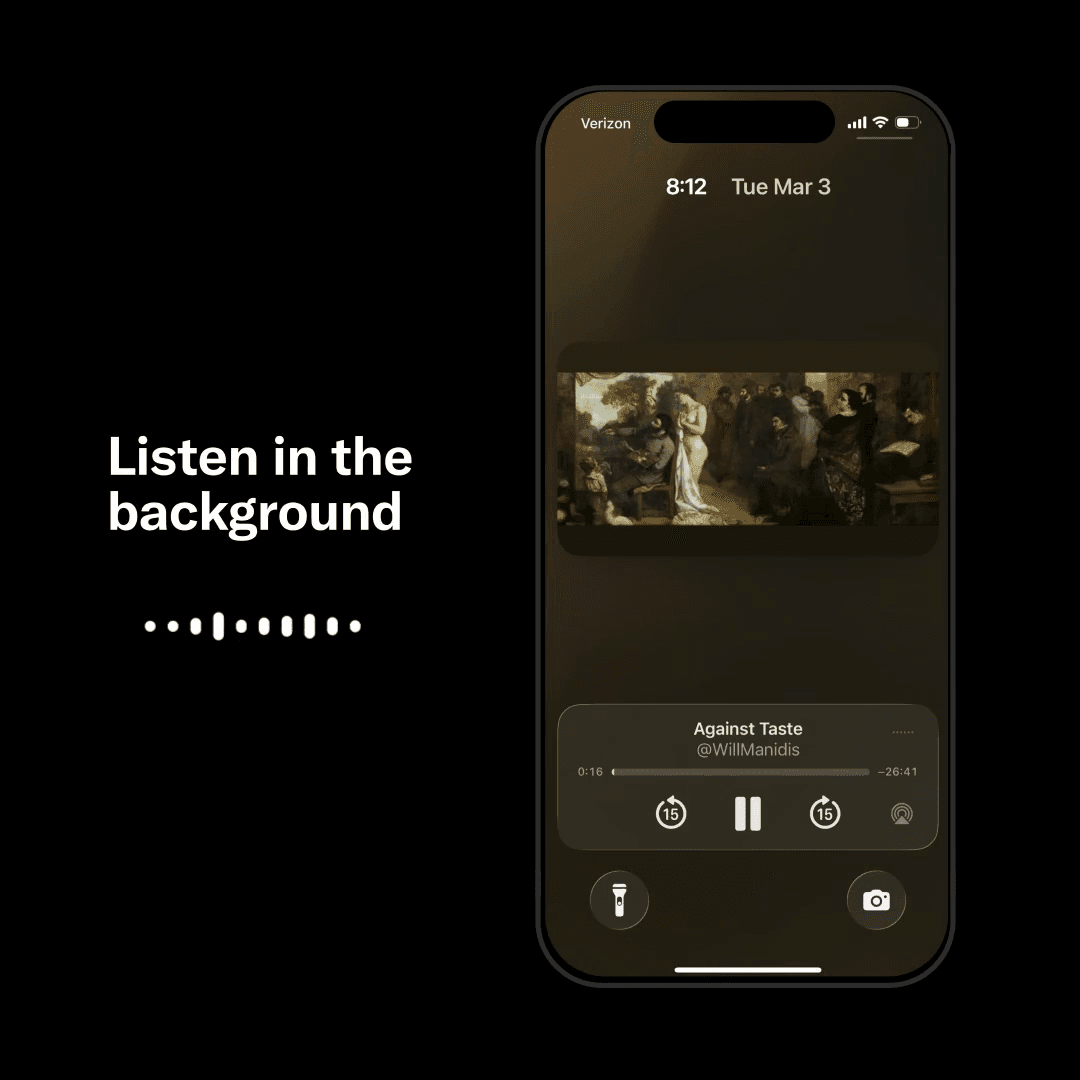
A new feature called "Listen," which lets users listen to Articles posted on X in audio form, has been implemented.
It leverages Grok Voice, allowing users to keep listening while opening an article and scrolling through the timeline, or even from the lock screen.
X Articles is a feature that allows long-form content to be published within the platform.
Only subscribers to the paid subscription service X Premium can post Articles, and posted Articles can be read and shared by anyone on X.
X Articles also allow embedded images, videos, GIFs, links, and more.
Nikita Bier, X's head of product, announced that the Articles feature on X had grown 18-fold over the past three months and that a feature had been implemented to read Articles aloud using Grok Voice.
Grok Voice is a speech synthesis technology being developed by xAI, X's parent company, and is designed to enable natural-sounding conversation and read-aloud functionality.
"Listen" is being rolled out in the iOS app for popular articles in English, and it is expected to expand to other platforms soon.
Over the last 3 months, Articles on X have grown 18x. It is one of the fasting growing new products on the platform.
— Nikita Bier (@nikitabier) March 6, 2026
Today we're making them even better: we're launching a Listen feature—powered by Grok Voice. You'll be able to listen while scrolling Timeline or on-the-go from… pic.twitter.com/0o5DBUuZiR
Share this article
Follow us for updates
Adding us to your preferred sources on Google makes it easier to find our articles on Google. Also, be sure to follow us on X and our RSS feed.


-1.png&w=1080&q=75)
I've been using JavaScript more than my native language since birth. I am nowhere and everywhere on the internet.
I build web apps and browser extensions in TypeScript as a web frontend programmer. I released Shadowban Scanner, a tool that detects shadowbans on X, and Restore Link Card, a tool that brings back link cards. Media outlets in Japan and abroad covered both tools. For iGEM 2023, I built the Wiki for Team Japan-United and helped the team win the Grand Prize. On my blog, I cover news about X and social media, test and troubleshoot bugs, and share frontend development insights.
![タイムラインの上部にGrokのロゴと[What do you want to see more of?]というテキストが表示されており、その下のテキストボックスに[More funny content, less politics]と入力されている画面のスクリーンショット](/_next/image/?url=%2Fapi%2Fmedia%2Ffile%2Fx-grok-promptable-timeline-prototype.png&w=1920&q=75)


![[Draw blur]と表示されたXの新しい画像エディター画面のスクリーンショット。上部に戻る、切り抜き、テキスト、描画、ぼかし、保存の各アイコンが並んでいる](/_next/image/?url=%2Fapi%2Fmedia%2Ffile%2Fx-new-photo-editor.jpeg&w=3840&q=75)




![[新しいXチャットへようこそ]というテキストが画面に大きく表示されており、その下には次の3つの説明が表示されている。[エンドツーエンドの暗号化:メッセージは、端末にかかわらずエンドツーエンドで暗号化されています。][最先端のプライバシー:Xを含め、他の人がメッセージを読むことはできません。][パスコードを設定:メッセージを保護するため、4桁のパスコードを設定してください。]これらの説明の下には、[パスコードを作成]という大きなボタンが配置されている](/_next/image/?url=%2Fapi%2Fmedia%2Ffile%2Fwelcome-to-new-chat.png&w=1920&q=75)