I tried X’s official shadowban checker, “Under the hood”
X has released an official shadowban checker that lets you check shadowbans at both the post and account level. I recently gained access to the tool, so I tried it myself.
Table of Contents
X’s official shadowban checker, “Under the hood”
On August 14, X published the code for algorithms that affect post visibility as part of its transparency efforts. The company also released an official tool that lets users check shadowbans at the post and account level.
You can use the tool if you posted at least 10 times during the previous month. X has begun testing it with a subset of accounts that are at least one year old.
X does not acknowledge the existence of shadowbans under that term. In its announcement for the tool, the company avoided the word “shadowban” and said users would be able to “see the labels applied to your account and posts.” This discrepancy stems from a difference between X’s definition of a shadowban and the definition people tend to use. X does acknowledge practices that fall under the common definition of shadowbanning.

Looking at the information X provides
My account did not have access to Under the hood right after X launched it. By August 31, I confirmed that I could use the tool.
You can access Under the hood at this URL:
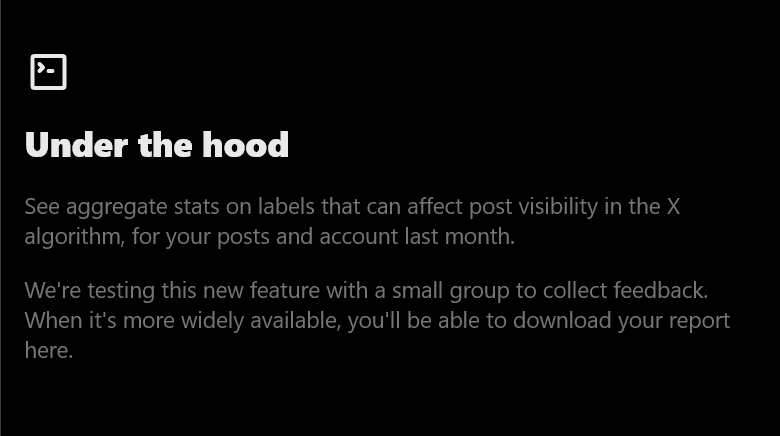
If you see a screen like the one below when you open the URL, you do not have access to the tool yet.
If you see a screen like the one below, you can use Under the hood.
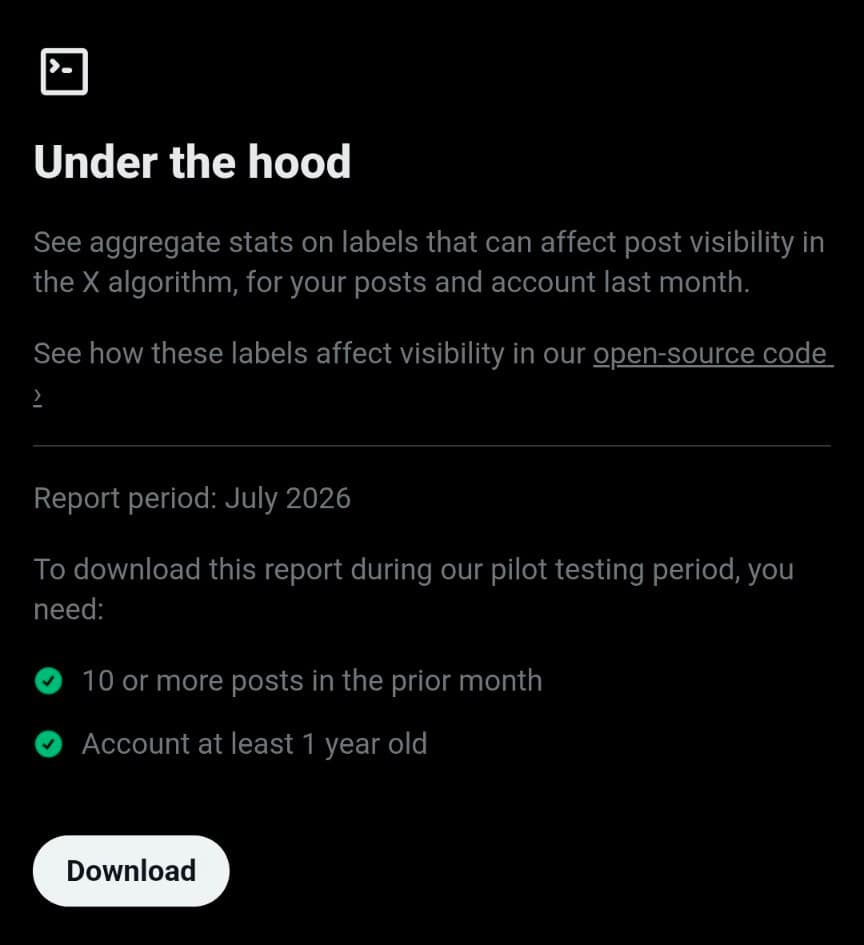
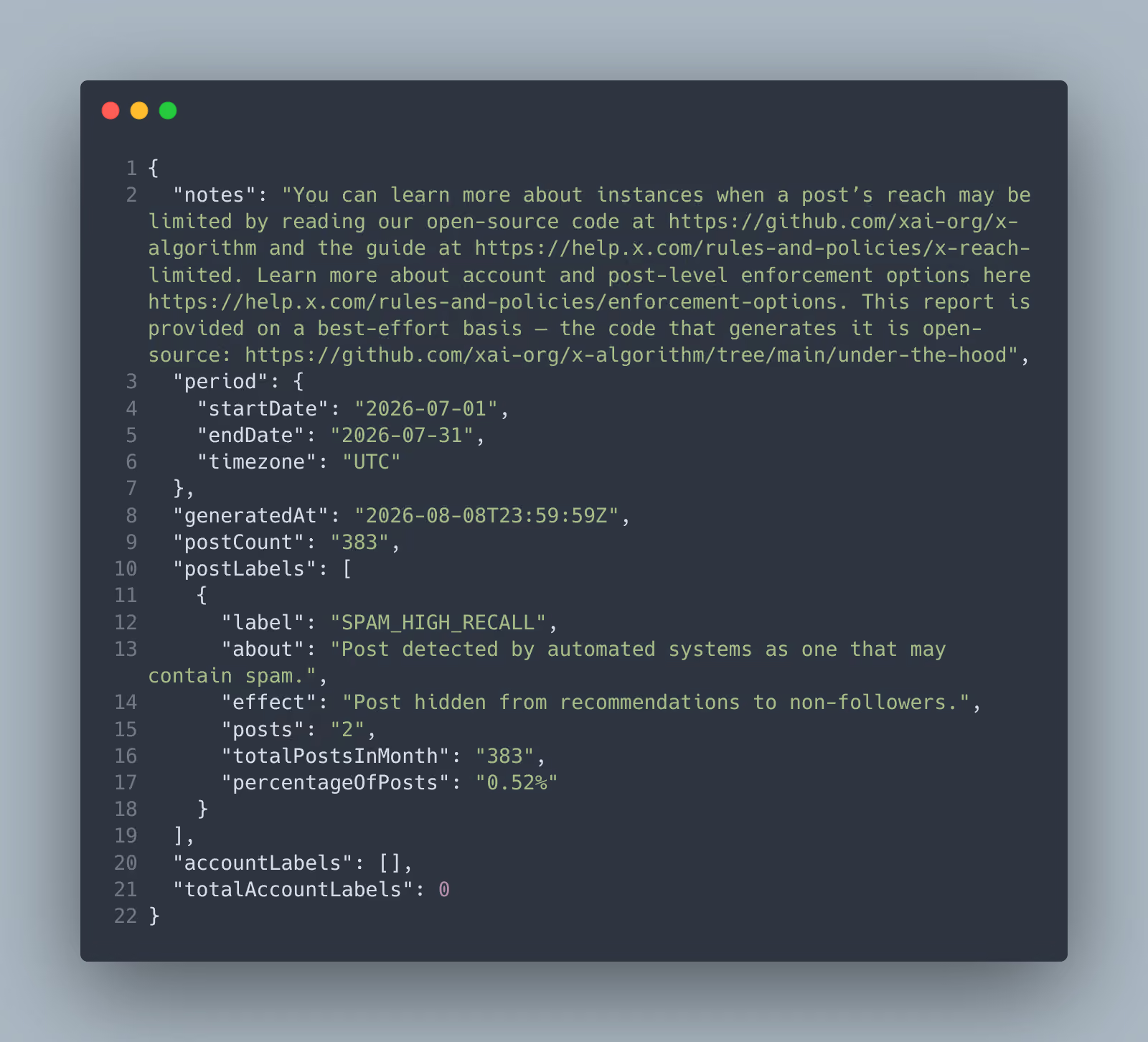
Click the [Download] button on the page to download a JSON file containing information about labels that X has assigned to your account and posts. The file I downloaded looked like this:
{ "notes": "You can learn more about instances when a post’s reach may be limited by reading our open-source code at https://github.com/xai-org/x-algorithm and the guide at https://help.x.com/rules-and-policies/x-reach-limited. Learn more about account and post-level enforcement options here https://help.x.com/rules-and-policies/enforcement-options. This report is provided on a best-effort basis — the code that generates it is open-source: https://github.com/xai-org/x-algorithm/tree/main/under-the-hood", "period": { "startDate": "2026-07-01", "endDate": "2026-07-31", "timezone": "UTC" }, "generatedAt": "2026-08-08T23:59:59Z", "postCount": "383", "postLabels": [ { "label": "SPAM_HIGH_RECALL", "about": "Post detected by automated systems as one that may contain spam.", "effect": "Post hidden from recommendations to non-followers.", "posts": "2", "totalPostsInMonth": "383", "percentageOfPosts": "0.52%" } ], "accountLabels": [], "totalAccountLabels": 0}My analysis
Under the hood has several limitations in its current form. Given that X had not disclosed this kind of information before, I consider the tool a major step forward. The main issues are that X provides the report as a JSON file, does not let you view current data, and does not identify which posts received each label.
JSON is a data interchange format that developers use across programming environments, and humans can read it with some effort. Since people without programming experience may also use this tool, I think X should offer the report in a more accessible format.
Under the hood also does not let you view current data. In my case, X generated the data at 11:59 p.m. on August 8, and the report covered July 1 through July 31. I suspect X may release one month of data for the previous month near the beginning of each month.
You also cannot see which label X assigned to each post. The report tells you how many posts received each label during the reporting period, but it does not identify those posts. X may have chosen this approach to reduce the risk of abuse that could result from disclosing too much detail. From a transparency standpoint, though, the lack of post-level details limits the tool’s usefulness.
Despite these limitations, Elon Musk has said he wants to improve transparency at X. I hope X continues to improve the tool.
Verification details
Verification environment
- OS: Windows 11
- Browser: Zen Browser
Verification details
I accessed the Under the hood page, downloaded the actual data, and analyzed it to verify the information.
Last verification date
Changelog
- September 4, 2026, 5:29 a.m.: Published the first version
- September 27, 2026, 4:55 p.m.: Added that reports can now be viewed in formats other than JSON
Share this article
Follow us for updates
Adding us to your preferred sources on Google makes it easier to find our articles on Google. Also, be sure to follow us on X and our RSS feed.


Next articles
- X login outage affected some third-party apps, issue now resolved
- X sues users accused of exploiting creator revenue sharing to fraudulently obtain about $277,000
- X opens official shadowban checker to all eligible users and adds legal withholding details
- X brings scheduled posts to iOS, with Android support absent
- X search stops showing older posts: why past posts are missing and which posts are affected
-1.png&w=1080&q=75)
I've been using JavaScript more than my native language since birth. I am nowhere and everywhere on the internet.
I build web apps and browser extensions in TypeScript as a web frontend programmer. I released Shadowban Scanner, a tool that detects shadowbans on X, and Restore Link Card, a tool that brings back link cards. Media outlets in Japan and abroad covered both tools. For iGEM 2023, I built the Wiki for Team Japan-United and helped the team win the Grand Prize. On my blog, I cover news about X and social media, test and troubleshoot bugs, and share frontend development insights.


![An image showing a drawer titled [Scheduled post] with a calendar on X’s post screen](/_next/image/?url=%2Fapi%2Fmedia%2Ffile%2Fx-ios-scheduled-post-thumbnail.png&w=3840&q=75)