How to enable high-quality images on X when photos look blurry
Images attached to posts on X can sometimes look blurry or appear at a low resolution. Depending on your settings, the X app may load compressed images to reduce data usage.
You can change the settings in the X app to load images in high quality. On desktop, X doesn't offer this setting and generally loads high-quality images by default.
Table of Contents
How to view images in high quality on your phone
Follow these steps to load images in high quality in the X mobile app. I'll use screenshots from the Android app, but you can follow the same steps on iOS.
Open the X app.
Open Settings.
Go to [Storage and data] > [Data usage].
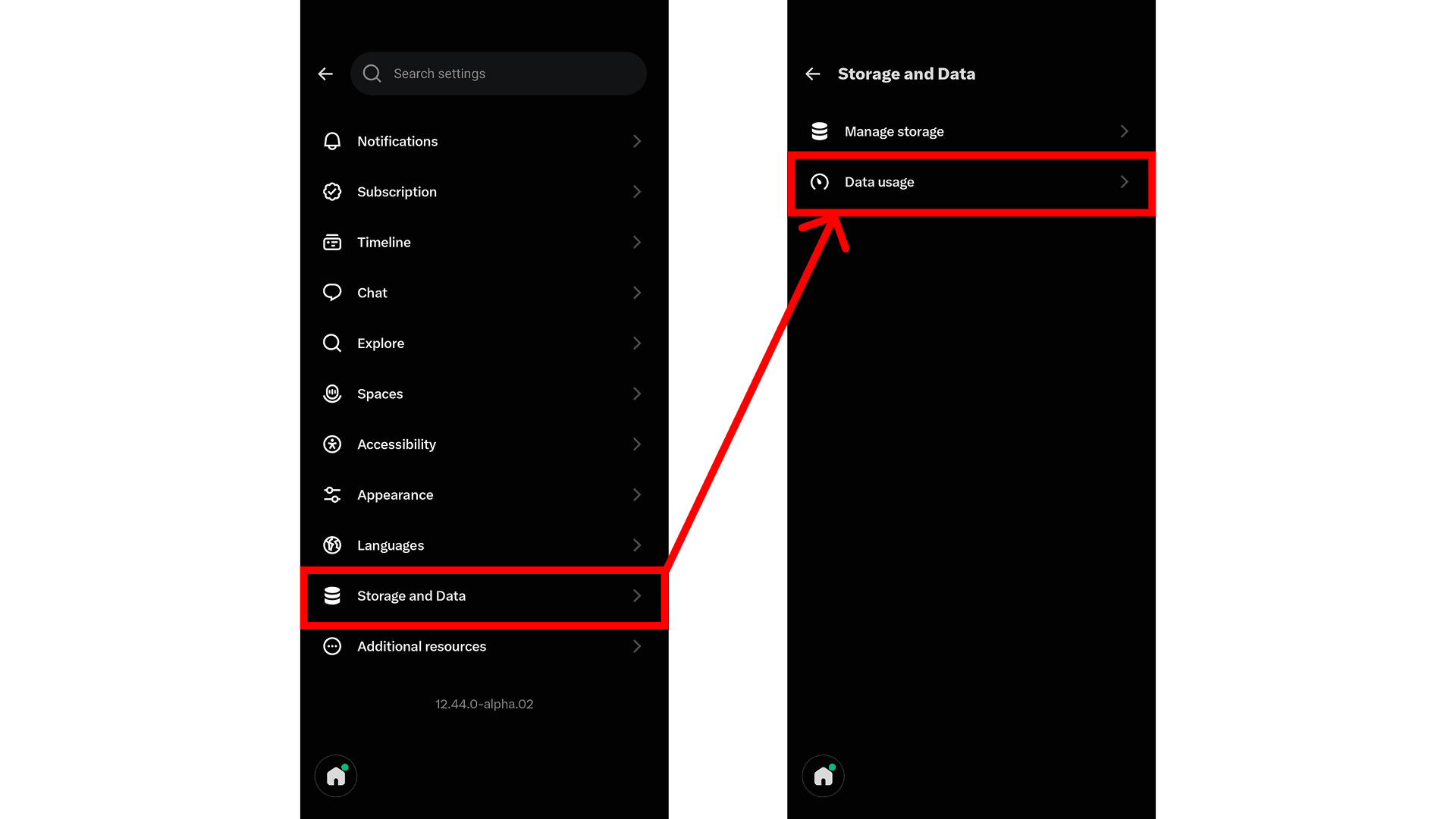
Set [High-quality images] to [Mobile data & Wi-Fi].
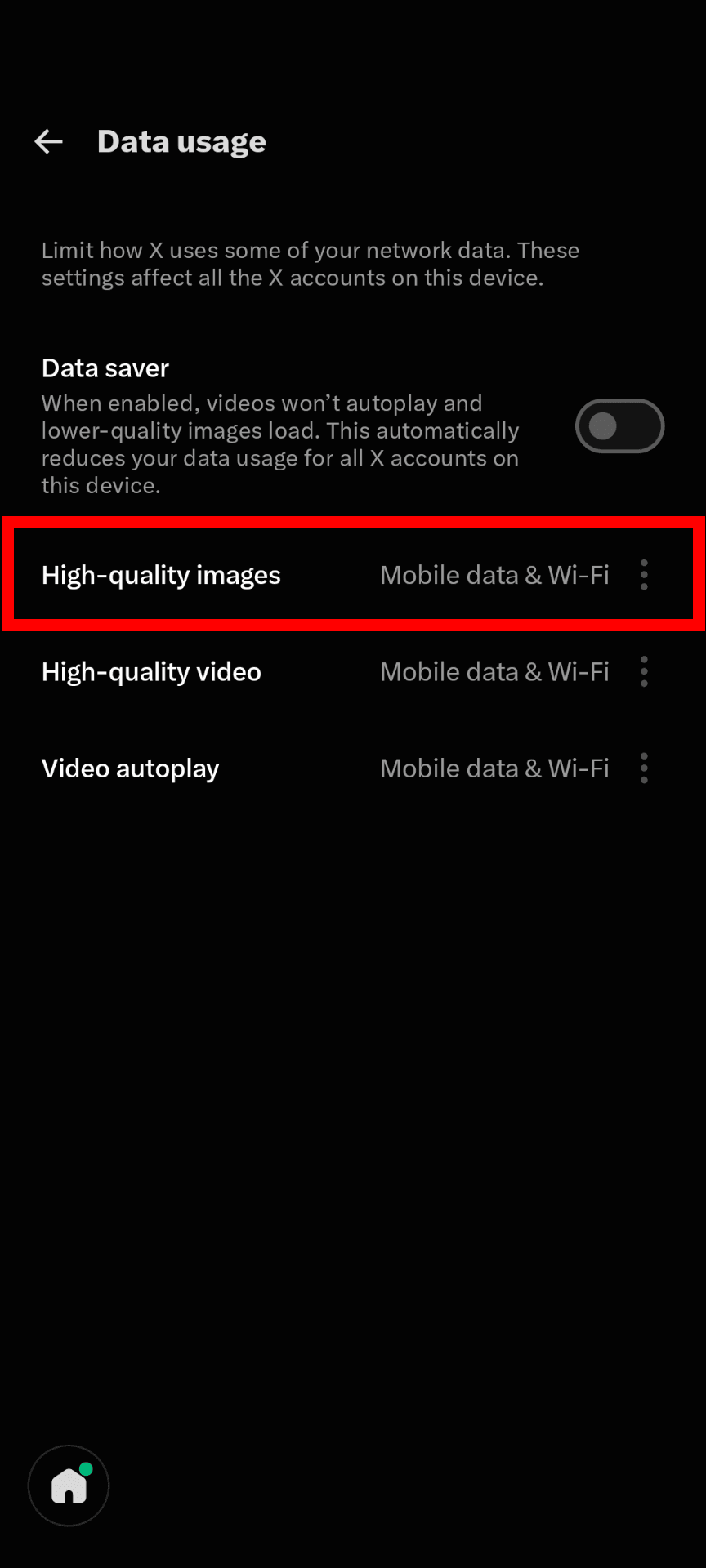
Which setting should you choose?
You can choose from three options under [High-quality images]:
- Mobile data & Wi-Fi
- Wi-Fi only
- Never
Select [Mobile data & Wi-Fi] if you want X to load images in high quality on both Wi-Fi and cellular connections. This is the best option if you care about image quality, although it will increase your mobile data usage.
Select [Wi-Fi only] if you want high-quality images when connected to Wi-Fi while reducing your mobile data usage. X will load lower-quality images over cellular connections.
Select [Never] if you want X to load images in low quality on both Wi-Fi and cellular connections. This is a good option if you want to minimize data usage, including when connected to Wi-Fi.
Conclusion
You can improve the quality of images on X by changing the high-quality image setting. If images attached to posts in your timeline look blurry, follow the steps above to adjust the setting.
Verification details
Verification environment
- OS: Android 17
- App: X app version 12.44.0-alpha.02
Verification details
I changed the [High-quality images] setting in the X Android app and confirmed that images attached to posts in the timeline loaded in high quality.
Last verification date
Changelog
- September 5, 2024, at 2:23 AM: Initial publication
- November 14, 2026, at 4:55 AM: Updated to reflect the latest Android app
Share this article
Follow us for updates
Adding us to your preferred sources on Google makes it easier to find our articles on Google. Also, be sure to follow us on X and our RSS feed.


Related articles

I've been using JavaScript more than my native language since birth. I am nowhere and everywhere on the internet.
I build web apps and browser extensions in TypeScript as a web frontend programmer. I released Shadowban Scanner, a tool that detects shadowbans on X, and Restore Link Card, a tool that brings back link cards. Media outlets in Japan and abroad covered both tools. For iGEM 2023, I built the Wiki for Team Japan-United and helped the team win the Grand Prize. On my blog, I cover news about X and social media, test and troubleshoot bugs, and share frontend development insights.