X may have removed the saved search and they are disappearing. What are the alternatives?

X (Twitter) may have removed the feature that allowed users to save specific search keywords and quickly reuse them later.
When I checked on March 26, saved search keywords could no longer be displayed in the X Android app, Android X Lite, or the X web client, and the button for saving search keywords had been removed from the menu.
Table of Contents
Has the feature for saving search keywords been removed?
X had offered a feature that let users save entered search keywords so they could be reused later.
The feature for saving search keywords was mentioned as "saved search" in a 2009 Twitter blog post, suggesting that it had existed since at least around that time.
For users who use complex search keywords with search operators for ego-searching and similar purposes, the feature for saving search keywords was convenient because it reduced the trouble of entering those keywords each time.
On Android X Lite, saved search keywords could not be displayed even before, and there was no menu item for saving search keywords.

The Android version of X had supported saving and recalling search keywords, but recent updates had made these features unavailable.
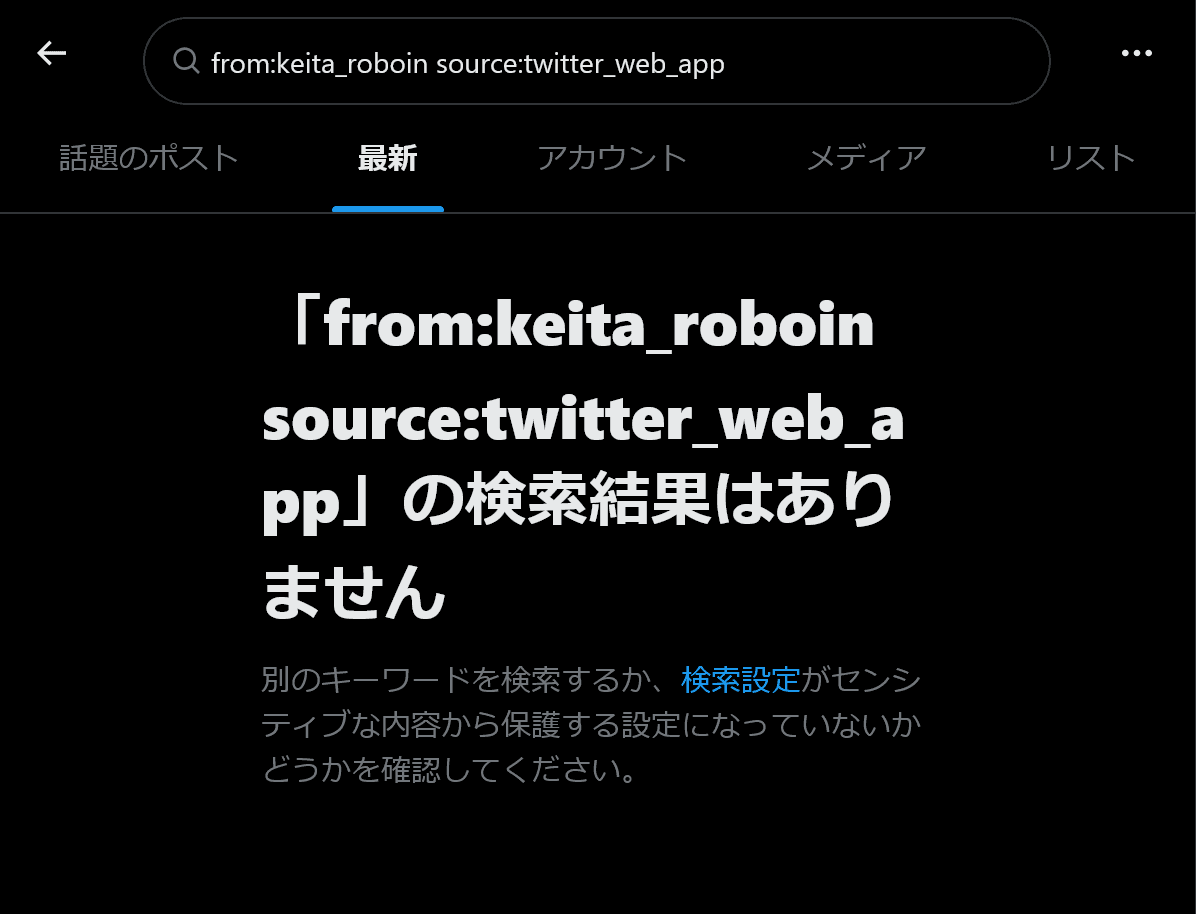
When I checked on March 26, I found that saving and recalling search keywords had also been removed from the web version of X.
I do not own an iPhone, so I have not been able to check the X iOS app, but X may have removed the feature for saving search keywords.
Official help also says that saved searches are unavailable
On X's official help page, under "How to save searches," it states, "Saved searches are currently not available on x.com."
This wording on the official help page had existed for some time, but in reality, saved search keywords could be used on the X web client, which means there had been a discrepancy between the official help page and the actual functionality.
Even before the saved search feature was removed from the X Android app and the web client, issues had already been occurring, such as being unable to delete saved search keywords or save new ones, and its behavior had become unstable.
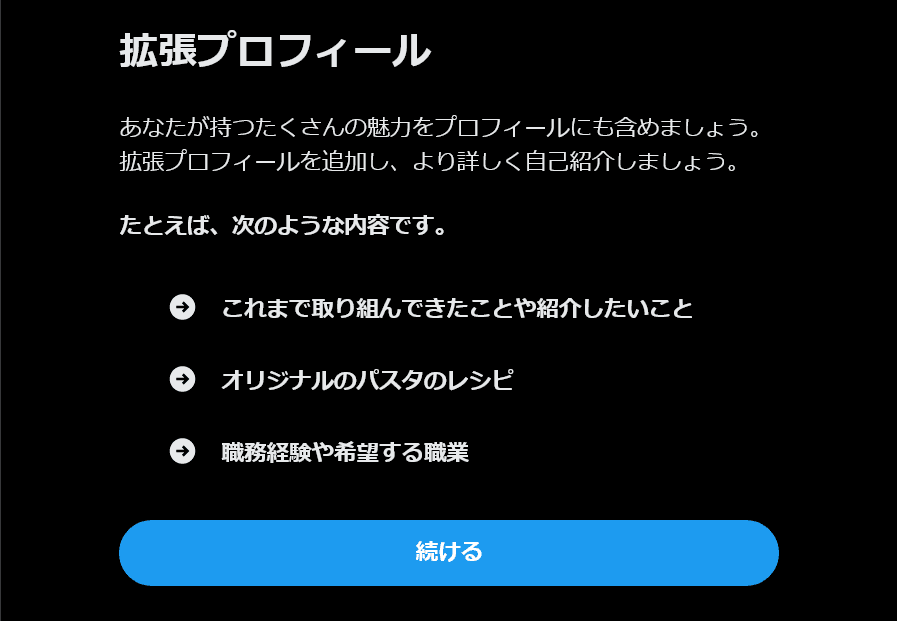
Recently on X, there have also been other cases where features became unstable and were then removed, such as the case where the Expanded Bio was removed after users could no longer view Expanded they had supposedly set.
What are the alternatives?
If you were using complex search keywords for ego-searching and similar purposes, you may now need to switch to another method because saved searches are no longer available.
If you want to use search keywords repeatedly, for the time being I recommend using your browser's bookmark or a notes app.
If you use a notes app, saving the URL of the search results page will let you display the search results with a single click.
Also, if you want to use the X web client but the app version keeps opening instead, please refer to this article.
Conclusion
X may have removed the feature that allowed users to save specific search keywords and quickly reuse them later.
When I checked, saving and recalling search keywords no longer worked in the X Android app, X Lite, or the web client.
If you want to save search keywords, I recommend using your browser's bookmark or a notes app.
Share this article
Follow us for updates
Adding us to your preferred sources on Google makes it easier to find our articles on Google. Also, be sure to follow us on X and our RSS feed.


Next articles
- Bug with X search source: command not working correctly and how to work around it
- Why your X poll might not be showing up, and what to do if the vote count seems low
- Is X preventing your posts? How to delete accumulated unsent drafts
- X is currently experiencing a bug that prevents posting over Wi-Fi: Causes and fixes when you cannot post
- Can you only post 50 times a day on X? A complete guide to the new limits for free accounts and what to do about them
-1.png&w=1080&q=75)
I've been using JavaScript more than my native language since birth. I am nowhere and everywhere on the internet.
I build web apps and browser extensions in TypeScript as a web frontend programmer. I released Shadowban Scanner, a tool that detects shadowbans on X, and Restore Link Card, a tool that brings back link cards. Media outlets in Japan and abroad covered both tools. For iGEM 2023, I built the Wiki for Team Japan-United and helped the team win the Grand Prize. On my blog, I cover news about X and social media, test and troubleshoot bugs, and share frontend development insights.

![スマートフォンのホーム画面の[Social]フォルダーを表示した写真。フォルダー内にはFacebook、Instagram、Threads、X、LinkedIn、TikTok、YouTubeのアイコンが配置されている](/_next/image/?url=%2Fapi%2Fmedia%2Ffile%2Ffacebook-instagram-threads-x-twitter-linkedin-tiktok-youtube-mobile-app-unsplash.jpg&w=3840&q=75)


![YouTubeハイライトのスクリーンショットが3つ並んだ画像。左のスクリーンショットには[2025 YOUTUBE RECAP]と書かれており、中央のスクリーンショットには[Your top interests]と書かれている。右のスクリーンショットにはもっとも視聴したチャンネルとして[Rene Ritchie]が挙げられている](/_next/image/?url=%2Fapi%2Fmedia%2Ffile%2Fyoutube-recap-thumbnail.png&w=3840&q=75)