X bug causes saved drafts and scheduled posts to disappear or fail to display
On X (Twitter), a bug has been occurring since the morning of March 26 that prevents drafts and scheduled posts from being displayed.
The bug appears to be a temporary server-side issue, and in some environments existing drafts can still be accessed.
Table of Contents
A bug where drafts and scheduled posts have disappeared or cannot be displayed
Since the morning of March 26, a bug has been occurring on X in which posts saved as drafts or scheduled posts appear to have disappeared or cannot be displayed.
As I confirmed, on the Android X app, saving drafts and displaying existing drafts worked without any problems, but in the X Lite app, although saved drafts could be displayed, existing drafts could not be deleted, and newly saved drafts showed the warning [This draft has not been saved to the server].
![X Liteアプリの下書きに[This draft has not been saved to the server]という警告が表示されているようすのスクリーンショット](/_next/image/?url=%2Fapi%2Fmedia%2Ffile%2Fx-lite-draft-not-been-saved-to-server.png&w=1920&q=75)
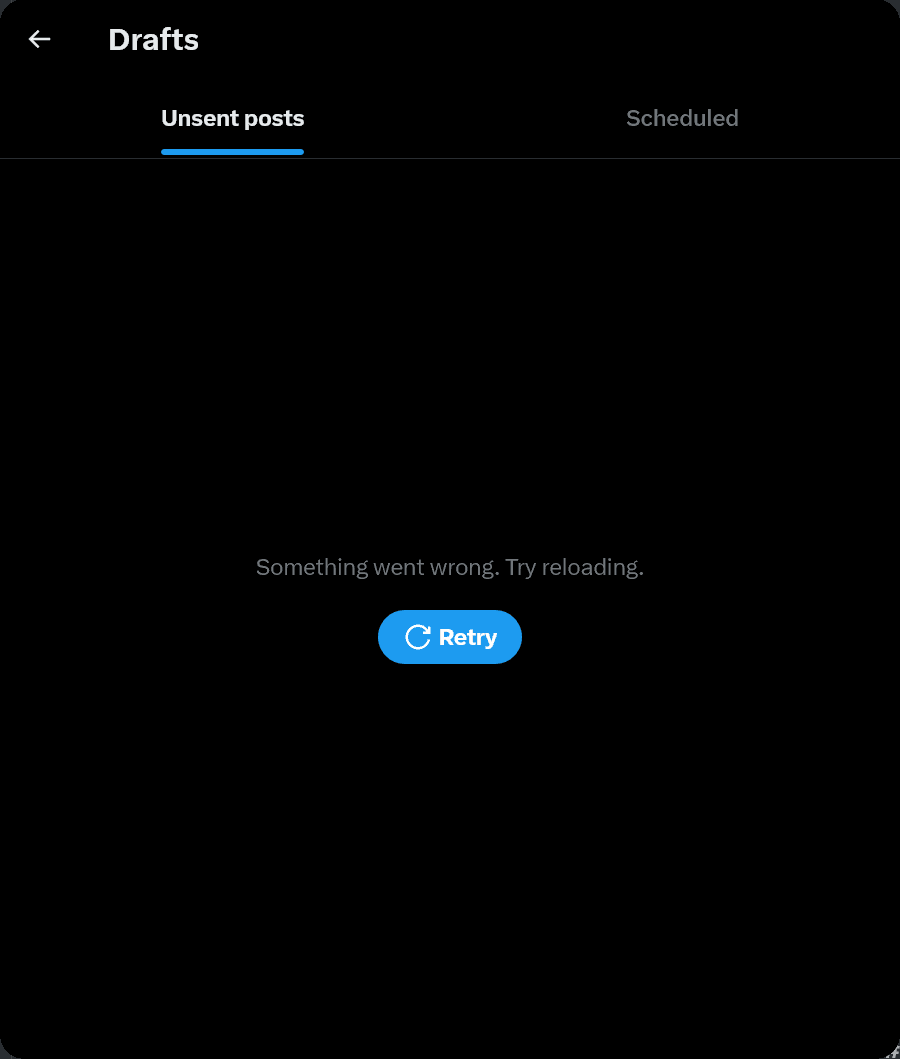
On the X web client, when trying to check saved drafts or scheduled posts, the message [Something went wrong. Try reloading.] is displayed, making them impossible to check.
Also, when I try to schedule a new post on the X web client, an error message saying [Something went wrong, but don’t fret — let’s give it another shot.] appears, and I cannot complete the operation.
Is it a server-side bug?
Taken together, these pieces of information strongly suggest that the current issue preventing drafts from being displayed is likely caused by a server-side bug.
The Android X app does not implement a feature to sync drafts with the server, but the Android version of the X Lite app and the web client use a mechanism that syncs drafts with the server.
I do not own an iPhone, so I have not been able to confirm whether the same issue is occurring in the iOS app, but since the iOS app also implements draft syncing, it is likely that drafts are unavailable there as well.

In X Lite, because the draft cache exists on the device, existing drafts can be displayed, but deleting existing drafts and saving new drafts likely require requests to the server, which is why they are probably failing.
A similar bug occurred on X last November in which drafts could not be saved or deleted and scheduled posts could not be canceled.

What can users do?
Because this bug appears to be caused by the server, there is little users can do on their side to fix it.
For now, instead of saving drafts in X, keeping drafts in a notes app or similar can help prevent them from being lost until the bug is resolved.
Also, if you use X Lite and the cache remains, you can access existing drafts.
If you only use the web version or the iOS app, you will not be able to access existing drafts until the bug is resolved.
Conclusion
Since the morning of March 26, a bug has been occurring on X that prevents drafts and scheduled posts from being displayed.
This bug appears to be caused by the server, and there is little users can do on their side to address it.
Share this article
Follow us for updates
Adding us to your preferred sources on Google makes it easier to find our articles on Google. Also, be sure to follow us on X and our RSS feed.


Related articles
- X sues users accused of exploiting creator revenue sharing to fraudulently obtain about $277,000
- X opens official shadowban checker to all eligible users and adds legal withholding details
- X brings scheduled posts to iOS, with Android support absent
- X search stops showing older posts: why past posts are missing and which posts are affected
- Annoyed by X’s “tap and hold” images? X starts cracking down on them as a “spam attack”
-1.png&w=1080&q=75)
I've been using JavaScript more than my native language since birth. I am nowhere and everywhere on the internet.
I build web apps and browser extensions in TypeScript as a web frontend programmer. I released Shadowban Scanner, a tool that detects shadowbans on X, and Restore Link Card, a tool that brings back link cards. Media outlets in Japan and abroad covered both tools. For iGEM 2023, I built the Wiki for Team Japan-United and helped the team win the Grand Prize. On my blog, I cover news about X and social media, test and troubleshoot bugs, and share frontend development insights.

![An image showing a drawer titled [Scheduled post] with a calendar on X’s post screen](/_next/image/?url=%2Fapi%2Fmedia%2Ffile%2Fx-ios-scheduled-post-thumbnail.png&w=3840&q=75)
![A screenshot of a dialog titled [What are you reporting?] with [Spam] selected](/_next/image/?url=%2Fapi%2Fmedia%2Ffile%2Fx-report-post-spam-selected-english.png&w=1920&q=75)