
Causes and fixes for posts not appearing in X (Twitter) search

Posts that should appear in X (Twitter) search results sometimes do not actually appear.
This article explains causes and fixes for when posts do not appear in X search results.
Table of Contents
Causes and fixes for posts not appearing in X search results
Causes for posts not appearing in X search results include account visibility, viewer-side settings, shadowbans, and search keywords.
Each of these is examined in detail below.
Account visibility is restricted
X has a setting that limits an account’s posts to only approved people (the so-called private or "locked" account).
A lock icon next to the account name indicates a private account.
Posts from private accounts will not appear in search results unless the viewer follows that account.
Also, public accounts that would normally appear in search results can become unavailable to view for legal reasons.
In Japan this may happen due to litigation. In other countries litigation or censorship can make specific accounts unavailable in specific countries.
In such cases a public account that is not protected will still not appear in search results in the affected country.
If an account is restricted from viewing for legal reasons, attempting to view the profile directly will display a message stating that viewing is restricted for legal reasons, and the post cannot be viewed.
Hidden by viewer-side settings
Viewer-side settings also affect X search results.
Click the menu button shown at the top right of X’s search results and open [Search settings].
![Xの検索画面のメニューのスクリーンショット。ドロップダウンメニューには上から順に[検索設定][高度な検索]と表示されており、[検索設定]がマウスホバーでハイライトされている](/_next/image/?url=%2Fapi%2Fmedia%2Ffile%2Ftwitter-x-search-settings-menu.png&w=1080&q=75)
In Search settings there are two items: [Do not show sensitive content] and [Exclude accounts you block and mute].
![Xの検索設定のスクリーンショット。上から順に[センシティブな内容を含むものを表示しない][ブロックしているアカウントとミュートしているアカウントを除外する]という項目があり、両方ともオフになっている](/_next/image/?url=%2Fapi%2Fmedia%2Ffile%2Ftwitter-x-exclude-block-and-mute-accounts-off.png&w=1920&q=75)
If the former is on, posts from accounts with a mild shadowban or posts that X has judged to be sensitive content will be excluded from search results.
If the latter is on, accounts you block or mute will be excluded from search results.
Note that accounts that have blocked or muted the viewer will appear in search results regardless of these settings.
Previously, posts from accounts that had blocked the viewer could not be viewed and did not appear in search results, but the behavior has changed and they can now be displayed normally.
Turning both [Do not show sensitive content] and [Exclude accounts you block and mute] off can sometimes make posts that were previously missing appear in search results.
Having the [Top posts] tab open
X search results have five tabs: [Top posts (Top Tweets)], [Latest], [Users (Accounts)], [Media], and [Lists]. By default the [Top posts] (or [Top Tweets]) tab is shown.
Of these five tabs, [Top posts], [Latest], and [Media] are the post search results.
[Top posts] displays posts judged to be highly relevant or popular based on engagement and other factors.
[Latest] shows matching posts in chronological order.
[Media] shows matching posts that include images or videos.
Of the three post result types, only the [Latest] tab shows posts in chronological order.
Even if a post matches the search, it may appear lower in the results on the [Top posts] tab or may not appear there at all.
If you want to be sure to find a post, switch to the [Latest] tab.
Shadowbans or sensitive-content labeling
X uses a mechanism in which an account exists but does not appear in recommendation timelines or search results, commonly called a shadowban.
X officially announced that it does not carry out shadowbans, but that statement is misleading; in practice a shadowban in the usual sense does exist.

Posts that should appear in X (Twitter) search results sometimes do not actually appear.
This article explains causes and fixes for when posts do not appear in X search results.
If an account is shadowbanned or a post is judged sensitive, those posts will not appear in search results.
There are mild and severe shadowbans. In mild cases, turning off the viewer-side [Do not show sensitive content] setting described above can make posts appear in search results.
Additionally, posts from inactive accounts, NSFW content (content not suitable for viewing at work, such as adult or violent content), harmful content, and content containing misinformation will not appear in search results.
Also, posts labeled as spam, NSFW, soft-NSFW, violent, or gore by Grok, the AI developed by X’s parent company xAI, will not appear in search results.
Account or post deleted or suspended
If the account or post you are looking for has been deleted or the poster’s account has been suspended, the post will not appear in search results.
There are a few ways to view deleted posts or posts from suspended accounts.
First, if you recently viewed the post in the mobile app before it was deleted, a cache may remain.
If the cache exists you may be able to view the deleted post by opening a quoted post or by opening the post URL directly in the app.
Also, if you know the URL and the poster’s account was public (not protected), the post may have been archived in the Wayback Machine or Web Gyotaku.
If you do not know the URL, search the keywords contained in the post on Google or open a quoted post in a web browser to find the URL.
A method for finding the quoted post’s URL via a web browser is introduced in another article.
Posts that should appear in X (Twitter) search results sometimes do not actually appear.
This article explains causes and fixes for when posts do not appear in X search results.
![本来引用元のポスト(ツイート)が表示されるべき場所に[この引用ポストは表示できません]というメッセージが表示されている](/_next/image/?url=%2Fapi%2Fmedia%2Ffile%2FScreenshot_20240720-33958.png&w=1920&q=75)
Try changing how you split keywords
X’s search works a little differently and does not simply check whether the keyword appears.
It segments the post text and the search keywords into morphemes (≈ words) and checks whether the morphemes in the search keywords are contained in the post’s morphemes.
Depending on how the morphemes are segmented, a situation can occur where a post contains the search keyword but does not appear in the search results.
For example, a post that contains the text "Type-C" might not appear when searching for "Type-C" but might appear when searching for "Type C".
Also, unlike Google search, which can display web pages containing different keywords with the same meaning as your input, X search does not do that kind of intelligent matching.
Try using exactly the same keywords as appear in the post or change how you separate the keywords and the post may appear in the search results.
Conclusion
This article introduced causes and fixes for posts not appearing in X search results.
There are various reasons posts may not appear in search results. Changing settings or keywords may make them appear, but not always.
Try the fixes introduced in this article.
Share this article
Follow us for updates
Adding us to your preferred sources on Google makes it easier to find our articles on Google. Also, be sure to follow us on X and our RSS feed.


Related articles
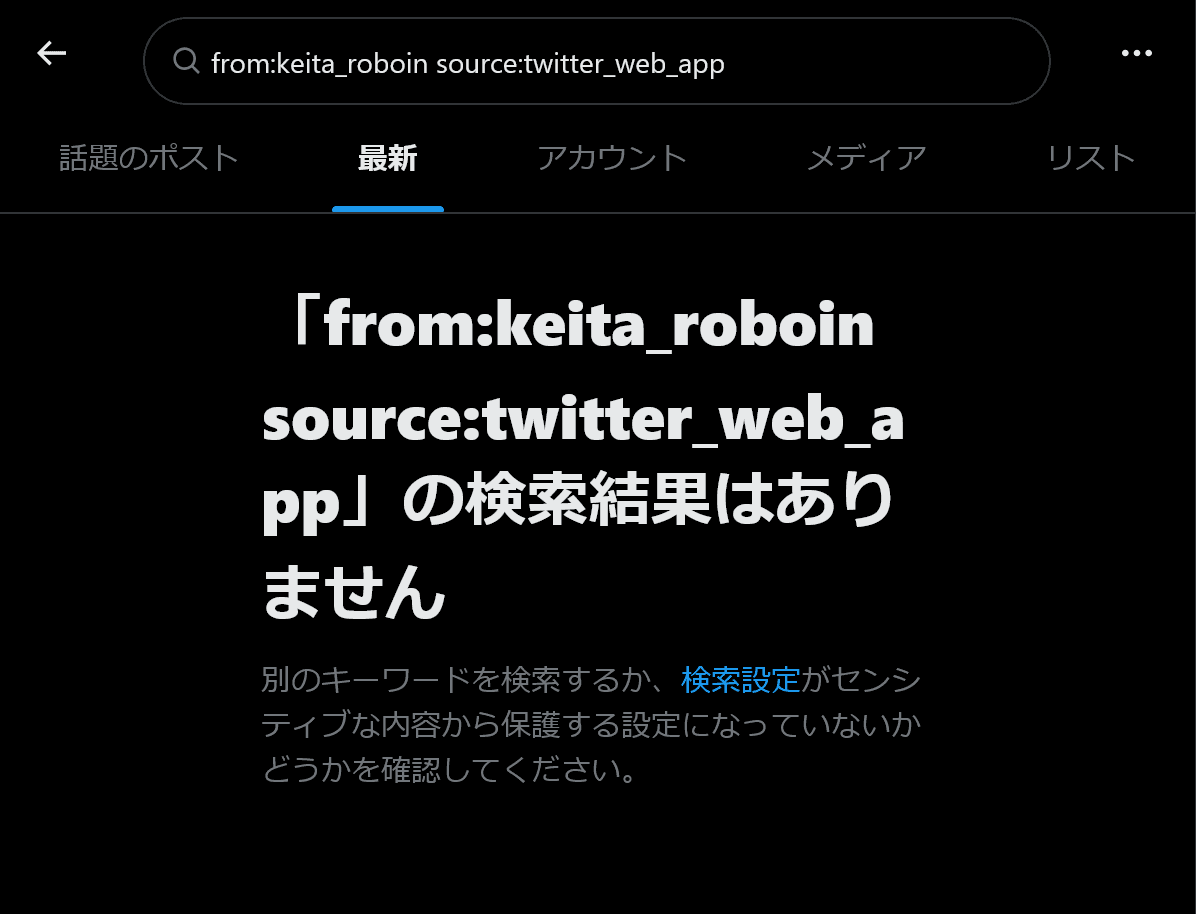
- Bug with X search source: command not working correctly and how to work around it
- Why your X poll might not be showing up, and what to do if the vote count seems low
- Is X preventing your posts? How to delete accumulated unsent drafts
- X is currently experiencing a bug that prevents posting over Wi-Fi: Causes and fixes when you cannot post
- What is X’s [Snooze Topics]? How to use it and why you may not be able to snooze topics
-1.png&w=1080&q=75)
I've been using JavaScript more than my native language since birth. I am nowhere and everywhere on the internet.
I build web apps and browser extensions in TypeScript as a web frontend programmer. I released Shadowban Scanner, a tool that detects shadowbans on X, and Restore Link Card, a tool that brings back link cards. Media outlets in Japan and abroad covered both tools. For iGEM 2023, I built the Wiki for Team Japan-United and helped the team win the Grand Prize. On my blog, I cover news about X and social media, test and troubleshoot bugs, and share frontend development insights.

![スマートフォンのホーム画面の[Social]フォルダーを表示した写真。フォルダー内にはFacebook、Instagram、Threads、X、LinkedIn、TikTok、YouTubeのアイコンが配置されている](/_next/image/?url=%2Fapi%2Fmedia%2Ffile%2Ffacebook-instagram-threads-x-twitter-linkedin-tiktok-youtube-mobile-app-unsplash.jpg&w=3840&q=75)
![Screenshot of the dialog that says [Snooze Topics] [Select topics you don’t want to see for 24 hours]](/_next/image/?url=%2Fapi%2Fmedia%2Ffile%2Fx-snooze-topic-dialog-english.png&w=1920&q=75)







