
Why some websites show “polyfill.io requires a username and password,” and what to do: do not enter any information
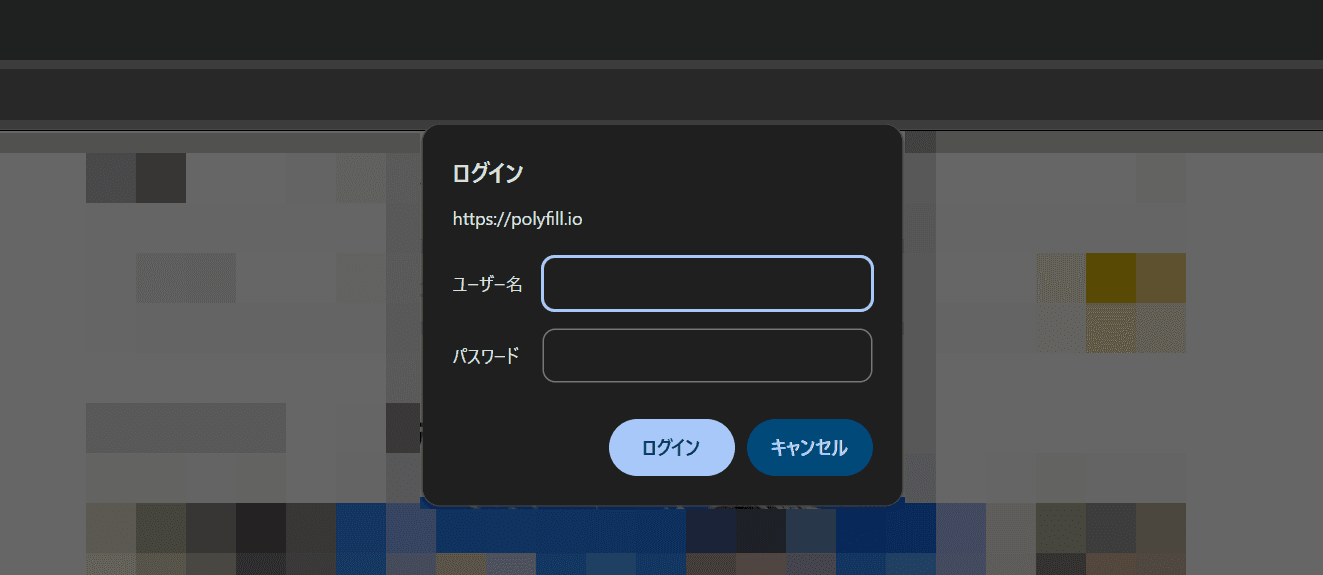
Some websites now show a suspicious dialog asking users to enter a username and password for polyfill.io. Do not enter a username or password if this screen appears. Contact the website operator.
Table of Contents
Do not enter anything if you see “polyfill.io requires a username and password”
Some websites now show dialogs like the following when you open them. The exact wording differs by browser.
- https://polyfill[.]io requires a username and password.
- Sign in https://polyfill[.]io
- Authentication is required at https://polyfill[.]io
- https://polyfill[.]io is requesting your username and password.
- This site is asking you to sign in. Warning: Your login information will be shared with polyfill.io. This sharing may extend beyond the website you are visiting.
This kind of polyfill.io dialog is not a legitimate login screen prepared by the website, so do not enter personal information, passwords, or any similar data.
At the moment, users only see the dialog, but the domain could serve malicious code in the future. You should avoid accessing the website until the operator fixes the issue, and I urge you to contact the website operator.
These dialogs are HTTP authentication prompts shown by the browser, often called Basic authentication prompts.
Some older websites still use Basic authentication, but most modern websites use their own login screens instead.
The polyfill.io domain now appearing on some websites played a role in a major supply chain attack, a cyberattack, in 2024. Sites that have not removed polyfill.io now show dialogs like this one.
In the cases I checked, websites for Mitsui Shopping Park facilities and the official Autobacs online store showed this dialog in Japan.
The website for the voice synthesis software VoiSona also appears to have shown the dialog.
All of those websites have since fixed the issue, but many other websites have shown the dialog as well, and some have not fixed it yet.
The cause is polyfill.io, which attackers used in a past supply chain attack
This dialog appears because the website you opened loads polyfill.io as an external script.
The exact code may vary, but if a website’s HTML still contains code like the following, the user’s browser accesses polyfill.io when the page opens.
<script src="https://cdn.polyfill.io/v3/polyfill.min.js"></script>polyfill.io provided “polyfills,” which let older browsers use modern features. In 2024, a Chinese company acquired the service, and attackers turned it into malware and used it in a large-scale supply chain attack.
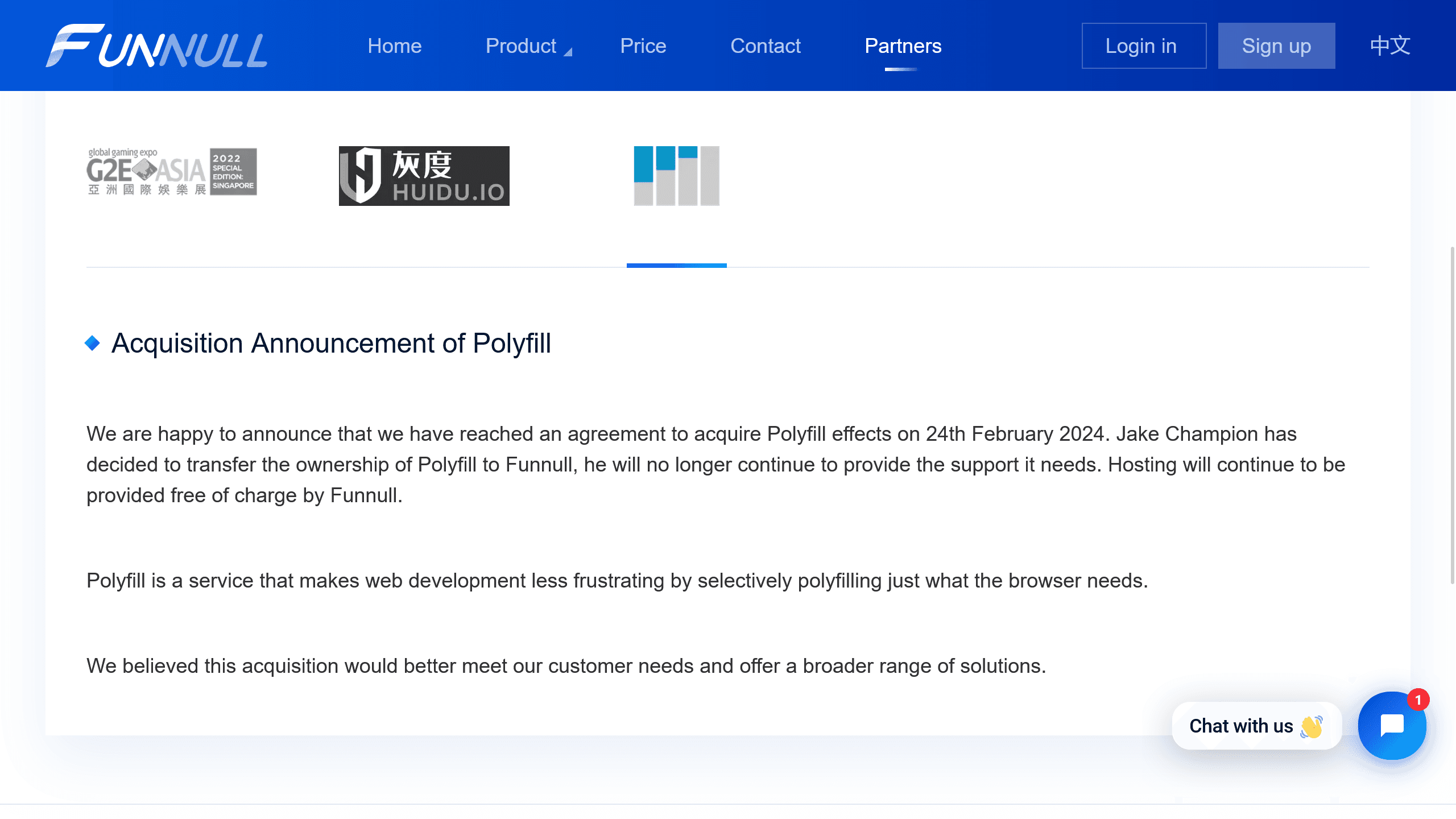
On June 25, 2024, the new China-linked owner of polyfill.io changed the source code and injected malware into mobile devices around the world through websites that loaded polyfill.io.
Attackers built the malware to evade detection, and reports say it redirected some affected users to scam websites.
According to a report by CDN provider Akamai, more than 100,000 websites that loaded polyfill.io faced exposure to the supply chain attack at the time in 2024.
According to Cloudflare, another CDN provider, the attack began on June 8, 2024, and ended after Cloudflare and Namecheap intervened and disabled the domain on June 27 of that year.
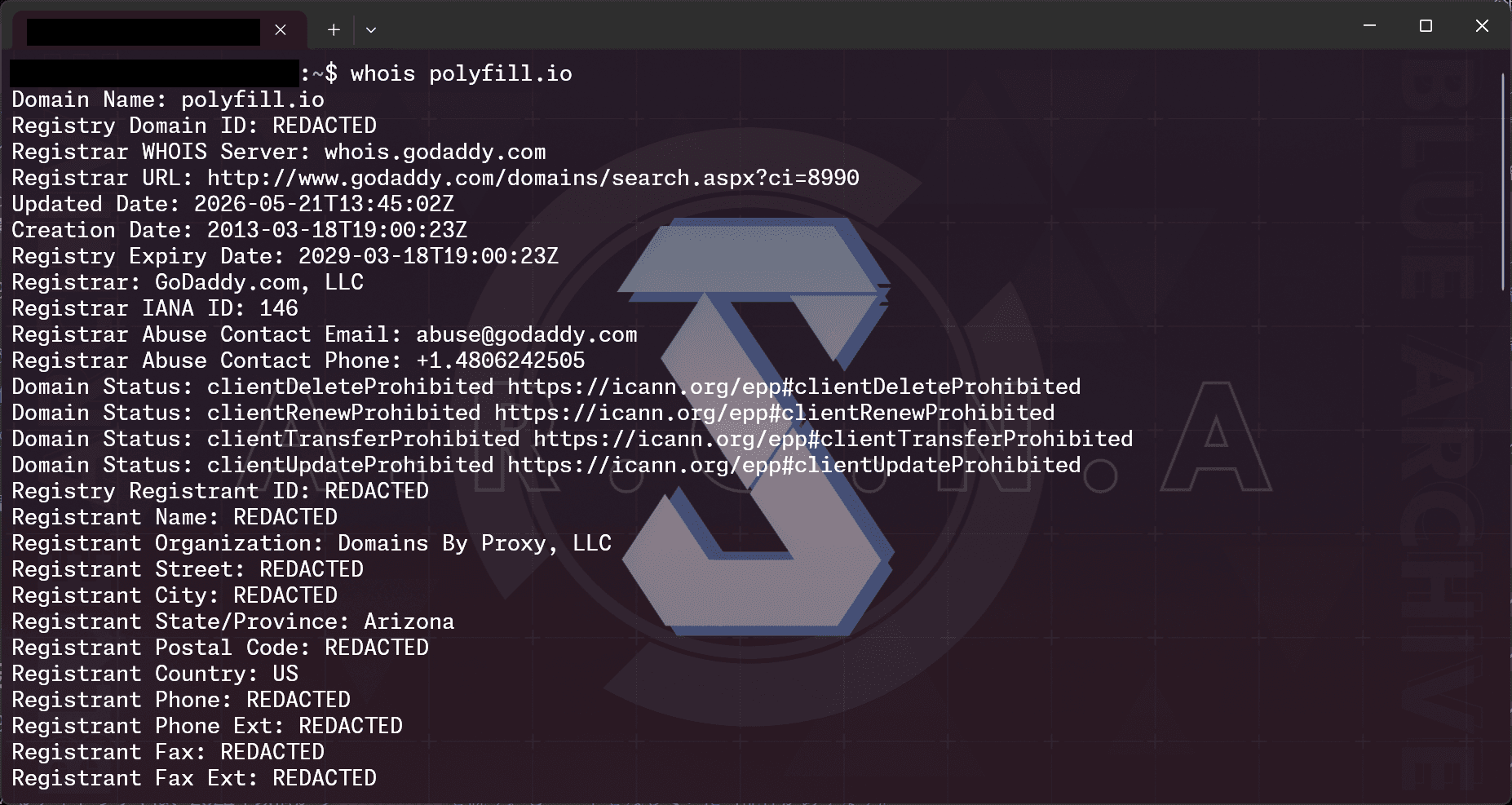
However, when I checked, the domain had moved from Namecheap to GoDaddy on May 21, 2026, while retaining its original registration date, which suggests that polyfill.io may have come back online.
The Wayback Machine archive shows that the polyfill.io website had come back online from at least May 23 to May 30. The polyfill.io domain, which should have been disabled, may have returned to its previous owner.
The domain owner information for polyfill.io remains private. Strictly speaking, we do not know whether the domain returned to the attacker behind the supply chain attack, passed to another malicious actor, or ended up with a “well-intentioned” third party.
What can general users do? What if you entered your password?
If the polyfill.io login screen appears, do not enter a password or personal information, and stop using the page.
You should also contact the website operator and avoid accessing the website until the operator fixes the issue.
If you entered a password or similar information, you should change that password as a precaution.
What should site operators do? Deleting it is not enough
If you operate a website and your website shows the polyfill.io dialog, remove the polyfill.io load immediately.
Search your source code for strings like the following.
- polyfill.io
- cdn.polyfill.io
- polyfill.min.js
Because users may leak personal or confidential information, you should consider taking the website offline temporarily if you cannot remove it right away.
polyfill.io exists to let older browsers use modern features, so removing polyfill.io may prevent some older browsers from viewing the website.
That said, polyfill.io no longer functions as a polyfill. If an environment would break after removing polyfill.io, it likely does not work now either, so removing it should cause few practical problems.
If you still need a polyfill, replace it with a trusted source such as Cloudflare’s mirror.
<!-- Example to remove --><script src="https://cdn.polyfill.io/v3/polyfill.min.js"></script><!-- Example replacement --><script src="https://cdnjs.cloudflare.com/polyfill/v3/polyfill.min.js"></script>Keep in mind that removing or replacing polyfill.io alone does not solve the problem.
First, in 2024, polyfill.io may have redirected some website visitors to scam websites. Second, users may have leaked personal or confidential information through the dialog that appears now.
In 2024, the web industry covered the polyfill.io issue as a major incident, so few website operators likely introduced polyfill.io after it became malware.
For that reason, most affected websites likely had been loading polyfill.io since before 2024, which means they may have redirected some visitors to scam websites during the 2024 supply chain attack.
In addition, some customers may have entered personal information, passwords, or similar data into the dialog that appears now. In that case, your website may have caused a leak of customers’ personal information.
This is why I said you should take your website offline if you cannot remove polyfill.io right away.
Standard access analytics also cannot tell you whether customers entered information into the dialog.
We do not know whether the polyfill.io side collected the entered information, but we also have no proof that it did not. You should treat any entered information as leaked.
You may therefore need to handle the incident as a data breach, not merely remove polyfill.io.
In addition, any website that left polyfill.io in place for nearly two years may have other vulnerabilities, or security issues, and the website’s management practices may have problems.
I urge you to inspect the rest of the website as well.
Conclusion
If a dialog asks you to enter a username and password for polyfill.io, do not enter any information. Contact the website operator.
The dialog appears because the website loads polyfill.io.
Attackers used polyfill.io in a past cyberattack, and the domain had been disabled, but it may have come back online in late May.
If your website shows this dialog, remove polyfill.io at once, inspect the entire site, investigate the scope of impact, and handle the incident as a possible data breach.
Verification details and sources
Verification environment
Desktop
- OS: Windows 11
- Browser: Zen Browser v1.20.2b and Chrome v149.0.7827.103
Mobile
- OS: Android 17
- Device: Google Pixel 8
- Browser: Firefox Nightly for Android version 153.0a1, Chrome for Android version 149.0.7827.59, and Edge Canary for Android version 151.0.4083.0
Verification details
I confirmed that the polyfill.io authentication screen appears on affected websites and that the same authentication screen appears when accessing polyfill.io directly. I also confirmed that the domain registration information for polyfill.io was updated on May 21, 2026, and that the polyfill.io website had returned at least during the period from May 23 to May 30.
Last verification date
Changelog
- June 2, 2026: Published the first version
- June 10, 2026: Added verification environment
Reference links
Share this article
Follow us for updates
Adding us to your preferred sources on Google makes it easier to find our articles on Google. Also, be sure to follow us on X and our RSS feed.


-1.png&w=1080&q=75)
I've been using JavaScript more than my native language since birth. I am nowhere and everywhere on the internet.
I build web apps and browser extensions in TypeScript as a web frontend programmer. I released Shadowban Scanner, a tool that detects shadowbans on X, and Restore Link Card, a tool that brings back link cards. Media outlets in Japan and abroad covered both tools. For iGEM 2023, I built the Wiki for Team Japan-United and helped the team win the Grand Prize. On my blog, I cover news about X and social media, test and troubleshoot bugs, and share frontend development insights.







![[新しいXチャットへようこそ]というテキストが画面に大きく表示されており、その下には次の3つの説明が表示されている。[エンドツーエンドの暗号化:メッセージは、端末にかかわらずエンドツーエンドで暗号化されています。][最先端のプライバシー:Xを含め、他の人がメッセージを読むことはできません。][パスコードを設定:メッセージを保護するため、4桁のパスコードを設定してください。]これらの説明の下には、[パスコードを作成]という大きなボタンが配置されている](/_next/image/?url=%2Fapi%2Fmedia%2Ffile%2Fwelcome-to-new-chat.png&w=1920&q=75)



