X restores dark mode/light mode toggle settings in iOS app after user confusion

In the latest update to its iOS app, X has restored the setting to switch between dark mode and light mode, which it had previously removed.
Nikita Bier, X's head of product, quoted a post mentioning that theme settings had returned to X's iOS app and said, "We all make mistakes."
Table of Contents
X rolls out a series of changes reducing freedom in color scheme settings
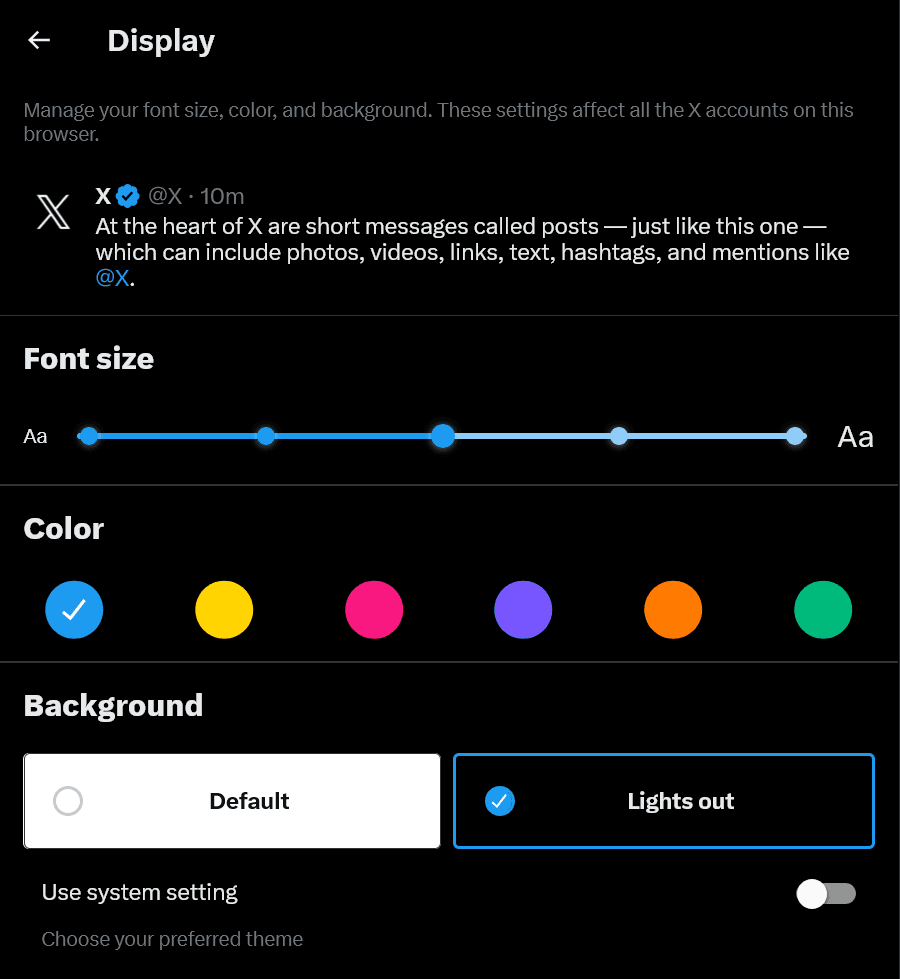
In mid-February, X removed Dim from the 3 colors that had previously been available on the web client—Default, Dim, and Lights out—saying that, at present, it did not have the capacity to support more than 2 colors.
Unlike Lights out, Dim was popular among some users because it did not make the screen contrast too strong.
After that, a feature to restore Dim was implemented in Control Panel for Twitter, a browser extension that makes X's UI easier to use.
Furthermore, in early March, X removed the setting to switch between light mode and dark mode from within the iOS app and changed it to follow the iPhone's system color scheme setting.
Until then, X's color scheme setting and the OS color scheme setting had been independent, so users could use different color schemes on the iPhone and in the X app, but due to this specification change, when the iPhone was in light mode, X could only be in light mode, and when the iPhone was in dark mode, X could only be in dark mode.
Bier explained the reason for the change by saying that app-level color scheme control had been causing problems across the app.
In this way, X had recently been rolling out a series of updates that reduced the flexibility of color scheme settings, citing a lack of development resources as the reason.
Removal of color scheme settings in the iOS app is reversed
Against this backdrop, it became clear that color scheme settings had returned in the latest version of X's iOS app, and that the removal of those settings had been reversed.
In response to a post by Aaron of MacRumors saying that the ability to switch between light mode and dark mode had returned in the latest iOS app, Nikita Bier, X's head of product, said, "We all make mistakes.," suggesting that the removal of color scheme settings in the iOS app had been reversed.
As a result, X's iOS app color scheme settings and the iPhone's system color scheme settings have returned to being independent, as they were before, making it possible to change the appearance more flexibly.
At the time of writing, however, Dim on the web client remains removed and has not been restored.
Conclusion
X had removed color scheme settings from its iOS app and changed it to follow the iPhone's system settings, but it has now reversed that policy and restored the color scheme settings.
X removed the Dim theme from the web client in mid-February, but this has not been restored and remains removed.
Share this article
Follow us for updates
Adding us to your preferred sources on Google makes it easier to find our articles on Google. Also, be sure to follow us on X and our RSS feed.


-1.png&w=1080&q=75)
I've been using JavaScript more than my native language since birth. I am nowhere and everywhere on the internet.
I build web apps and browser extensions in TypeScript as a web frontend programmer. I released Shadowban Scanner, a tool that detects shadowbans on X, and Restore Link Card, a tool that brings back link cards. Media outlets in Japan and abroad covered both tools. For iGEM 2023, I built the Wiki for Team Japan-United and helped the team win the Grand Prize. On my blog, I cover news about X and social media, test and troubleshoot bugs, and share frontend development insights.








![An image showing a drawer titled [Scheduled post] with a calendar on X’s post screen](/_next/image/?url=%2Fapi%2Fmedia%2Ffile%2Fx-ios-scheduled-post-thumbnail.png&w=3840&q=75)