Voice Notes arrive in XChat (DMs), enabling audio communication
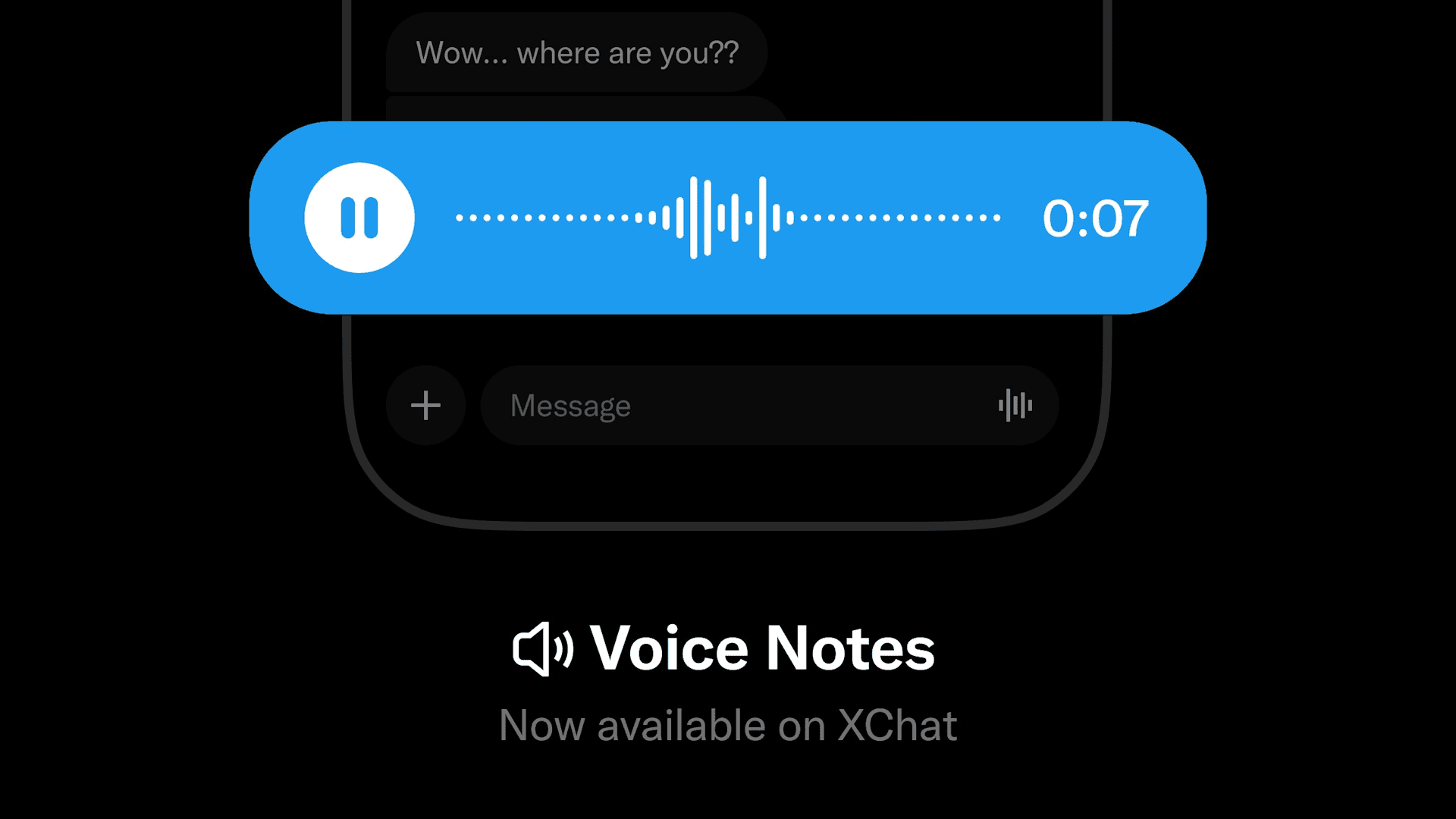
X has implemented Voice Notes in XChat (formerly DMs), making it possible to communicate by voice.
Voice Notes implemented in XChat
XChat is a new chat service that replaces X's DMs, and it includes encryption, messages that disappear after a certain period of time (vanish mode), file sending, and more.
Conventional DMs have been integrated into XChat, and XChat offers stronger security and privacy than DMs while also adding convenient features.

In conventional DMs, users could record and send audio by clicking the button displayed inside the text box, but that feature had not been implemented in XChat.
On April 9 (JST), XChat's official account posted "Voice Notes on XChat are finally here," announcing that audio can now be sent in XChat.
Voice Notes in XChat are available on the iOS app, Android app, X Lite on Android, and the web.
Voice and video calls had already been available in XChat (DMs), but while calls require real-time interaction, Voice Notes have the advantage of allowing asynchronous communication.
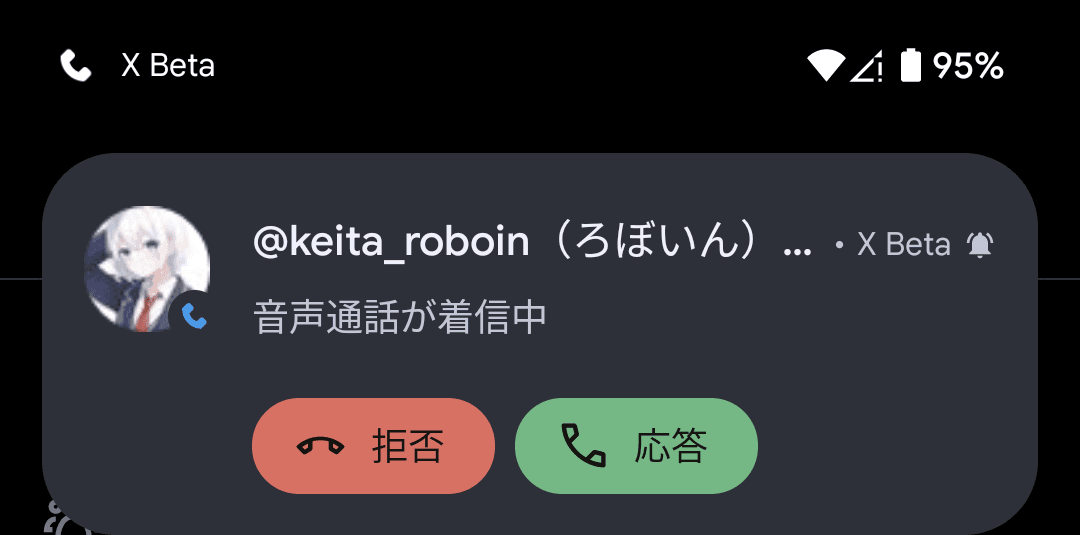
On Android X and Android X Lite, on the screen where you exchange XChat messages, pressing and holding the button displayed inside the text box records audio while it is being held down, and releasing it stops the recording.
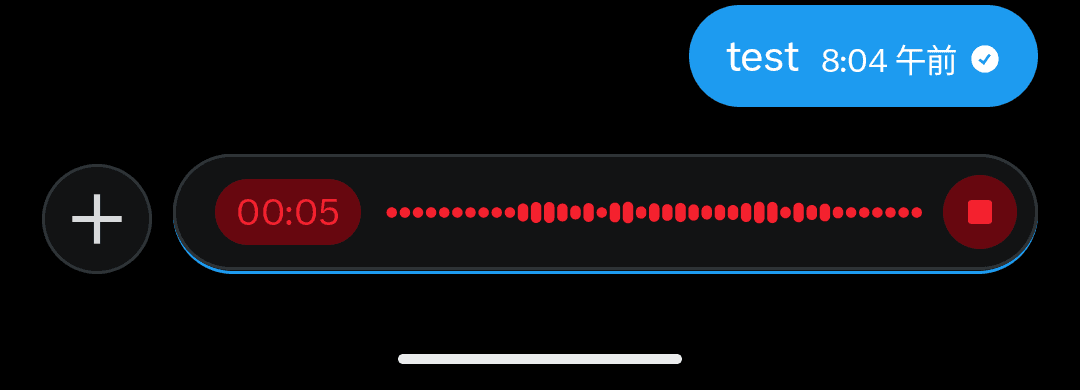
On the web, clicking the button in the chat box starts recording, and clicking the stop button or cancel button ends the recording.
At the time of writing, in Firefox, even if you clicked the recording button, recording ended immediately, so Voice Notes could not be sent.
Also, on Android X and Android X Lite, Voice Notes could be sent even to users who had not migrated to XChat and were shown as [Unencrypted messages], but on the web client, the recording button did not appear in conversations with users who had not migrated to XChat.
![チャットの入力画面のテキストボックスに[暗号化されていないメッセージ]と表示されている画像](/_next/image/?url=%2Fapi%2Fmedia%2Ffile%2FScreenshot_20260109-162030.png&w=1920&q=75)
Share this article
Follow us for updates
Adding us to your preferred sources on Google makes it easier to find our articles on Google. Also, be sure to follow us on X and our RSS feed.


-1.png&w=1080&q=75)
I've been using JavaScript more than my native language since birth. I am nowhere and everywhere on the internet.
I build web apps and browser extensions in TypeScript as a web frontend programmer. I released Shadowban Scanner, a tool that detects shadowbans on X, and Restore Link Card, a tool that brings back link cards. Media outlets in Japan and abroad covered both tools. For iGEM 2023, I built the Wiki for Team Japan-United and helped the team win the Grand Prize. On my blog, I cover news about X and social media, test and troubleshoot bugs, and share frontend development insights.
![An image showing a drawer titled [Scheduled post] with a calendar on X’s post screen](/_next/image/?url=%2Fapi%2Fmedia%2Ffile%2Fx-ios-scheduled-post-thumbnail.png&w=3840&q=75)
![スマートフォンのホーム画面の[Social]フォルダーを表示した写真。フォルダー内にはFacebook、Instagram、Threads、X、LinkedIn、TikTok、YouTubeのアイコンが配置されている](/_next/image/?url=%2Fapi%2Fmedia%2Ffile%2Ffacebook-instagram-threads-x-twitter-linkedin-tiktok-youtube-mobile-app-unsplash.jpg&w=3840&q=75)


![Xのブックマーク画面に複数のフォルダーが表示されている画像。フォルダーの名前はそれぞれ[すべてのブックマーク][イラスト][面白い投稿]となっている](/_next/image/?url=%2Fapi%2Fmedia%2Ffile%2Fimage-1378.png&w=1920&q=75)