
Articles

- HowTo
How to view and edit X (Twitter) extended bio on Android
This article explains how to view and edit the "extended bio" on X (Twitter), which lets you set a long self-introduction and links, from Android.

X to display username change history and base country, testing starts next week
An experiment to display additional information on X profiles, such as the account’s base country, connection source, and username change history, will begin next week.

X adds synced drafts between iOS and the Web, coming to Android soon
Nikita Bier, Head of Product at X (Twitter), announced on his X account that the iOS app now includes a feature to sync drafts with the web version. Bier says draft sync is coming to the Android app soon.

- HowTo
How to turn off reaction notifications on Discord [PC・Mobile]
Discord lets you react to your own and others' messages with emoji, and you receive a notification when someone reacts to your message. This article explains how to turn off notifications when reactions are added to your messages.

- HowTo
Causes and fixes for posts not appearing in X (Twitter) search
Posts that should appear in X (Twitter) search results sometimes do not actually appear. This article explains causes and fixes for when posts do not appear in X search results.

OpenAI removes watermarks from Sora-generated videos, making it harder to distinguish fake videos
OpenAI, the developer of ChatGPT, removed watermarks from some videos generated by its video generation AI, “Sora 2.” As of the time of writing, there is no official announcement from OpenAI.

X finally supports saving thread drafts on web
The web version of X (Twitter) has finally added support for saving thread drafts. Nikita Bier, X’s Head of Product, revealed this on his own X account.

- HowTo
Causes of “This quoted post is unavailable” on X (Twitter) and how to view the original post
On X (Twitter), you may see the message [This quoted post is unavailable] where the original post (tweet) should appear. This article explains the causes and how to view the original post.

Windows will finally actually shut down with 'Update and shut down'
Microsoft announced Windows 11 Insider Preview Build 26120.6760 (for the Beta Channel) on September 29, 2025 (local time). The release notes for this build state that they have "fixed an underlying issue" regarding a bug where selecting [Update and shut down] would not shut down.

X (Twitter) changes so anyone can see which private accounts reposted
On X (Twitter), anyone can now see the private accounts (it's also called "protected accounts") that reposted a post.

How to deal with a slow first load after launching Firefox
Firefox is a privacy-conscious browser that, among other things, uses less memory than Chrome, but the first load at startup can sometimes be slow. This article explains how to address cases where the first page load after launching Firefox is slow.
- HowTo
How to change fonts on X (Twitter): how to use bold and italics?
On X (Twitter), you can make text in a post (tweet) bold or italic. This article explains how to change the font of posts on X to bold or italics.
- HowTo
[PC/Mobile] How to Enlarge Message Text on Discord
When using Discord, there are plenty of times when you want to make a specific message stand out. In this article, we’ll explain in detail how to enlarge message text on both PC and mobile.

- HowTo
X's "Suspicious login alert": Did someone log in to your account? What to do
You may receive a "Suspicious login alert" notification on X. X sends this alert when it detects unusual activity associated with a new login to your account. If you receive this notification, I recommend verifying that it's genuine and changing your password.
Shadowban Scanner has been updated to v4.0
Shadowban Scanner has been updated to version 4.0. This release features a major design overhaul along with several new features aimed at improving usability. A full list of changes is available on the GitHub Releases page.
My New Journey as a Board Member of the lirfa association
As announced officially by Larva06, we have established the lirfa association to manage Larva06. I am honored to report that I have been appointed as a board member of this newly formed association.
- HowTo
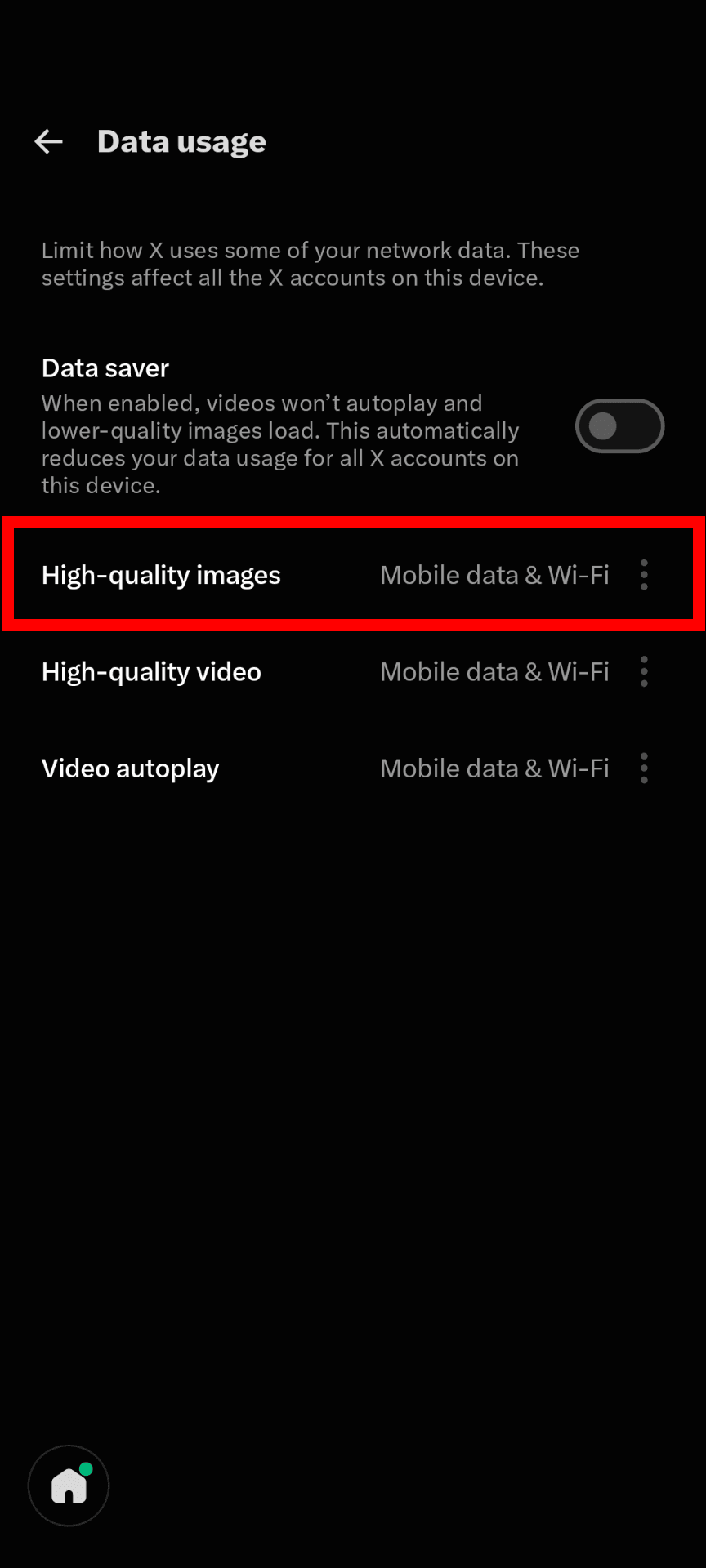
How to enable high-quality images on X when photos look blurry
Images attached to posts on X can sometimes look blurry or appear at a low resolution. You can change the settings in the X app to load images in high quality. On desktop, X doesn't offer this setting and generally loads high-quality images by default.

Shadowban Scanner Reaches Over 10,000 Users!
Thanks to your support, the number of users of the Chrome version of Shadowban Scanner has surpassed 10,000! I would like to update you on recent updates to Shadowban Scanner and the availability of smartphone support.
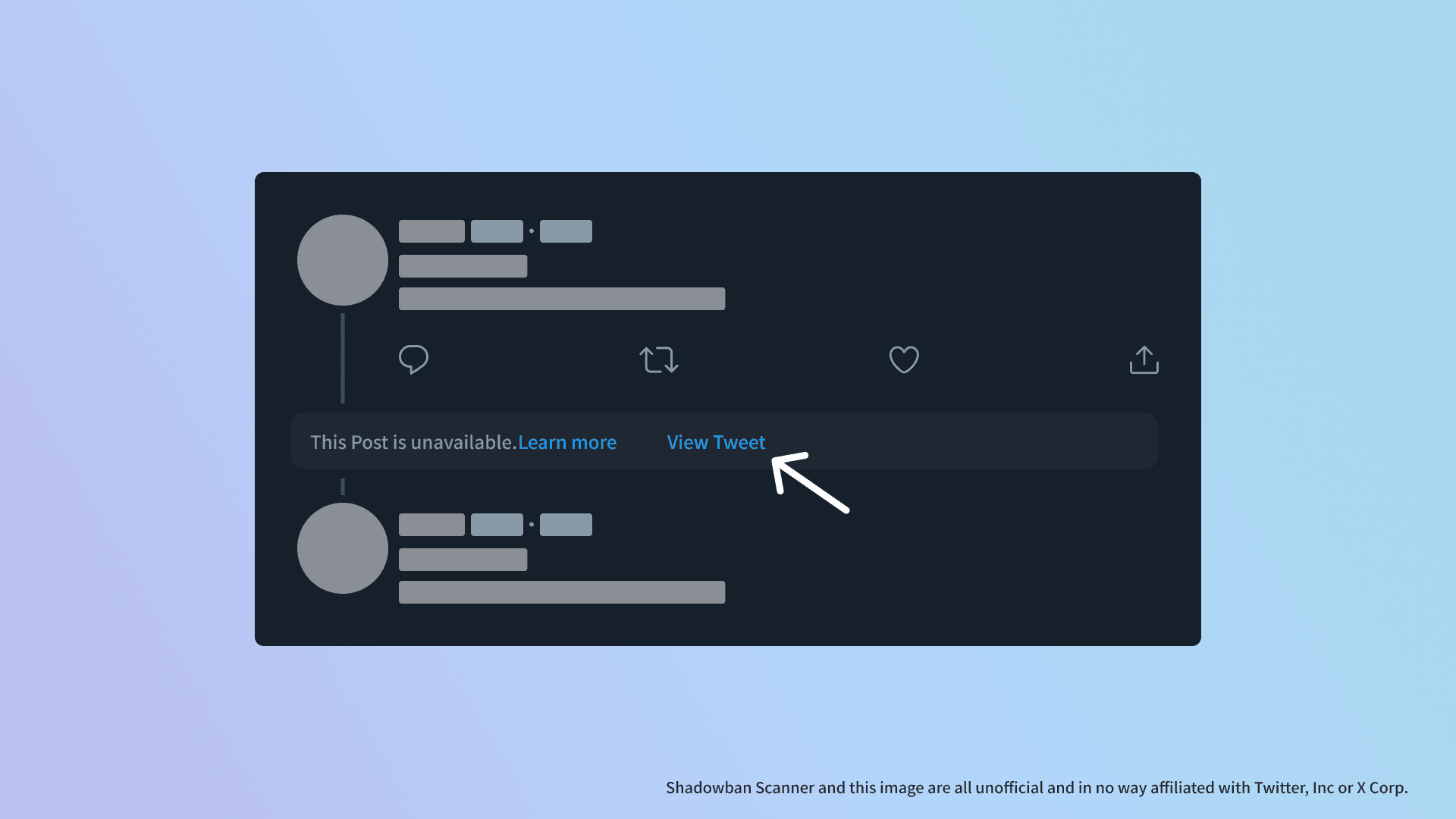
Shadowban Scanner has been updated to v3.1
Shadowban Scanner has been updated to v3.1. This version adds the ability to "resurrect" tweets with external links that have been hidden.

Shadowban Scanner now supports Firefox for Android
I'm excited to announce that Shadowban Scanner is now compatible with the Firefox for Android! You can now use Shadowban Scanner on your Android devices.
Shadowban Scanner has been updated to v3.0
Shadowban Scanner has been updated to v3.0. This version includes several new features.

How to Use "Shadowban Scanner" to Monitor Twitter Shadowbans in Real Time
When your Twitter account is shadowbanned, it becomes less visible in searches and recommendations. This article explains how to use "Shadowban Scanner" to detect sensitive content classifications and shadowbans on Twitter.

Shadowban Scanner has been updated to v2.2
Shadowban Scanner has been updated to v2.2. This version includes several bug fixes and additional configuration items.

Shadowban Scanner has been updated to v2.1
Shadowban Scanner has been updated to v2.1. This version includes several bug fixes and small improvements.
Shadowban Scanner v2 is now available to check shadowban and sensitive judgments
It has been almost three months since the last update, and I have released version 2 of Shadowban Scanner, an extension that allows you to check Twitter (X) shadowban and sensitive judgments without having to go to an external site. in Shadowban Scanner v2, many improvements and new features have been added in the three months since the last update of v1.

Do X's two reply methods affect timeline visibility? Testing the reply icon vs. "Post your reply"
On X, you can reply to a post in two ways: by clicking the speech bubble icon or by opening the post and typing your reply into the "Post your reply" field below it. Rumors often circulate on X that the method you use determines whether your reply appears in your followers' timelines. However, I tested both methods and found that they produce the same results.

