
Articles

How to update Bun itself
This article explains how to update Bun, an all-in-one tool that can run, build, and test JavaScript and TypeScript. This article does not explain how to update project dependencies using Bun, but instead explains how to update Bun itself.

Reports of X expanded bios disappearing are increasing: possibly a data retrieval bug
Reports are increasing that profiles set in X's Expanded Bio have disappeared. There has been no official announcement from X about this issue, but it appears that a malfunction is occurring in the process of retrieving data.

How to post individual images with a sensitive flag on X
On X, you need to add a flag when posting sensitive content such as adult content or grotesque content. In this article, we explain in an easy-to-understand way how to set a sensitive flag on individual images you post on X.
![スマートフォンのホーム画面の[Social]フォルダーを表示した写真。フォルダー内にはFacebook、Instagram、Threads、X、LinkedIn、TikTok、YouTubeのアイコンが配置されている](/_next/image/?url=%2Fapi%2Fmedia%2Ffile%2Ffacebook-instagram-threads-x-twitter-linkedin-tiktok-youtube-mobile-app-unsplash.jpg&w=3840&q=75)
What do SFW / NSFW mean on X (Twitter)? An easy-to-understand explanation
Have you ever seen posts on X (Twitter) that say things like "SFW" or "NSFW"? In this article, we will explain in an easy-to-understand way what "SFW" and "NSFW", which are sometimes written in posts on X, mean.
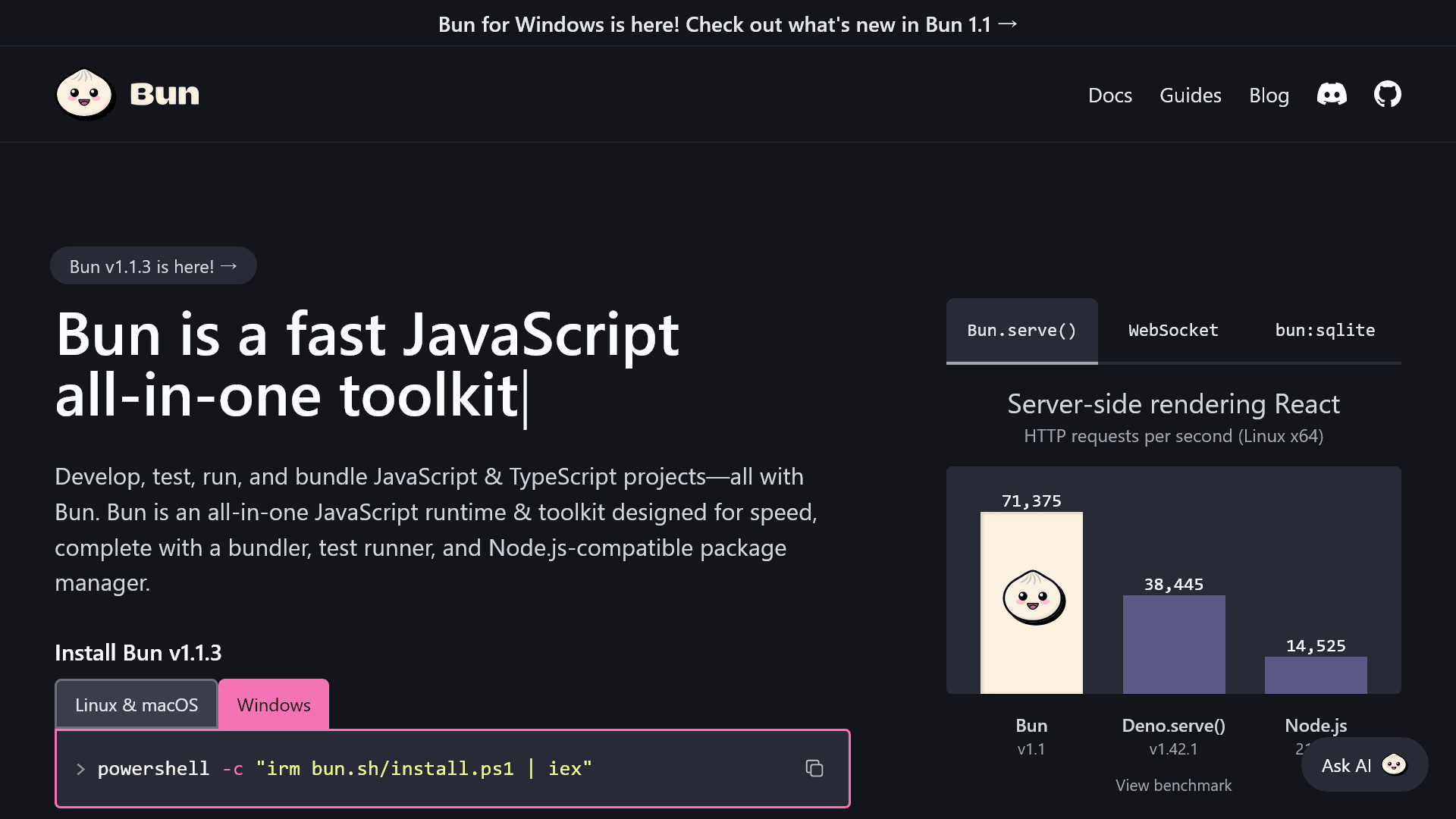
How to install Bun on Windows
On April 1, 2024, Bun 1.1 with support for Windows was released. This article explains how to install Bun on Windows.

How to save and delete Git credentials (username and password) on Linux
I always forget how to save and delete Git credentials (username and password) on Linux, so here's a memo for myself.

X cracks down on engagement-farming AI slop with API reply limits
X has announced it restricts reply feature within the X API v2 due to a severe spam problem caused by low-quality and auto-generated content, often produced by LLMs (text generation AI like ChatGPT).
How to fix a bug where tapping Instagram accounts in search results doesn't show the profile
On an Android device with the Instagram app installed, I encountered a bug where tapping an Instagram account displayed in Google search results (or other search engines) would open the Instagram app's home screen instead of the profile page. This article explains how to fix this bug.
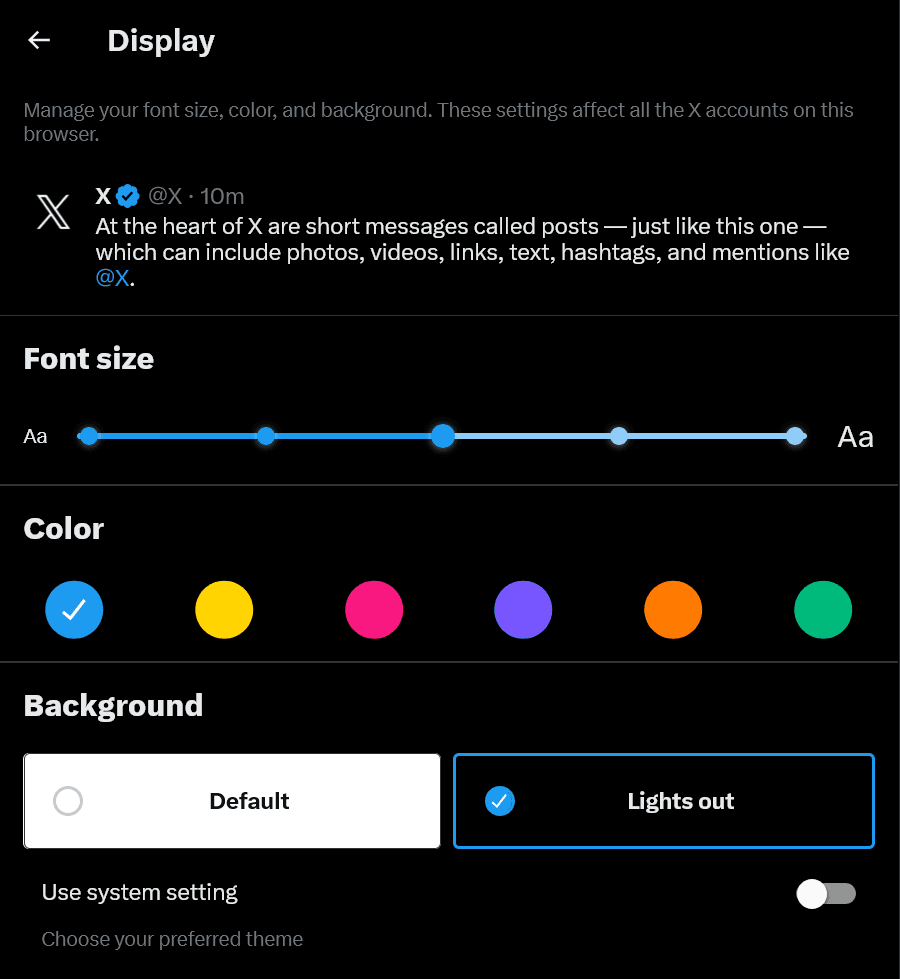
X removes Dim theme from web. How to get it back with an extension?
On X (Twitter), Dark mode previously had two dark color schemes: “Lights out” and “Dim,” but Dim has been removed. In this article, we’ll clearly explain how Dim was removed from X and how to restore it.
Is X pruning your Following timeline? You can fix it just by doing this!
On X (Twitter) lately, there have been a growing number of reports that in the [Following] timeline, posts from accounts you follow are being pruned, and some posts aren’t shown. However, this issue can actually be solved in 3 seconds. In this article, we’ll clearly explain how to deal with the problem of posts being pruned in the Following timeline.
X shifts API to Pay-Per-Use; free plan effectively discontinued
X's (formerly Twitter) official developer account announced that X API has officially shifted to Pay-Per-Use pricing. While the API will continue to be provided for free to for-good public utility apps, active users of other existing free plans will be moved to Pay-Per-Use pricing with a one-time $10 voucher.

X begins testing Collaborative Notes, in which AI writes Community Notes and self-improves through human feedback
As a new initiative for Community Notes, which add background information to posts, X has announced "Collaborative Notes," in which AI and humans work together to create Community Notes.

Adobe Animate service discontinuation reversed; continued in maintenance mode
Adobe had announced that it would end the availability of its 2D animation production software "Adobe Animate", but has reversed this policy and announced that it will continue to provide the software in maintenance mode.
![A screenshot of X's post, showing a [Relevant] dropdown menu and a [View activity] button below the reply, repost, and other buttons.](/_next/image/?url=%2Fapi%2Fmedia%2Ffile%2Fx-web-view-activity-button-english.png&w=1920&q=75)
Can't see quote reposts on X? Web version specification change: What's the new way to check?
The specifications of the web version of X (Twitter) have changed, and the way to check quote reposts has been updated. In this article, we explain the new way to check quote reposts on the web version of X.

Shadowban Scanner has been updated to v4.0.3
Shadowban Scanner has been updated to v4.0.3! Here are the main changes in this release. You can view the full list of changes on GitHub’s release page.
![Xの予約投稿の設定画面のスクリーンショット。[日付][時刻][タイムゾーン]の項目が表示されており、[日付][時刻]が入力できる状態になっている](/_next/image/?url=%2Fapi%2Fmedia%2Ffile%2Fx-scheduled-post-settings.png&w=1920&q=75)
Can you schedule posts on X(Twitter)using the app? Explaining how to post from a smartphone
X(Twitter)has a scheduling feature that automatically posts at a pre-set date and time. In this article, we will explain in detail whether you can schedule posts from the app and how you can schedule posts from a smartphone.

Explaining the meaning and differences between X (Twitter) user name, account name, and user ID
On X (Twitter), there are several very similar terms: "user name", "account name", and "user ID", but all of them have different meanings. In this article, I will explain in detail the meanings and differences between user names, account names, and user IDs on X.

Reports surge of screen blackouts on Meta Quest 3/3S; Recent update possibly to blame
Reports are increasing that, while using the Meta Quest 3 and Meta Quest 3S, the video cuts out for about 1-2 seconds and the screen goes dark, or noise appears when the image returns. On Reddit’s r/OculusQuest, many posts have been submitted reporting that the image goes dark and returns in about 2 seconds.
Cloudflare acquires the web framework Astro; open source and multi-deployment policy to remain
Cloudflare announced that it has acquired The Astro Technology Company, the developer of the web framework "Astro". Astro will continue to be released as open source under the MIT License, and the policy of not locking users into a specific vendor will also be maintained.

How to delete Grok conversation history and what happens when you delete it
X (Twitter) includes the AI "Grok" developed by its parent company, xAI. This article explains in detail what happens when you delete your Grok conversation history and how to delete it.
Grok not replying on X? Causes and fixes you can try
X includes the AI "Grok" developed by its parent company xAI, and by mentioning @grok in a post you can interact with Grok via text, or use Grok to generate or edit images. In this article, we explain the causes and fixes for when you don't get a response even if you mention Grok.
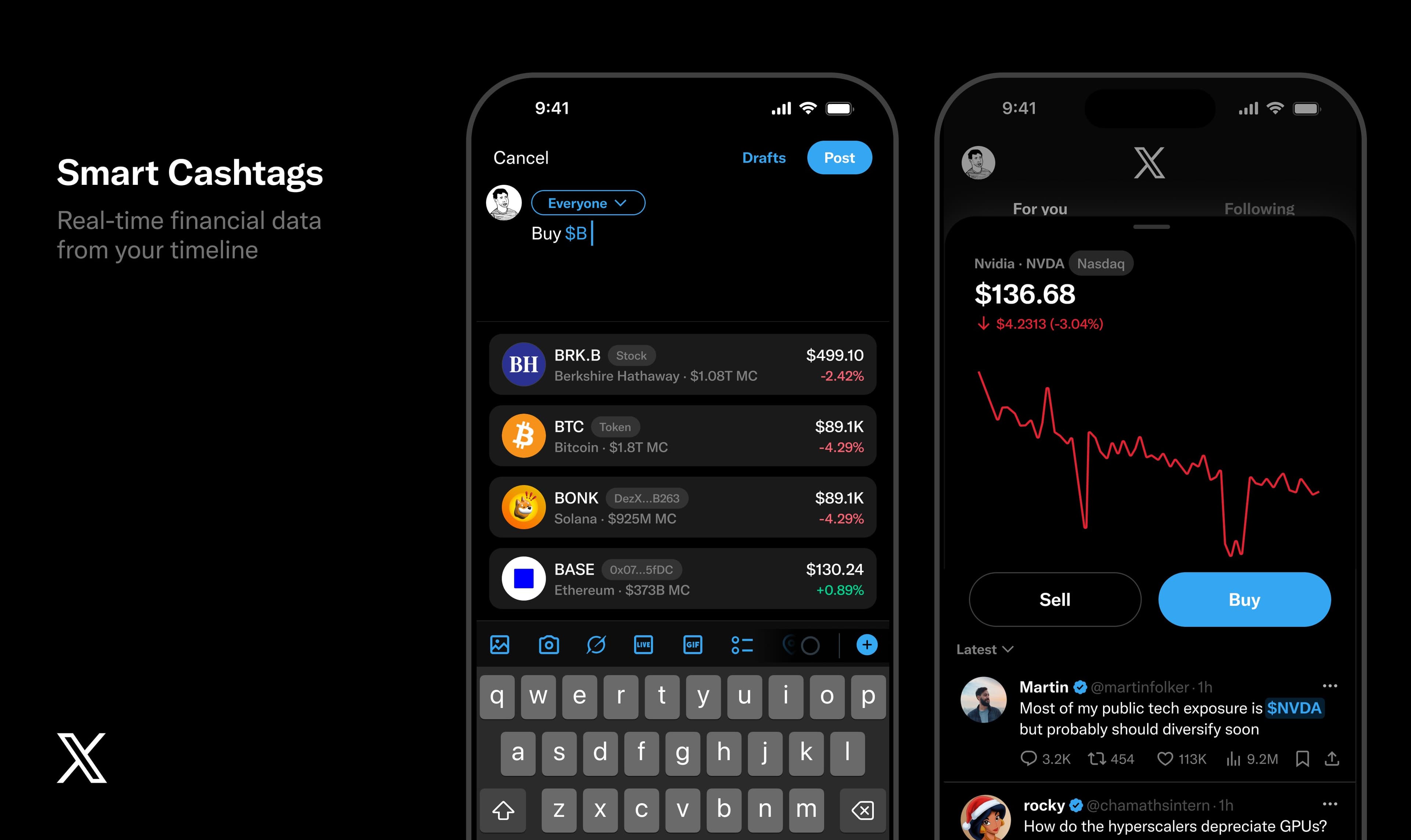
X to enhance financial information with Smart Cashtags that can identify stocks and contracts
Nikita Bier, X’s head of product, said that financial-related information has a major influence on X, and revealed that the company is developing a new feature called “Smart Cashtags.”
![On the left is an image of a post with four images arranged in a 2x2 grid, and in the center an arrow is placed along with the text [When you tap the post...]. On the right is an image of a post with four images arranged vertically.](/_next/image/?url=%2Fapi%2Fmedia%2Ffile%2Fx-post-vertical-layout-images-thumbnail-english.png&w=3840&q=75)
How to arrange images vertically on X: also explains causes when you can’t do it
On X (Twitter), you can make images appear vertically when you tap a post. In this article, we explain how to arrange images vertically when posting on X, and the causes when you can’t do it.
![A screenshot of X notifications. The three tabs [All] [Priority] [Mentions] are displayed.](/_next/image/?url=%2Fapi%2Fmedia%2Ffile%2Fx-notification-priority-tab-english.png&w=1920&q=75)
What is the [Priority] tab for X (Twitter) notifications? Under what conditions is it shown?
As a new feature on X (Twitter), the [Priority] tab has been implemented in notifications. In this article, we will explain in detail what priority notifications on X are and under what conditions they are shown.

Fix released for issue where Logi Options+ and G HUB for macOS would not launch; manual action required
Regarding the issue where the macOS versions of the software "Logi Options+" and "G HUB" used to customize Logitech mice and keyboards had stopped working, Logitech has released a fix patch. Because the fix patch is not applied automatically, it must be applied manually.
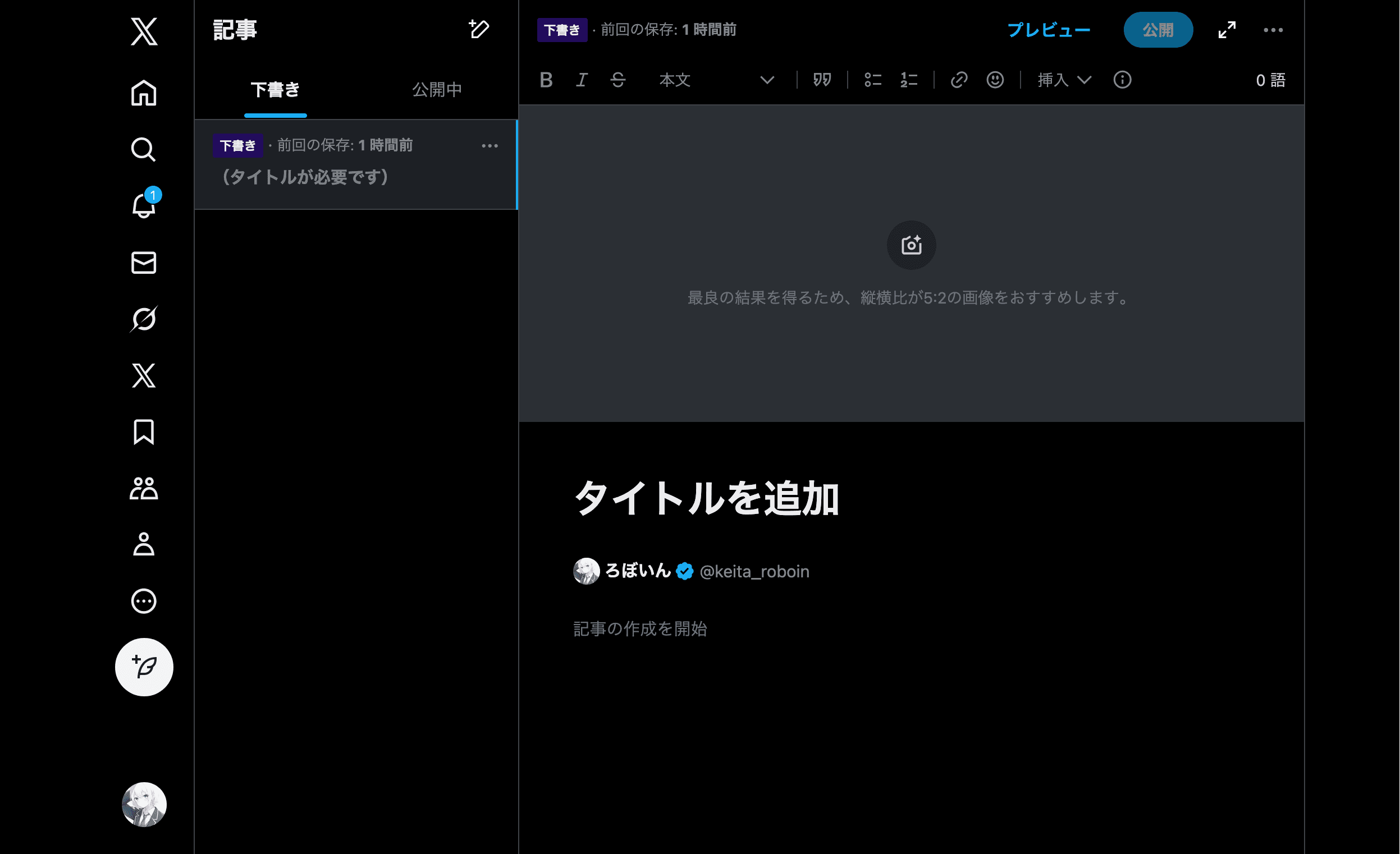
Publishing articles directly within X is now available to all paid users; no longer requires the highest tier
Nikita Bier, X (Twitter)’s head of product, posted on his X account that the article publishing feature, which until now had only been available to subscribers of the highest-tier paid subscription service "X Premium," "Premium+," will be opened to all X Premium users.

What does “This conversation is now end-to-end encrypted” mean in X Chat (DMs)? Explanation
X (Twitter) DMs have been integrated into a new service called X Chat, but when you exchange messages, you may see [This conversation is now end-to-end encrypted] displayed. In this article, I explain what the message [This conversation is now end-to-end encrypted] means.

Logitech mouse/keyboard malfunction ongoing — possible outage in Logi Options+ and G HUB
Currently, an issue is occurring where Logitech devices such as mice and keyboards stop functioning. It appears that a problem is happening with “Logi Options+” and “G HUB,” the software used to customize Logitech devices.
Misuse of Grok image editing on X is surging: Musk warns about illegal content, including cooperation with authorities
On X (Twitter), there has been a string of cases in which third parties use xAI’s AI “Grok,” which is integrated into the platform, to alter other people’s images into sexual or otherwise inappropriate content.In response, Elon Musk and X’s official account warned that creating illegal content using Grok will lead to the same consequences as uploading illegal content.
[2026 Latest edition] How to turn off / opt out of having your posts used to train Grok
It has become a topic of discussion that X (Twitter) has revised its Terms of Service and Privacy Policy. The content stating that user posts submitted to X can be used for AI training has existed for some time, and it is possible to opt out (refuse) so that they are not used for AI training.
You don’t need an account to just read Bluesky: How to create a “Following” timeline without logging in
Bluesky is a decentralized social networking service that’s attracting attention as an alternative to X (Twitter). On X, if you view an account profile without logging in, you can only see some of that account’s popular posts, but on Bluesky you can view almost all posts even without an account.
How to prevent your images from being edited with Grok via “Edit image” on X (Twitter)
A button has been added to the web version of X (Twitter) that lets you edit images with the generative AI Grok.In this article, we introduce how to prevent images you have posted from being edited with Grok.
X (Twitter) adds a button to edit other people’s images with Grok—following the app, now on the web too
On the web version of X (Twitter), a button has been added that allows images to be edited using xAI’s AI, “Grok,” regardless of whether the image was posted by you or by someone else.

Shadowban Scanner has been updated to v4.0.2
Shadowban Scanner has been updated to v4.0.2! Here are the main changes in this release. You can view the full list of changes on GitHub’s release page.
X Pro Following timeline bug breaks chronological order
A bug has occurred in “X Pro (formerly TweetDeck),” officially provided by X (Twitter), in which the chronological order of the [Following] timeline becomes disordered.
X (Twitter) DMs integrated into XChat: What’s the difference between DMs and XChat?
When you open DMs on X (Twitter), you now see a screen that says [Welcome to the new XChat] along with a [Create a passcode] button. This article explains in detail what XChat is, why you need to set a passcode, and where the traditional DMs have gone.
How to continue using or revert to the traditional DM instead of XChat on X (Twitter)
Recently, on X (Twitter), DMs have been integrated into a new service called XChat. If for some reason you want to continue using DMs, you can do so by using the web version of X to keep using the traditional DM.
What is the X (Twitter) Chat passcode? What happens if you forget it?
Recently, X (Twitter) DMs have been integrated into X Chat, and when you try to open your DMs, you are prompted to set a passcode. This article explains in detail what the X Chat passcode is used for and what happens if you forget it.
[Android] Where is the Interests setting on X (Twitter)? Detailed guide
This article explains how to display the [Interests] settings on X (Twitter) for Android.

X tests keeping the original post visible while viewing links, starting with iOS
Nikita Bier, X's head of product, posted on his X account that they are starting an iOS test to let followers easily react to the original post while viewing a link.
Is “posts with links are penalized” on X a myth? Head of Product denies it
Among some users, a theory has been spreading that when you post on X with a link, the algorithm down-scores it, making the post less likely to gain traction. However, X Head of Product Nikita Bier posted “Links are not deboosted” on his own X account, denying this theory.
How to deal with the browser version of X (Twitter) redirecting to the app and not opening
Have you ever tried to open the browser version (web version) of X (Twitter) on your smartphone and been redirected to the app? This article explains how to open the web version of X on a smartphone with the X app installed.
How to view and edit X (Twitter) extended bio on Android
This article explains how to view and edit the "extended bio" on X (Twitter), which lets you set a long self-introduction and links, from Android.

X to display username change history and base country, testing starts next week
An experiment to display additional information on X profiles, such as the account’s base country, connection source, and username change history, will begin next week.

X adds synced drafts between iOS and the Web, coming to Android soon
Nikita Bier, Head of Product at X (Twitter), announced on his X account that the iOS app now includes a feature to sync drafts with the web version. Bier says draft sync is coming to the Android app soon.

How to turn off reaction notifications on Discord [PC・Mobile]
Discord lets you react to your own and others' messages with emoji, and you receive a notification when someone reacts to your message. This article explains how to turn off notifications when reactions are added to your messages.
Causes and fixes for posts not appearing in X (Twitter) search
Posts that should appear in X (Twitter) search results sometimes do not actually appear. This article explains causes and fixes for when posts do not appear in X search results.

OpenAI removes watermarks from Sora-generated videos, making it harder to distinguish fake videos
OpenAI, the developer of ChatGPT, removed watermarks from some videos generated by its video generation AI, “Sora 2.” As of the time of writing, there is no official announcement from OpenAI.
![ポップアップに[Save post? You can save this to send later from your drafts.]と表示され、[Save]ボタンと[Discard]ボタンがある](/_next/image/?url=%2Fapi%2Fmedia%2Ffile%2Fx-save-thread-feature-update-thumbnail.jpg&w=3840&q=75)
X finally supports saving thread drafts on web
The web version of X (Twitter) has finally added support for saving thread drafts. Nikita Bier, X’s Head of Product, revealed this on his own X account.
![本来引用元のポスト(ツイート)が表示されるべき場所に[この引用ポストは表示できません]というメッセージが表示されている](/_next/image/?url=%2Fapi%2Fmedia%2Ffile%2FScreenshot_20240720-33958.png&w=1920&q=75)
Causes of “This quoted post is unavailable” on X (Twitter) and how to view the original post
On X (Twitter), you may see the message [This quoted post is unavailable] where the original post (tweet) should appear. This article explains the causes and how to view the original post.