
Articles

X login outage affected some third-party apps, issue now resolved
Starting around September 28, users encountered an issue that prevented them from logging in to or connecting third-party apps with their X accounts. Live-streaming services including REALITY and TwitCasting appear to have been affected. X resolved the issue shortly after 10 a.m. on October 1.

Make YouTube's entire background glow with videos using Ambient Light for YouTube
With YouTube’s Ambient mode, you can make the UI background glow dynamically to match the video you’re watching and create a more immersive viewing experience. In this article, I introduce Ambient Light for YouTube, a browser extension that takes the effect further by making the entire page glow.

How to restore Firefox’s old UI and theme after the rounded redesign
Mozilla has redesigned Firefox, giving the browser a rounder interface and replacing the dark mode color scheme with a more colorful palette. In this article, I’ll show you how to change the new Firefox dark mode from its colorful palette to a more subdued one, as well as how to restore the previous UI design.

How to fix Oxlint slowing down TypeScript in VS Code and Zed
After I installed the Oxc extension in Zed and enabled the Oxlint language server, I ran into issues such as Oxlint diagnostics taking an excessive amount of time to update after code changes. After investigating, I found that Oxlint was, in effect, spawning a new TypeScript process for each character I typed, which caused these problems.

What is X’s “Under the hood”? How to use the official shadowban checker
On September 19 (JST), X announced that it had expanded access to “Under the hood,” its official tool for checking labels that affect the visibility of your account and posts, along with the information the tool displays. In this article, I explain what Under the hood is and how to use it.
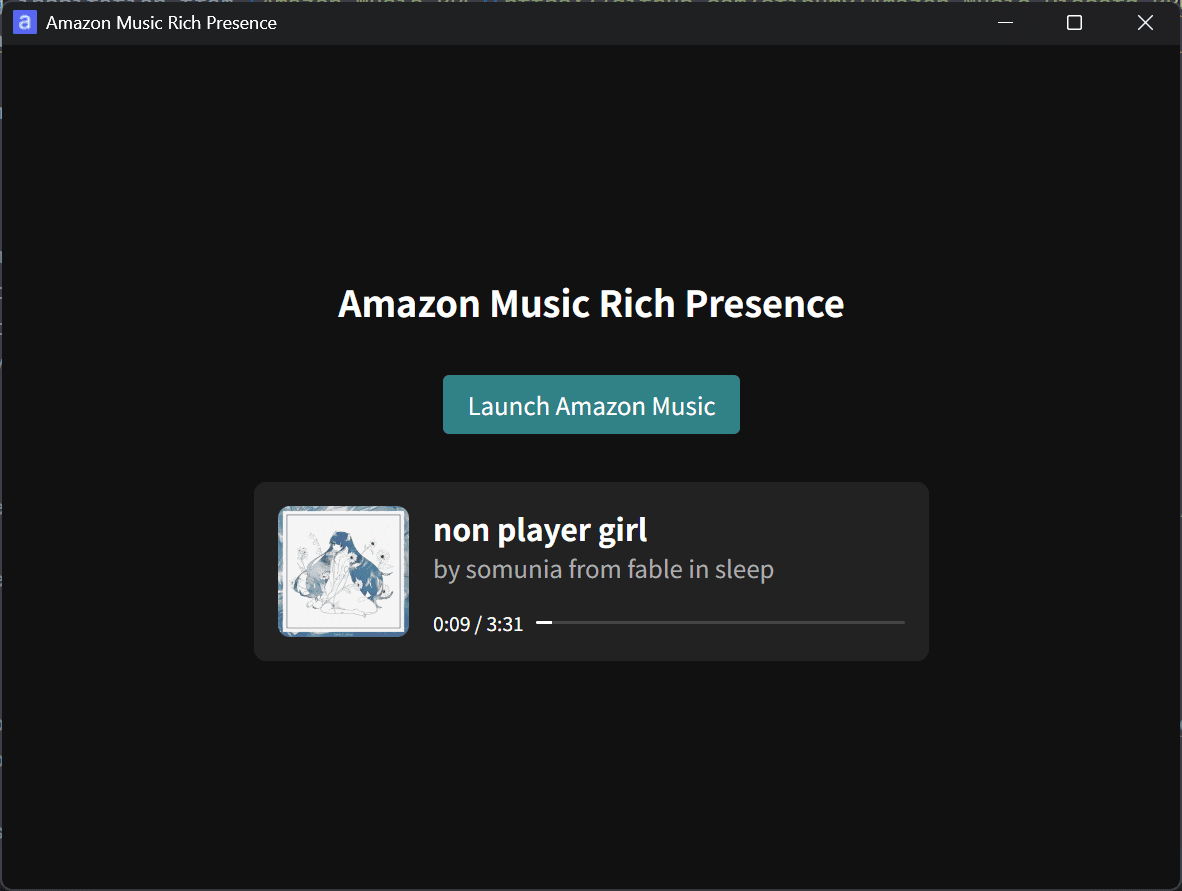
I released Amazon Music Rich Presence to show your current Amazon Music track on Discord
I released Amazon Music Rich Presence, a tool that shows information about the song you are playing on Amazon Music in your Discord profile.

X sues users accused of exploiting creator revenue sharing to fraudulently obtain about $277,000
SpaceXAIとXで法務を担当しているJames Burnham氏は自身のXアカウントで、Xがクリエイター収益配分を悪用した複数のユーザーを提訴したと発表しました。
X opens official shadowban checker to all eligible users and adds legal withholding details
On September 19 Japan time, X announced that it had expanded access to Under the hood, its official tool that lets users check labels that affect the visibility of their accounts and posts. X also expanded the information included in the tool.

X in-app browser user agent strings in 2026
X introduced a new in-app browser on iOS and Android that lets you keep the Like, Repost, and other buttons at the bottom of the screen while you open a link. I checked the user agent strings after X introduced this new in-app browser and wanted to share the results.
Use passkeys with Payload CMS through payload-passkey
I released payload-passkey, a plugin that lets you sign in to Payload CMS without a password by using a passkey. In this article, I cover the plugin’s features and setup process.
I updated the privacy policy
Thank you for reading Roboin Blog. I updated the privacy policy on September 16, 2026.

How to disable Dark Reader on your website
Users can use Dark Reader to apply dark mode across the web. On sites that support dark mode, users may see Dark Reader apply another layer of dark-mode styling and end up with an unnatural-looking page. Users can disable Dark Reader for a specific site. Site administrators have a way to disable it from the site itself.
![An image showing a drawer titled [Scheduled post] with a calendar on X’s post screen](/_next/image/?url=%2Fapi%2Fmedia%2Ffile%2Fx-ios-scheduled-post-thumbnail.png&w=3840&q=75)
X brings scheduled posts to iOS, with Android support absent
Benji Taylor, who works on design at X, announced on his X account that the company has started rolling out scheduled posts to its mobile app. He said the change forms part of X's effort to bring its platforms closer to parity.
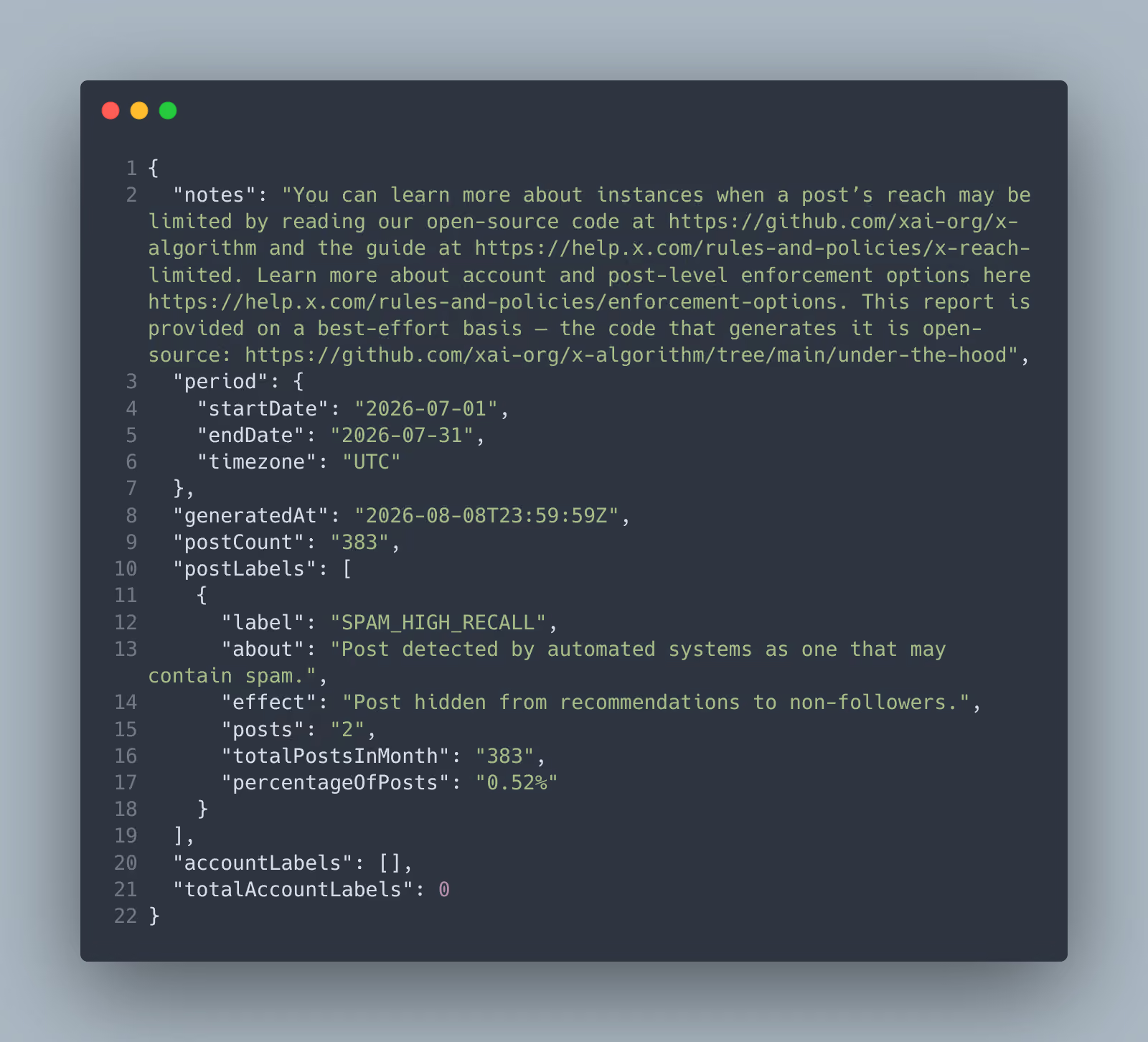
I tried X’s official shadowban checker, “Under the hood”
X has released an official shadowban checker that lets you check shadowbans at both the post and account level. I recently gained access to the tool, so I tried it myself.
[September 10, 1:00 a.m. to 6:00 a.m. JST] Temporary site outage during maintenance
Thank you for visiting Roboin Blog. The hosting provider used by this site will perform maintenance, so you may be unable to access this site during that period.

No external tools needed: How to remove Gemini’s star watermark for free
Until now, Google added a star-shaped watermark to images, videos, and other media generated with Gemini to indicate that AI created the content. Google has added a setting that lets you prevent Gemini from adding a visible watermark to generated content.

How to enable Codex remote control with only the Codex CLI and no ChatGPT app
To use Codex remote control, you usually need to keep the ChatGPT app running on your PC. You can use a hidden flag to start remote control with the Codex CLI alone, without installing the ChatGPT app.
![Screenshot of the VS Code settings screen with [Workbench > Experimental: Modern UI] highlighted by a red border](/_next/image/?url=%2Fapi%2Fmedia%2Ffile%2Fvs-code-experimental-modern-ui-setting.png&w=3840&q=75)
How to restore VS Code’s previous UI design
Microsoft is testing a new UI design for VS Code, so you may see a new interface that differs from the previous design depending on your environment. Microsoft still considers the new VS Code design experimental, so you can turn it on or off in the settings.
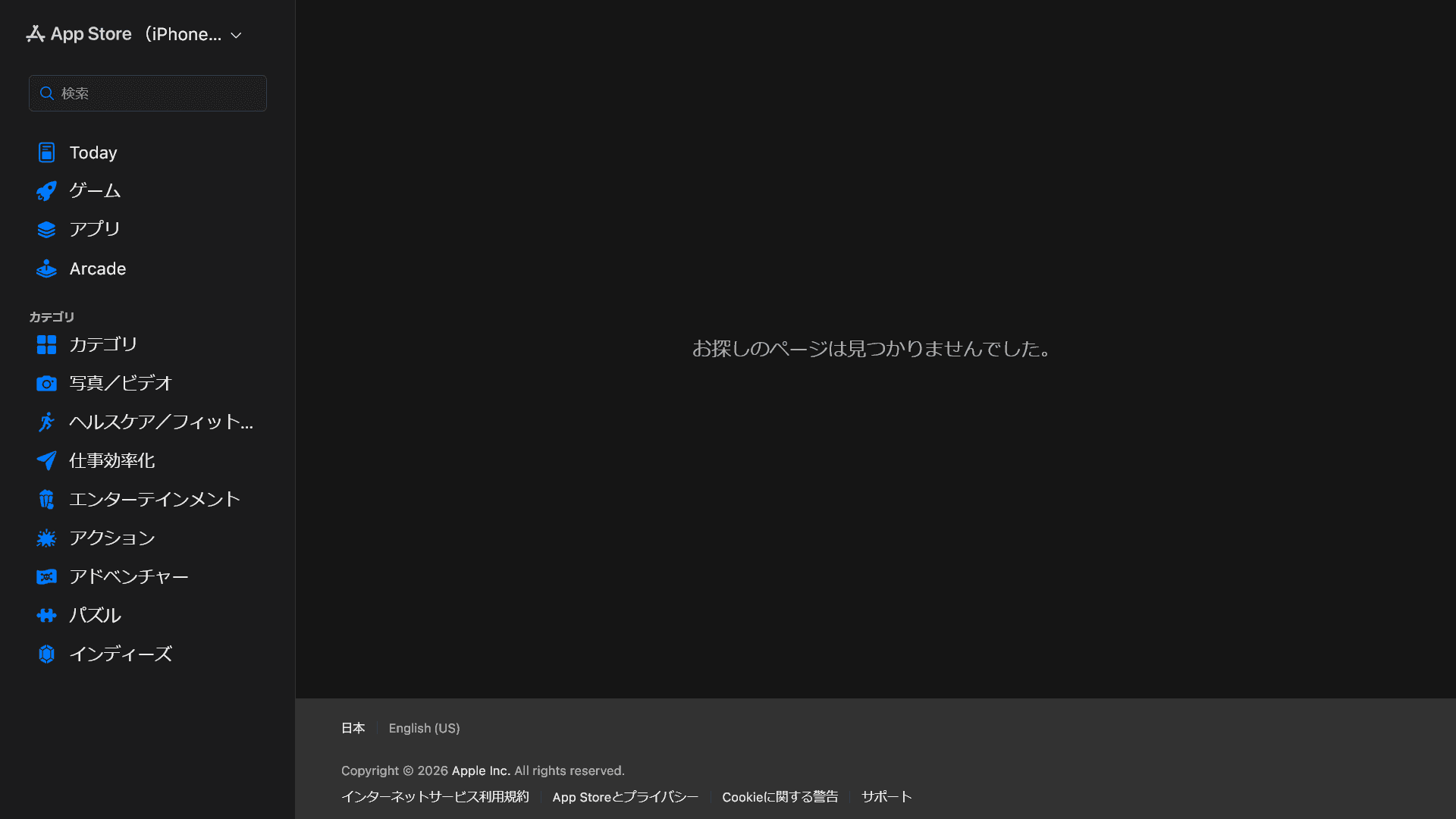
Why did the whoo app disappear, and why can’t you download it?
The location-sharing app whoo has been removed from Apple’s iOS App Store, so new users cannot download it. Some users have speculated that whoo is shutting down, but the developer has denied those rumors. The Android app also remains available, which suggests that a temporary issue caused the removal.
X search stops showing older posts: why past posts are missing and which posts are affected
X has developed a search issue where results include recent posts from the past six days but omit some older posts. Posts that have been up for seven days or more and have zero likes no longer appear in search results.
![A screenshot of a dialog titled [What are you reporting?] with [Spam] selected](/_next/image/?url=%2Fapi%2Fmedia%2Ffile%2Fx-report-post-spam-selected-english.png&w=1920&q=75)
Annoyed by X’s “tap and hold” images? X starts cracking down on them as a “spam attack”
Images that change when you tap and hold have become popular on X, but users have complained that these posts are flooding their timelines. In response, X Head of Product Nikita Bier called the trend a “spam attack” and said the platform had reduced the posts’ visibility in users’ timelines.

[Android] Can you no longer hide images on X? How to reduce image data usage with the new settings
The new Android app no longer lets you turn off media previews and hide images from the timeline. You can still reduce data usage by loading lower-resolution images.
![Screenshot of [Accessibility, display, and languages] > [Display] > [Font size] in the X settings](/_next/image/?url=%2Fapi%2Fmedia%2Ffile%2Fx-android-font-size-settings-english.png&w=3840&q=75)
Did the font change in the X app for Android? How to change the text size
X has replaced its Android app with a new version that the company rebuilt from scratch. Since the update, many users have reported that the text looks smaller. The previous Android app matched the device’s font size setting. The new app uses an in-app font size control, which can make the text look smaller after the update. I explain how to change the text size in the new Android app.
![Screenshot of X’s settings screen showing the options under [Accessibility, display, and languages] > [Data usage]](/_next/image/?url=%2Fapi%2Fmedia%2Ffile%2Fx-data-saver-high-resolusion-image-settings-english.png&w=3840&q=75)
[Android] Why X images do not change when you tap and hold and how to fix it
Many posts on X now feature images that change when you tap and hold them. In the Android app, however, the image may appear in its post-tap-and-hold state from the start, with no change when you tap and hold it. The image resolution setting used during loading causes this issue. In this article, I explain how to check and change the relevant settings.
[Android] X bug deletes images and videos from published posts when you delete drafts
X users on Android have encountered a bug that deletes images and videos from published posts when they delete a draft containing the same media. The bug may stem from an issue between draft syncing and X’s rebuilt Android app. Users cannot restore images or videos that the bug has removed from existing posts.
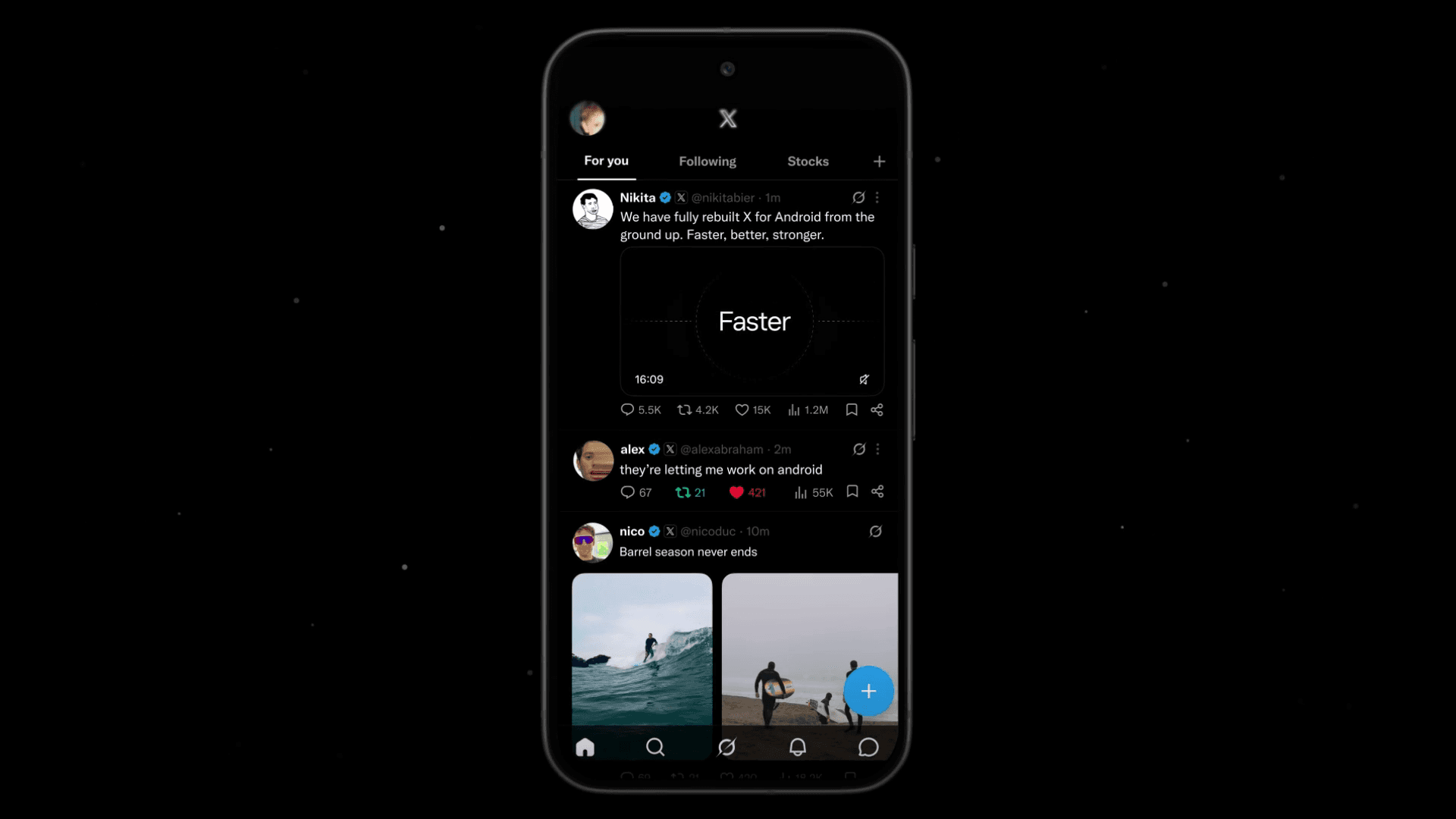
X launches rebuilt Android app and details the changes
X has launched its rebuilt Android app. The company describes the new app as “faster, smoother and way more reliable,” while X Head of Product Nikita Bier says the new foundation will help the company build features at a faster pace.
Can’t host an X Space on Android? Why the option disappeared and how to work around it
A problem in the X app for Android prevents users from hosting a Space, although they can still listen to Spaces hosted by other users. Until X adds Space hosting to the new Android app, you will need to host Spaces through the iOS app or the web version of X.

YouTube picture-in-picture stops working for many iPhone users
YouTube’s picture-in-picture (PiP) feature lets you keep a video playing in a small floating player after you return to the Home Screen and use another app. Many users can no longer access picture-in-picture. YouTube has acknowledged the issue, and iPhone and iPad users account for most reports.

Why reposts and replies do not appear on X and how to find them in the new Android and iOS profiles
X has redesigned profiles in its Android and iOS apps, changing how users view replies and reposts. When the [Posts] tab on a profile does not show reposts or replies, check the new [Replies] and [Reposts] tabs.

ALT text missing in X for iOS? Cause and fixes
When you open a post with multiple images in the X app for iOS, the app may not show the [ALT] button even when the author added ALT text to the images. A bug in the X app for iOS causes this issue. The ALT text has not disappeared, and you can still view it in the X app for Android or on the X website.
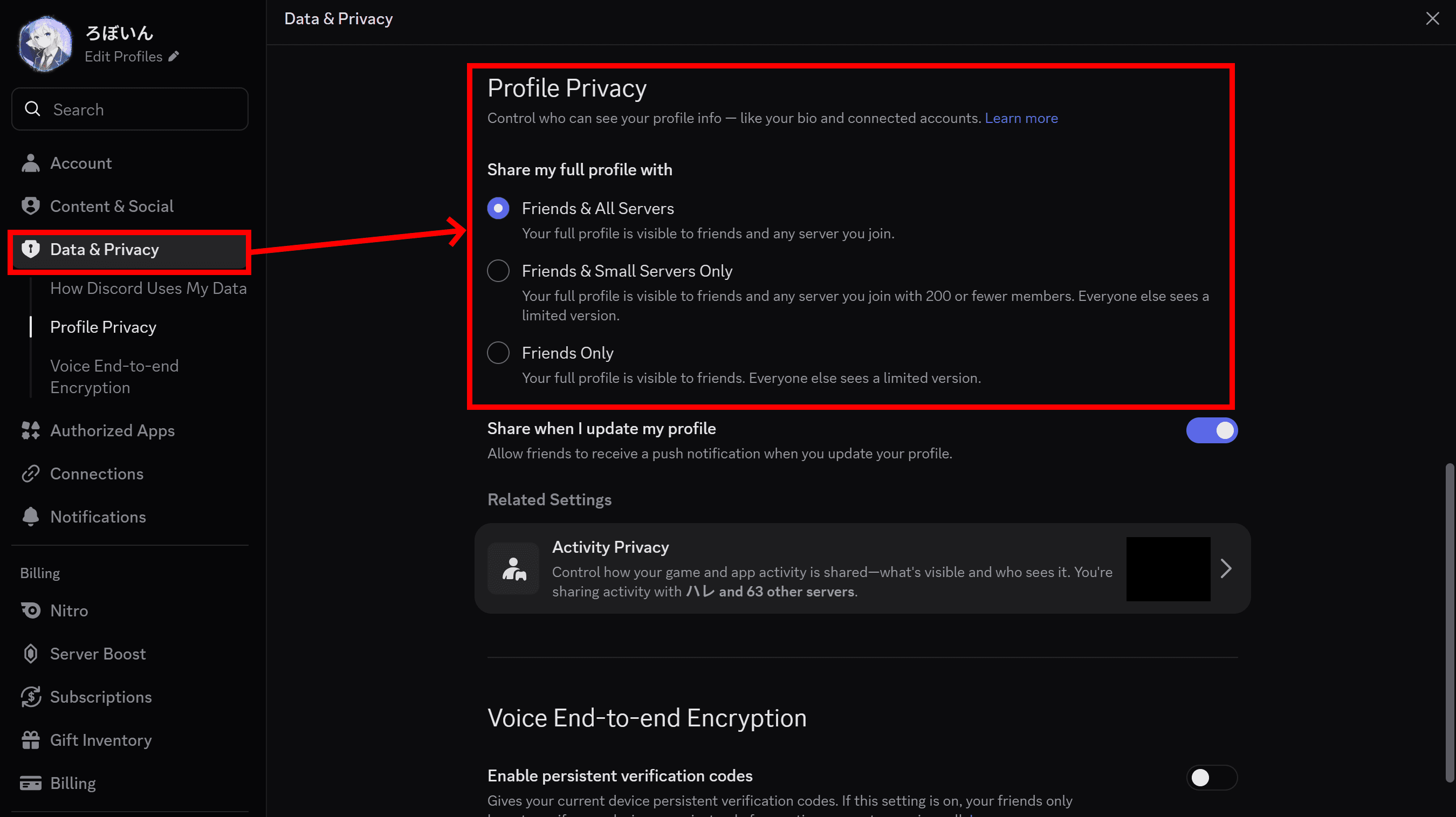
How to make your Discord profile private when you don’t want others to see it
When you connect with many different people on Discord, you may not want strangers who happen to share a server with you to view your profile. With the new Profile Privacy setting Discord added, you can change who can see your profile.
![スマートフォンのホーム画面の[Social]フォルダーを表示した写真。フォルダー内にはFacebook、Instagram、Threads、X、LinkedIn、TikTok、YouTubeのアイコンが配置されている](/_next/image/?url=%2Fapi%2Fmedia%2Ffile%2Ffacebook-instagram-threads-x-twitter-linkedin-tiktok-youtube-mobile-app-unsplash.jpg&w=3840&q=75)
X strengthens shared post display and reactions in Spaces on Android, while host-side sharing remains in development
X software engineer Evgenii Matsiuk said X has strengthened Spaces-related features in its Android app, including support for displaying shared posts and emoji reactions.
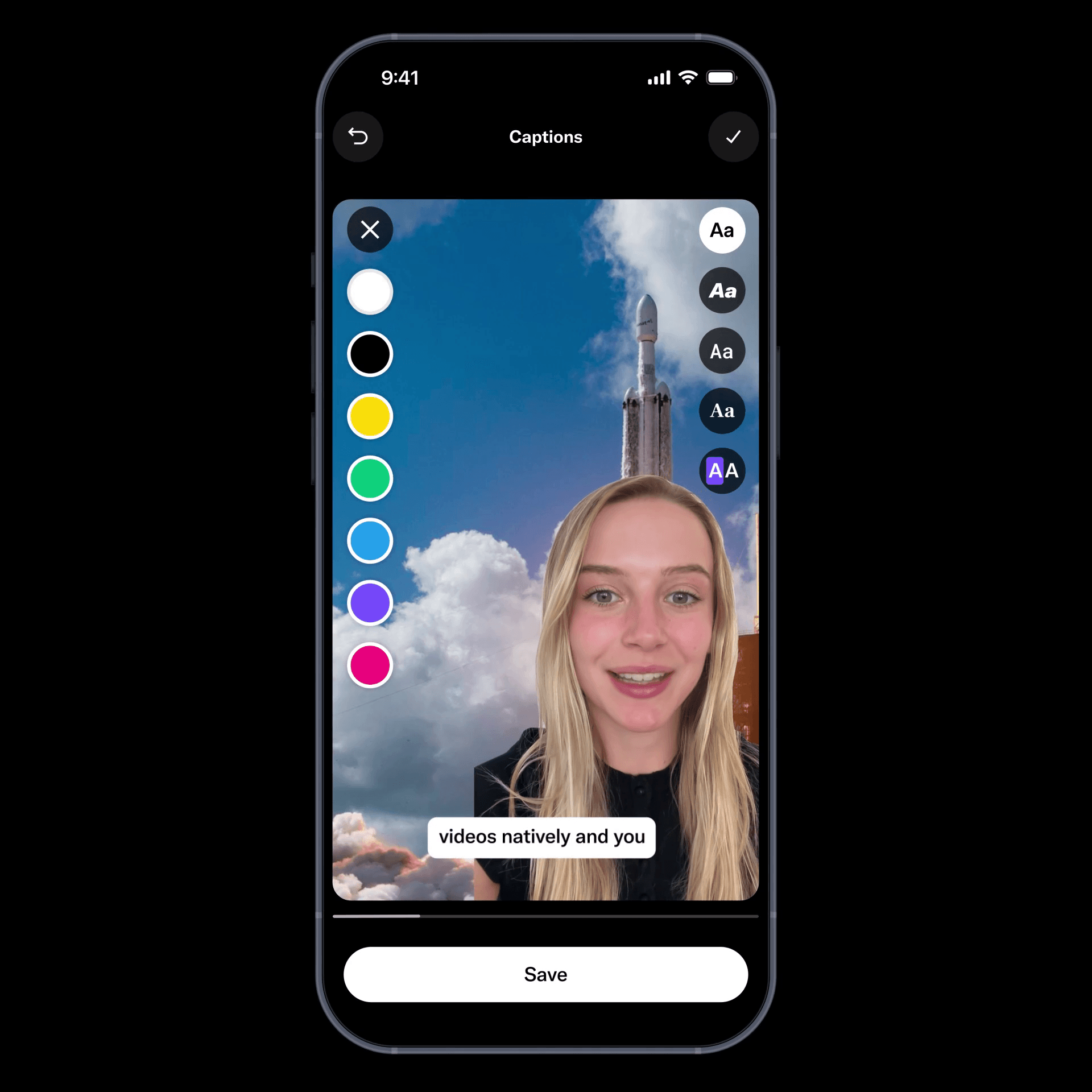
X launches new video editor on iOS, with new Android app set to reach all users this month
X has released a new video editor and recording feature for its iOS app. The new video editor lets you use segmented recording, green screen, customizable captions, and other tools from inside the X app.
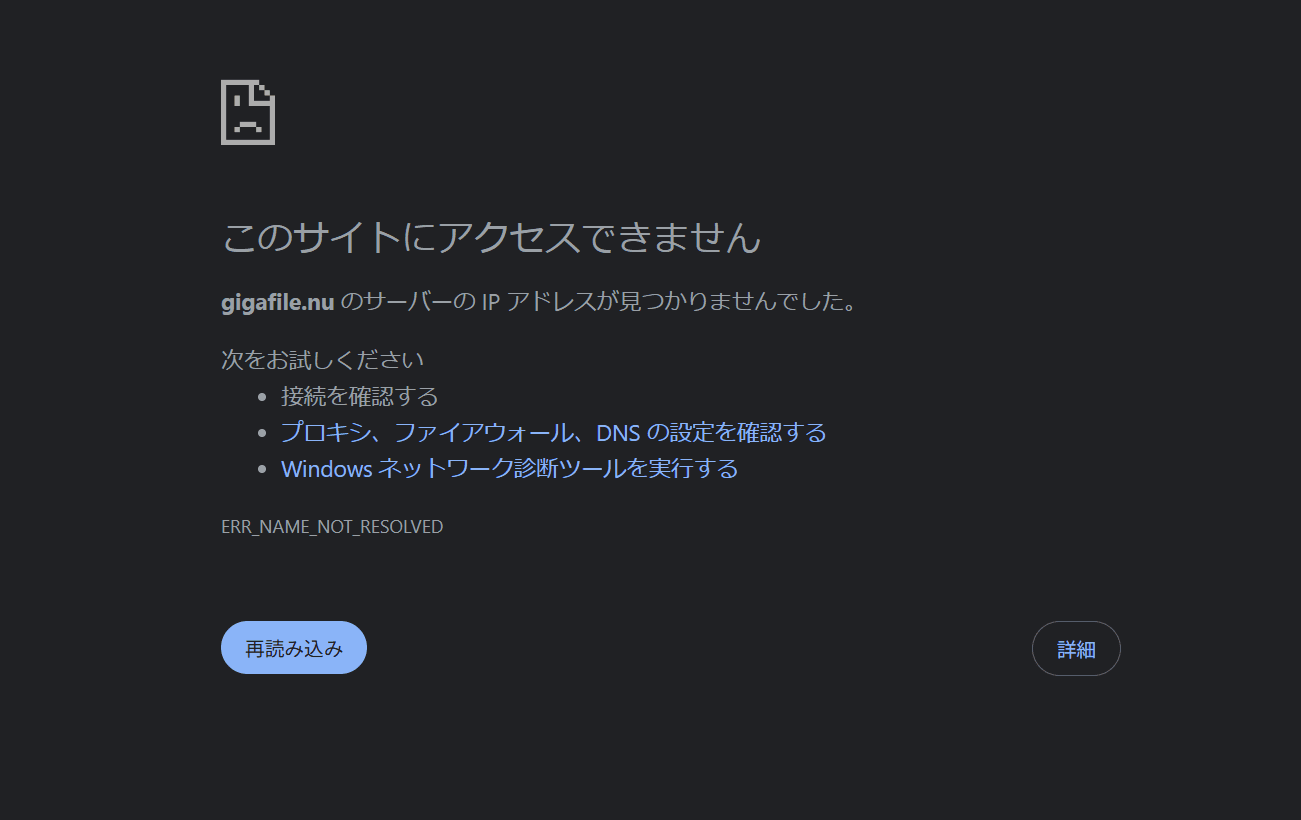
GigaFile outage blocks access, partial service restored on temporary domain
Since around 9:00 a.m. on July 6, 2026 (JST), users have been unable to access GigaFile, a well-known online file-sharing service in Japan. GigaFile’s official X account announced that it has temporarily changed its domain from “gigafile.nu” to “gigafile.jp” to restore service sooner.

X web app get much faster as migration to TanStack Router and Tailwind begins
X has adopted modern web technologies such as TanStack Router, Tailwind, and SSR for its web app, and the change has cut page load times. X has rolled out the change to logged-out pages, and the company may apply it to logged-in pages in the future.

Why X DMs show someone as “Member,” how to fix it, and how to check who you were chatting with
Users have reported a bug in the iOS X app that shows the other person’s name as “Member” when they open XChat, formerly known as X DMs. When you can open the other person’s profile, you can check who you were chatting with by looking at their profile name or user ID.

Unity Terms update raises concerns over a ban on third-party AI and MCP; Unity denies it
Unity updated its Terms of Service on June 30, 2026, local time. The developer community has raised concerns that the new terms could prevent developers from using third-party AI agents and MCP.

VRChat fan world Tsukuyomi Tutorial Space, recreating Tsukuyomi’s tutorial from Cosmic Princess Kaguya!, is now available
Digital multi-creator roboin has released Tsukuyomi Tutorial Space, an unofficial fan world inspired by the tutorial scene from Cosmic Princess Kaguya! (超かぐや姫!), in VRChat Community Labs. Tsukuyomi Tutorial Space lets you experience one of the film’s most memorable environments in VRChat. Inside the world, you’ll find a water surface, two torii gates, and countless lanterns floating on the water. The world cycles through day and night in 5 minutes and includes procedurally generated clouds, animated water, and lighting effects that reflect light from the video player onto avatars and the water surface.
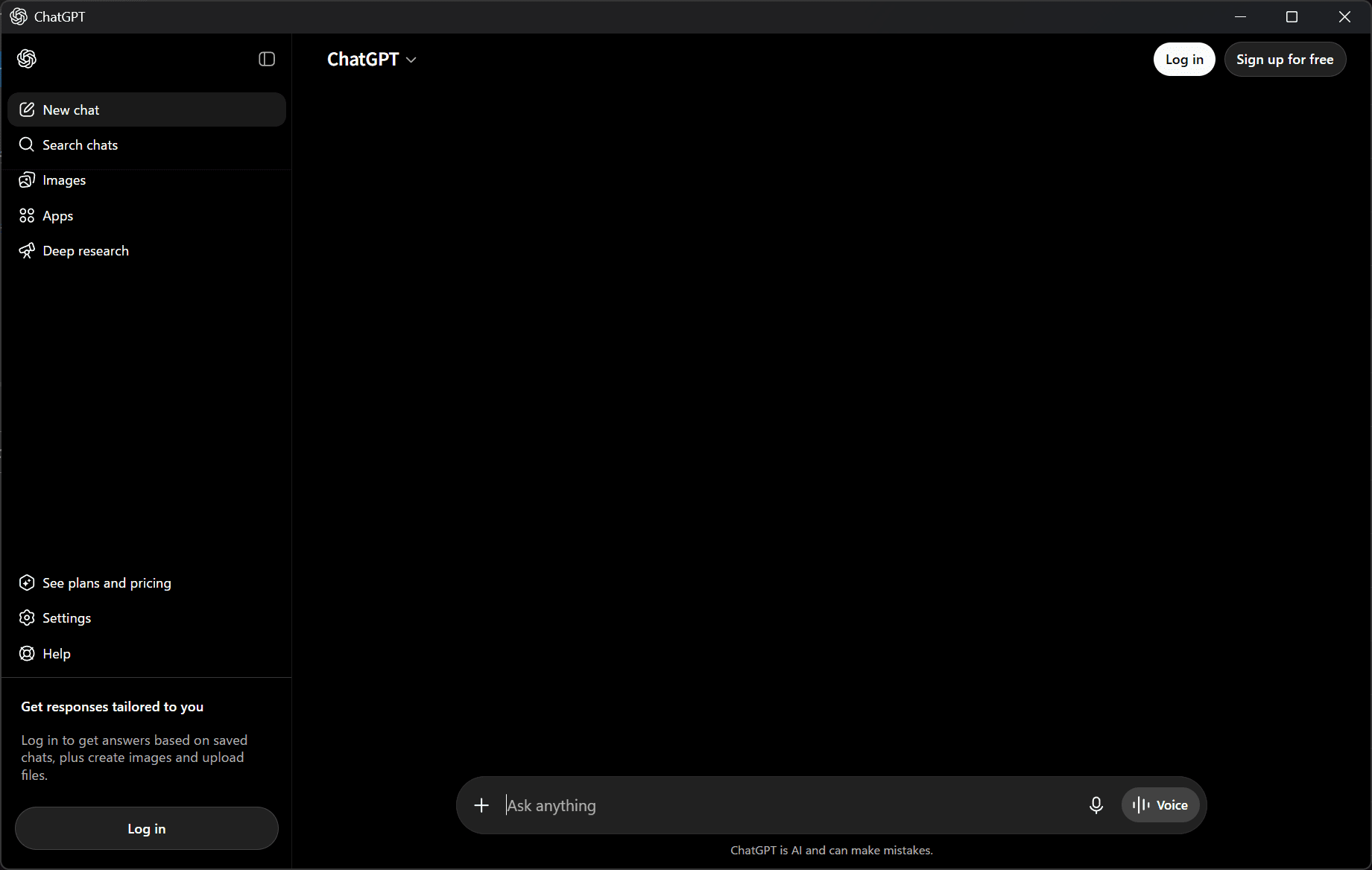
ChatGPT Windows app bug leaves chats blank and blocks login
The ChatGPT Windows app currently has a bug where messages do not appear on the screen after you send them, and the app does not respond when you click the login button. OpenAI has acknowledged the issue and says it is investigating.
![タイムラインの上部にGrokのロゴと[What do you want to see more of?]というテキストが表示されており、その下のテキストボックスに[More funny content, less politics]と入力されている画面のスクリーンショット](/_next/image/?url=%2Fapi%2Fmedia%2Ffile%2Fx-grok-promptable-timeline-prototype.png&w=1920&q=75)
Musk and Bier say X needs to rethink its recommendation algorithm and improve the timeline
Elon Musk and X product lead Nikita Bier said X needs to revisit the recommendation algorithm behind its For You timeline.

X rolls out X Money to paid users in the U.S., with Grok integration and revenue payouts
X has released its financial service, X Money, to some Premium+ users in the United States. X plans to collect feedback from eligible users as it prepares for a broader rollout.
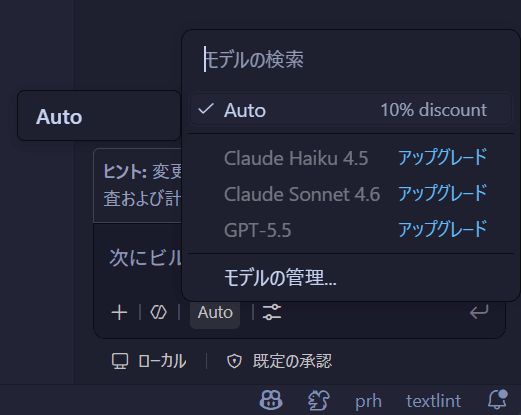
GitHub removes manual model selection from Copilot Free and Student plans, leaving Auto as the sole option
Users on GitHub Copilot’s Free and Student plans can no longer choose models manually. GitHub now limits them to “Auto.”
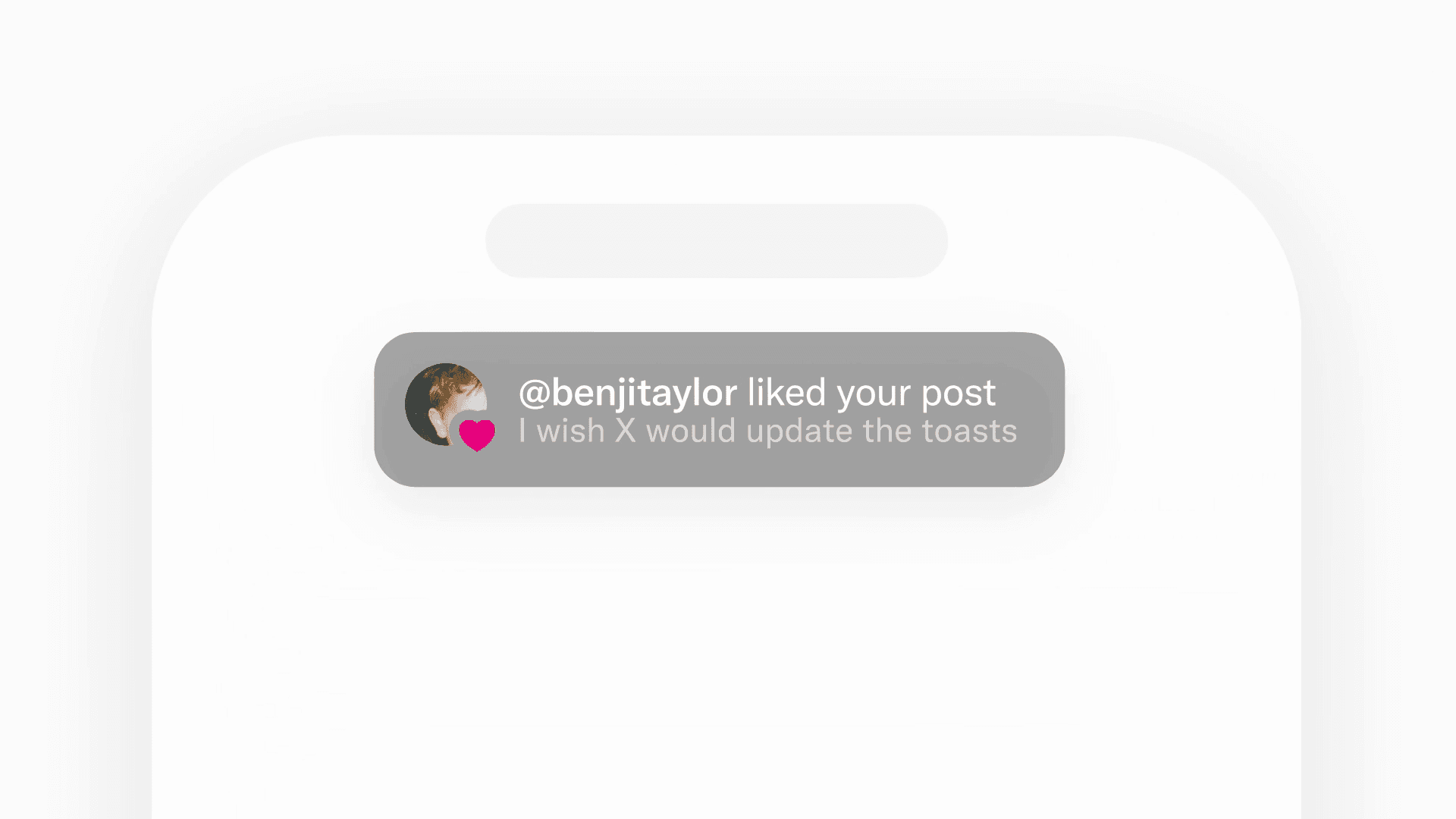
X updates its in-app notification design with a simpler, more readable style
Benji Taylor, who leads design at X, posted on X that the team is rolling out a new simplified in-app notification style.
Some GIFs are no longer available on X because the Tenor API is ending
When users search for GIFs on X, some GIFs they used before no longer appear, and the search results now look different. X can no longer use Tenor, the GIF search service it relied on.
![ブロックユーザー確認ツール あなたをブロックしているユーザーを特定できます。あなたは何人ものユーザーに持続的な影響力や反響を与えているのか調べてみましょう。※本ツールはX(旧Twitter)社の**公式API**を利用して情報を取得します。 [Xにログインして確認を開始]](/_next/image/?url=%2Fapi%2Fmedia%2Ffile%2Fx-block-checker-phishing-campaign.png&w=3840&q=75)
Don’t use X block checker. They can get your account hacked
More websites now claim that they can show “who has blocked you” or “how many people have blocked you” on X. When you log in to your X account on these websites, attackers may hijack your account. Do not use block checker sites.
X for iPad freezes when users tap hashtags, with a fix coming in the next update
X will fix a bug in the next update that causes the X app for iPad to freeze when users tap a hashtag.
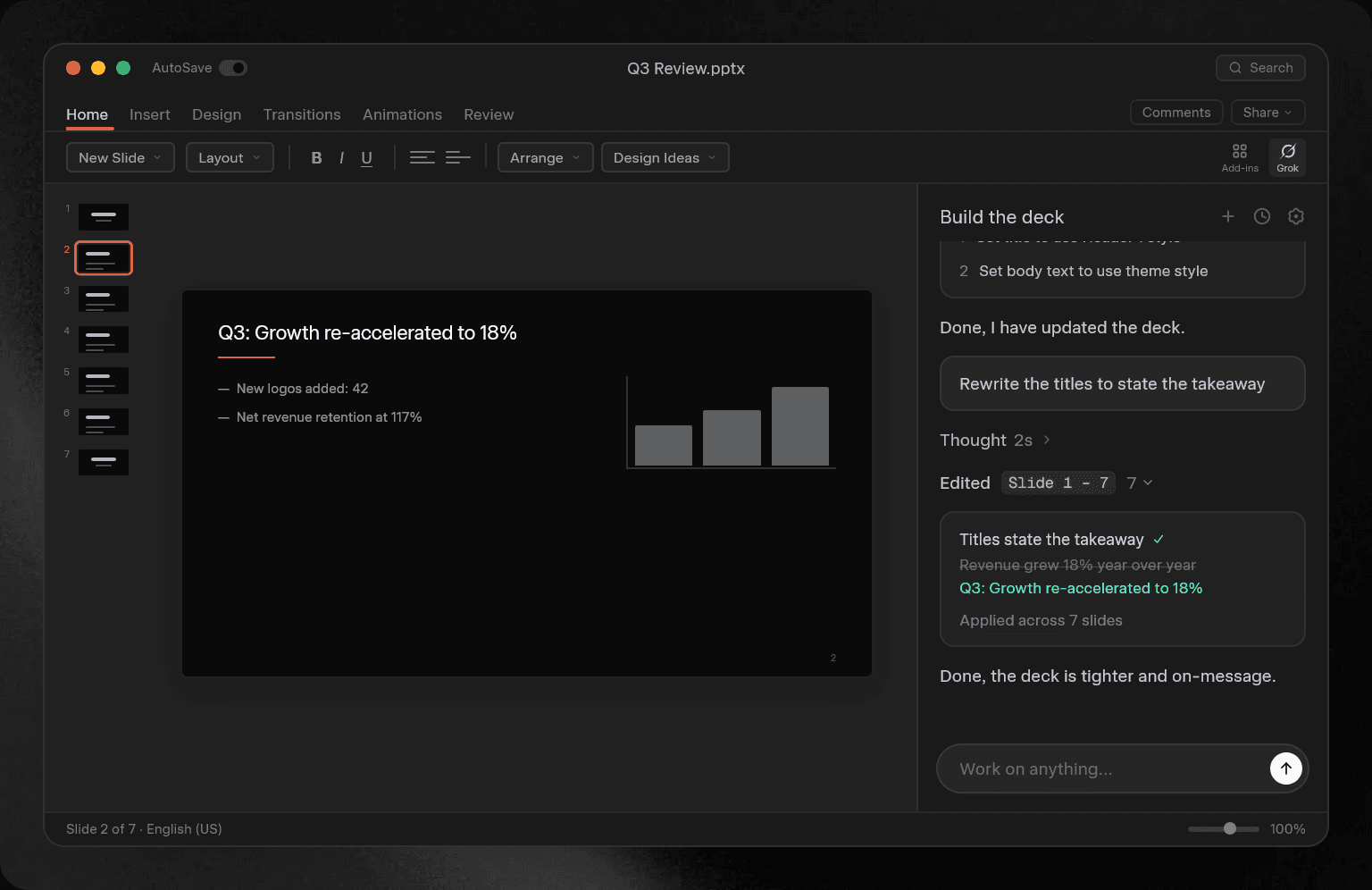
xAI brings Grok to PowerPoint with support for slide creation, research, and image generation
xAI released Grok for PowerPoint, a Microsoft 365 add-in that lets users use Grok in Microsoft PowerPoint, on June 16, 2026. With Grok for PowerPoint, users can ask Grok to create PowerPoint slides from prompts, use real-time data, connect with apps, use MCP, and generate charts and images.
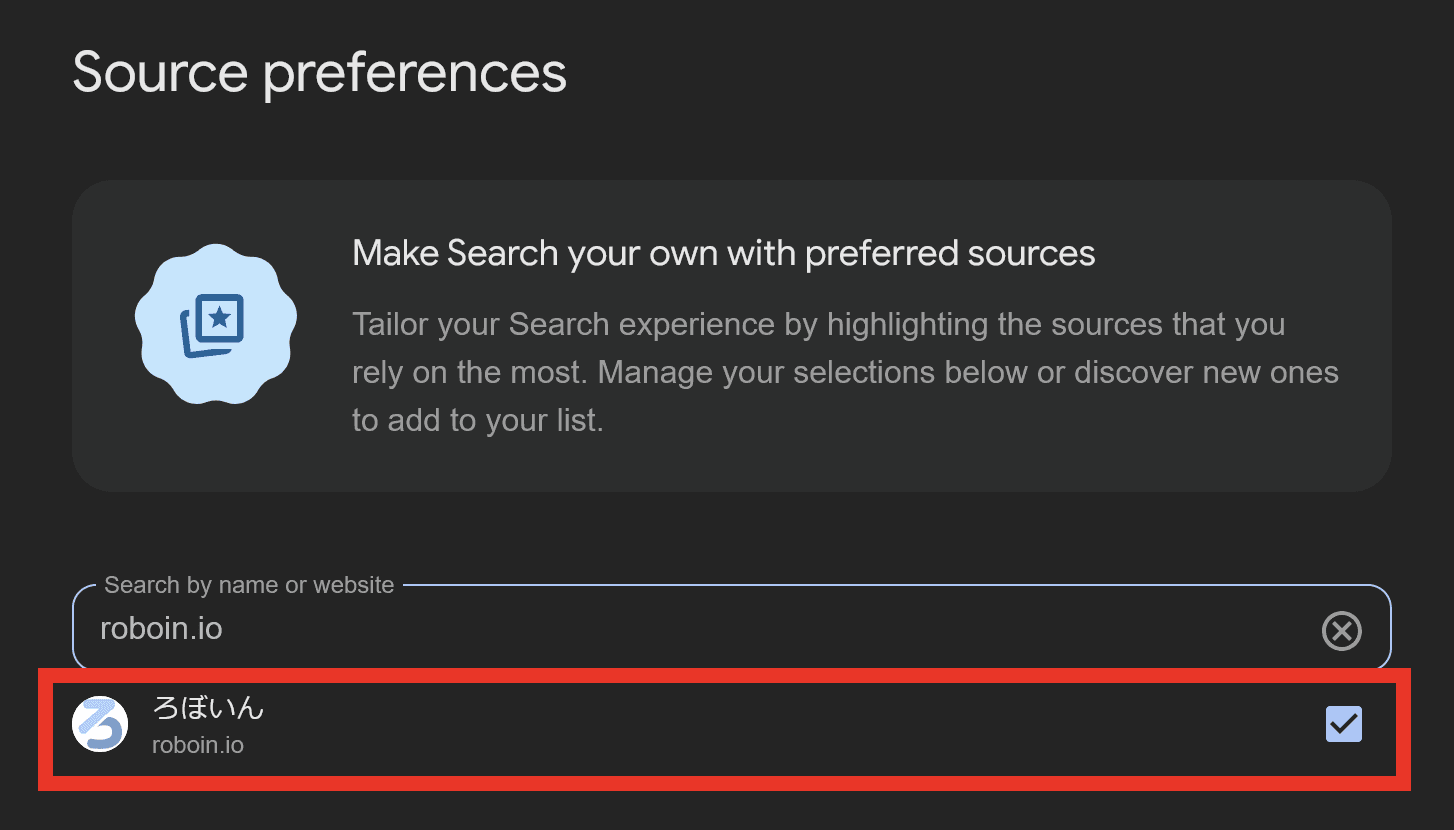
[Notice] Please add this site to Google’s Preferred sources
Since last month, Google Search has let you add this site to “Preferred sources.” When you add this site to Google’s Preferred sources, you can find Roboin Blog articles more easily in Google search results.
X may let users attach six videos to a post after employee publishes test post
X may let users attach up to six videos to a single post. An X employee published a test post that showed the change.
[June 18, 1:00 a.m. to 6:00 a.m. JST] Temporary site outage during maintenance
Thank you for visiting Roboin Blog. The hosting provider used by this site will perform maintenance, so you may be unable to access this site during that period.